

Channel routing
Every certificate has one submission channel: the route its released document takes to the receiving organisation. This page explains the kinds of channel, how a certificate gets its channel, and how DASH tells whether a delivery worked.
The kinds of submission channel
Section titled “The kinds of submission channel”A Material’s submission channels are listed under Data channels → Submission Data Channels on the Material record.
| Channel kind | How the released document is delivered | Who decides success |
|---|---|---|
| API | Sent to the receiving system’s web address (endpoint), using the channel’s stored settings and credentials. | The receiving system. By default any 2xx HTTP status counts as delivered. The channel can be set to read a named field in the JSON reply instead. |
| Storage (AWS S3, SharePoint, Veeva Vault) | Uploaded to the receiving organisation’s bucket, library or vault. | The storage service’s confirmation of the upload. |
| DASH (Manual) | Not sent anywhere. The release is completed and recorded inside DASH. | Always succeeds. |
Email isn’t a channel kind. DASH can’t send certificates by email.
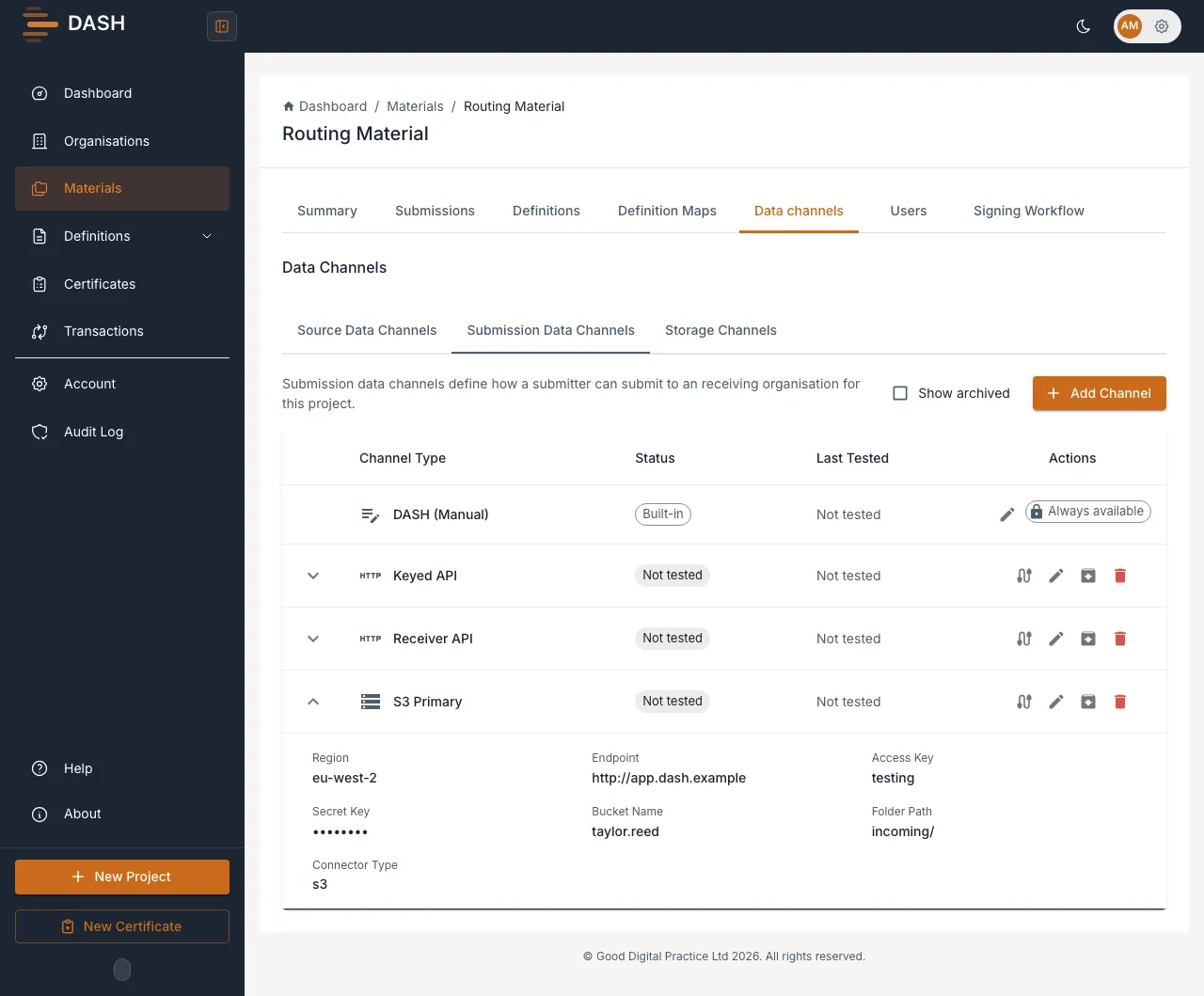
To add or change a channel, see Submission channels and Credentials and testing.
The built-in DASH (Manual) channel
Section titled “The built-in DASH (Manual) channel”Every Material gets a DASH (Manual) submission channel when it is created. It shows the chips Built-in and Always available. You can rename it, but you can’t archive or delete it, and you can’t add a second one.
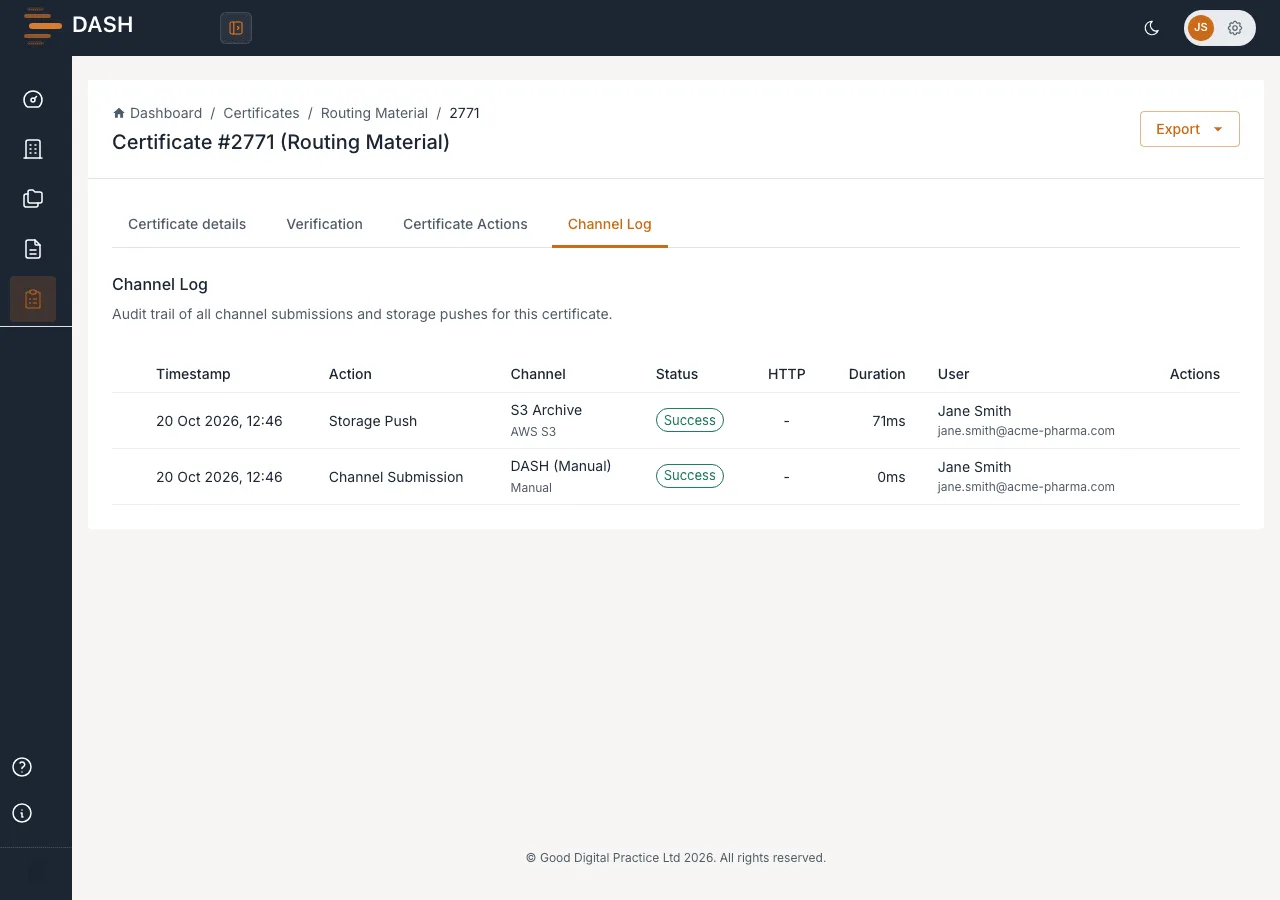
Use it when the receiving organisation collects released certificates from DASH rather than having them pushed to a system. A delivery through DASH (Manual) finishes straight away. The Channel Log shows it as a Channel Submission with the channel type Manual, status Success, and no HTTP code.
How a certificate gets its channel
Section titled “How a certificate gets its channel”The channel is chosen when the certificate is prepared, on the Certificate details step, in the Submission data channel section (“Select the channel through which this certificate will be sent to the receiver”).
- The Submission Data Channel field lists the Material’s submission channels.
- If nobody picks an external channel, DASH uses the Material’s DASH (Manual) channel. A certificate can always be released, even when no external destination has been set up.
- An archived channel still appears in the list, greyed out with “No longer used for new work”, and can’t be chosen.
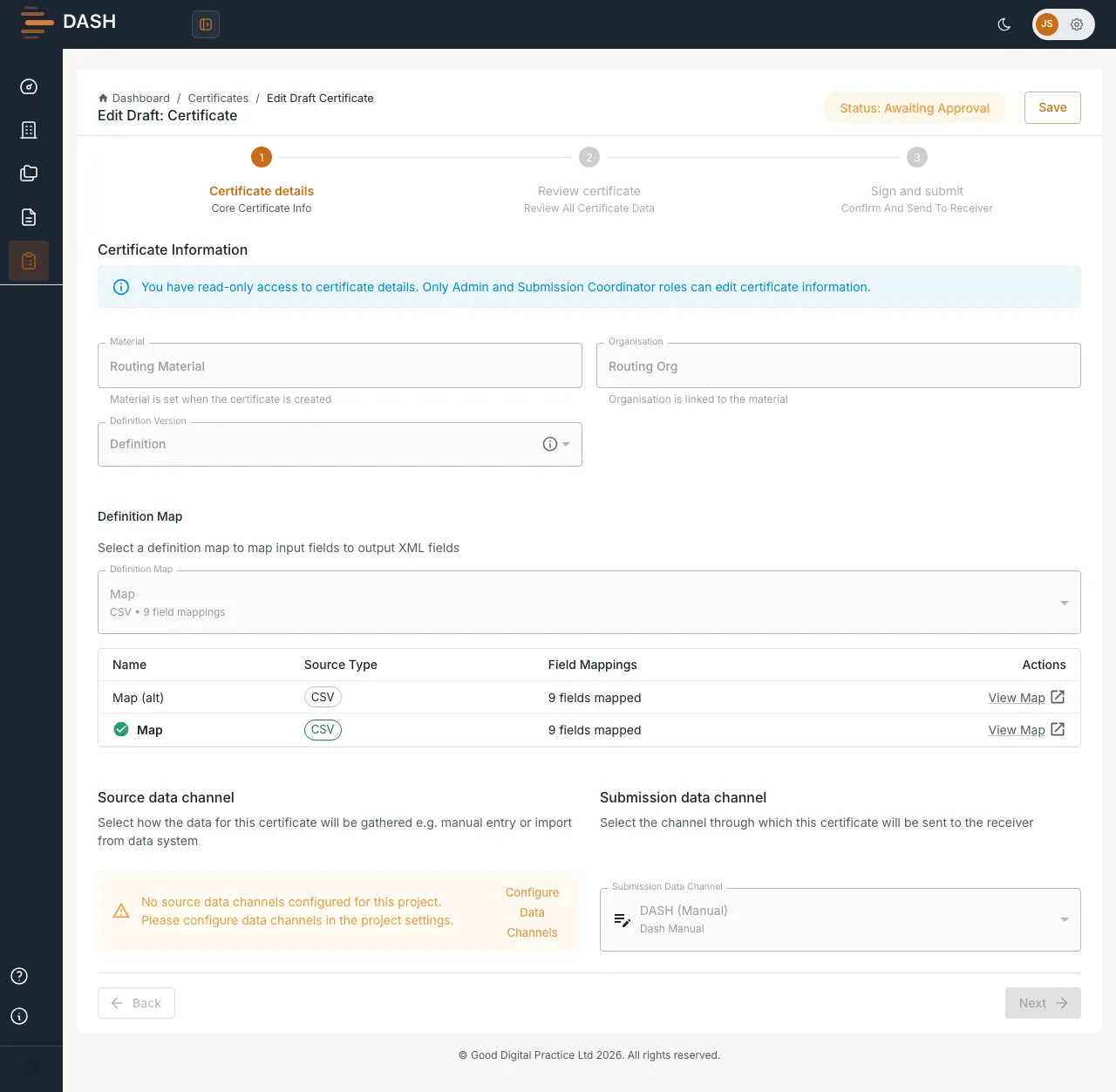
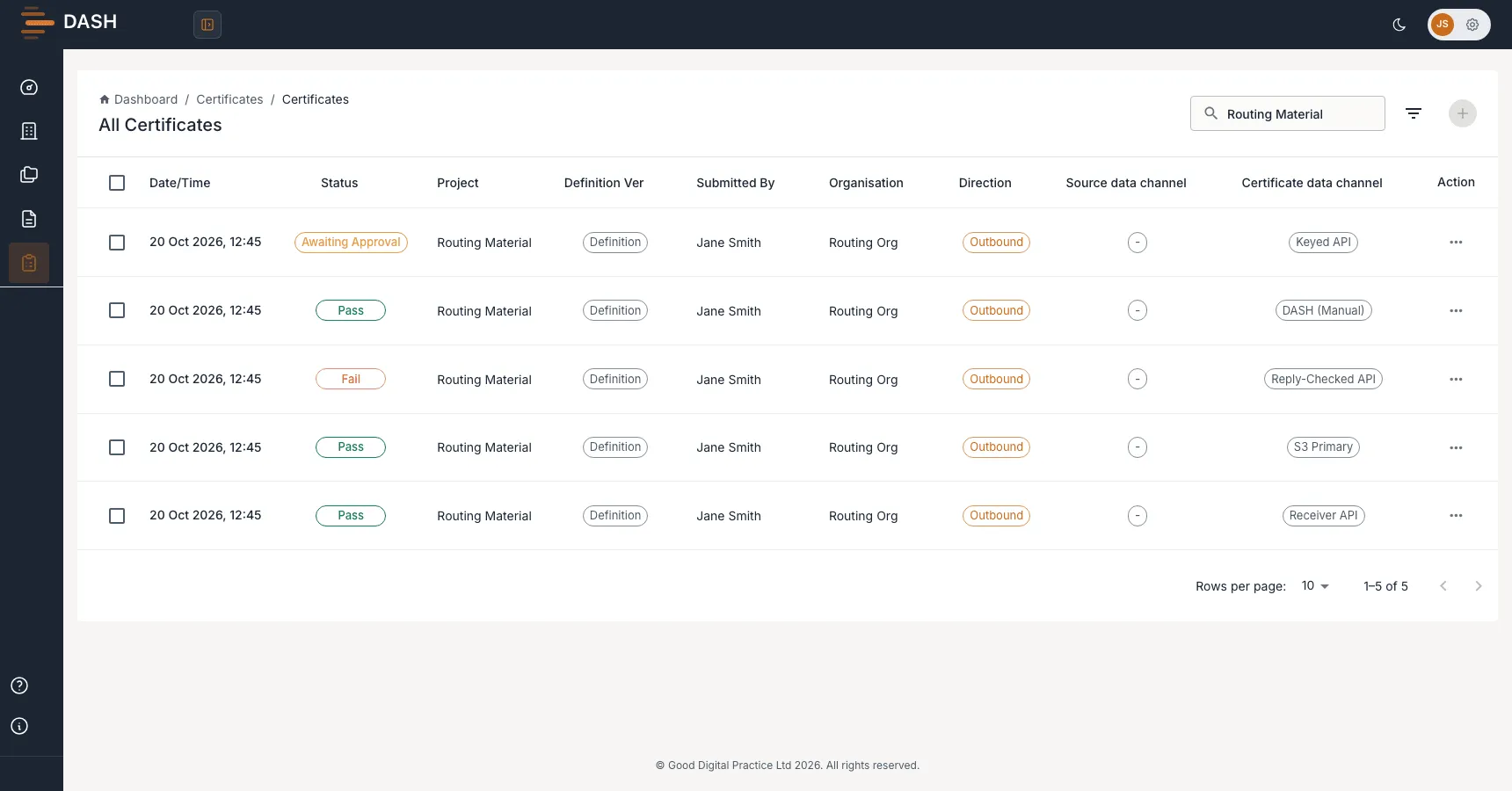
Whichever channel was used, the certificate records it by name. When DASH falls back to the manual channel, the record says DASH (Manual), not a blank. So the audit trail is clear, and a later retry has a definite destination. You’ll see the channel in two places:
- the Certificate data channel column on the Certificates page;
- the Submission Data Channel field on the certificate record (in the Blocks view).
The receiver decides whether delivery succeeded
Section titled “The receiver decides whether delivery succeeded”DASH doesn’t assume that a send worked. The certificate settles at Pass only when the receiving channel confirms delivery. It settles at Fail when the channel reports a failure, or can’t be reached.
For an API channel, the channel’s Success check setting decides how the reply is read:
- HTTP status code (2xx = success): any 2xx status counts as delivered.
- Field in JSON response: DASH looks up the Success field path in the reply and compares it with the Expected value for success. A receiver can answer with HTTP 200 but say “rejected” in that field. DASH then records a failure. If the field can’t be found, that counts as a failure too.
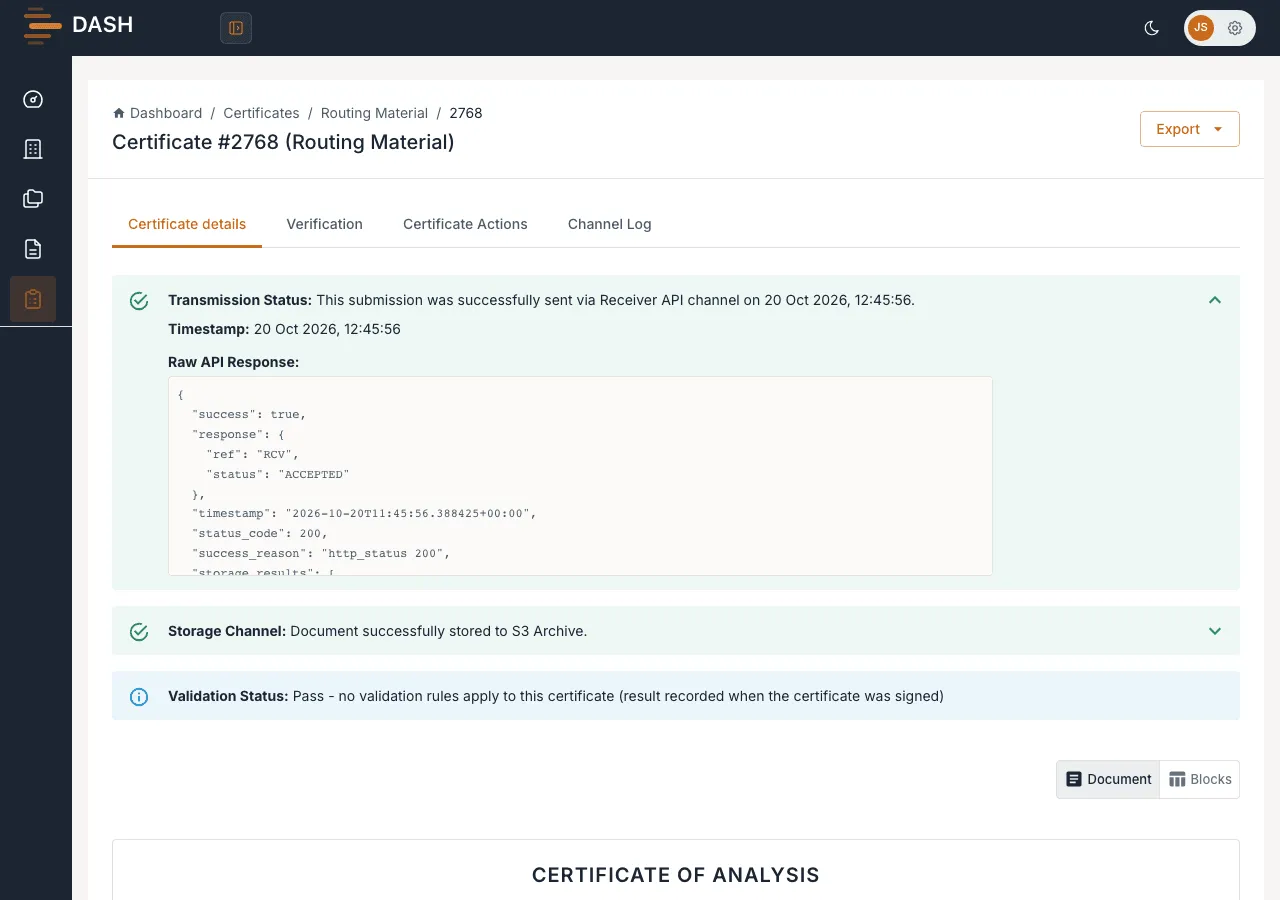
To see exactly what the receiver said, open the certificate, expand the Transmission Status banner, and read the Raw API Response.
Archival copies are separate
Section titled “Archival copies are separate”Submission channels carry the one primary delivery. Copies for your own records go to the Material’s Storage Channels, after the primary delivery has passed. See Archival copies.