

Data channels overview
A data channel is a configured connection attached to a material. Channels are how data flows in and out of DASH: an inbound channel can pull source documents in to create certificates, an outbound channel transmits a signed certificate to its recipient, and a storage channel archives a copy of the output.
Every channel belongs to exactly one material. You create, list, edit and delete channels only in the context of that material — there is no separate channels page.
The three directions
Section titled “The three directions”A channel has one direction that decides its role:
| Direction | Role | Learn more |
|---|---|---|
| Submission | Outbound — transmits a signed certificate to its recipient. | Submission channels |
| Source | Inbound — polls an external system for new documents and auto-creates certificates. | Source channels |
| Storage | Archival — pushes a copy of the submitted output to a backend. | Storage channels |
The four channel kinds
Section titled “The four channel kinds”Each channel is also one of four kinds:
- Email (CHANNEL-001) — send by email.
- API (CHANNEL-002) — connect to a partner API, such as the GSK vendor API, Veeva Vault or SharePoint.
- Storage (CHANNEL-003) — a cloud or document-storage backend, such as AWS S3 or Azure Blob Storage.
- DASH Manual (CHANNEL-004) — the internal, built-in channel. As a submission channel it is a no-op destination used as the fallback when no external channel is configured; as a source channel it means you upload files by hand.
Where you configure channels
Section titled “Where you configure channels”Channels live inside a material record. Open a material and go to its Data Channels section, where channels are grouped by direction — submission, source and storage. You can add channels during the material creation wizard’s Data Channels step, or add and edit them later on the material record.
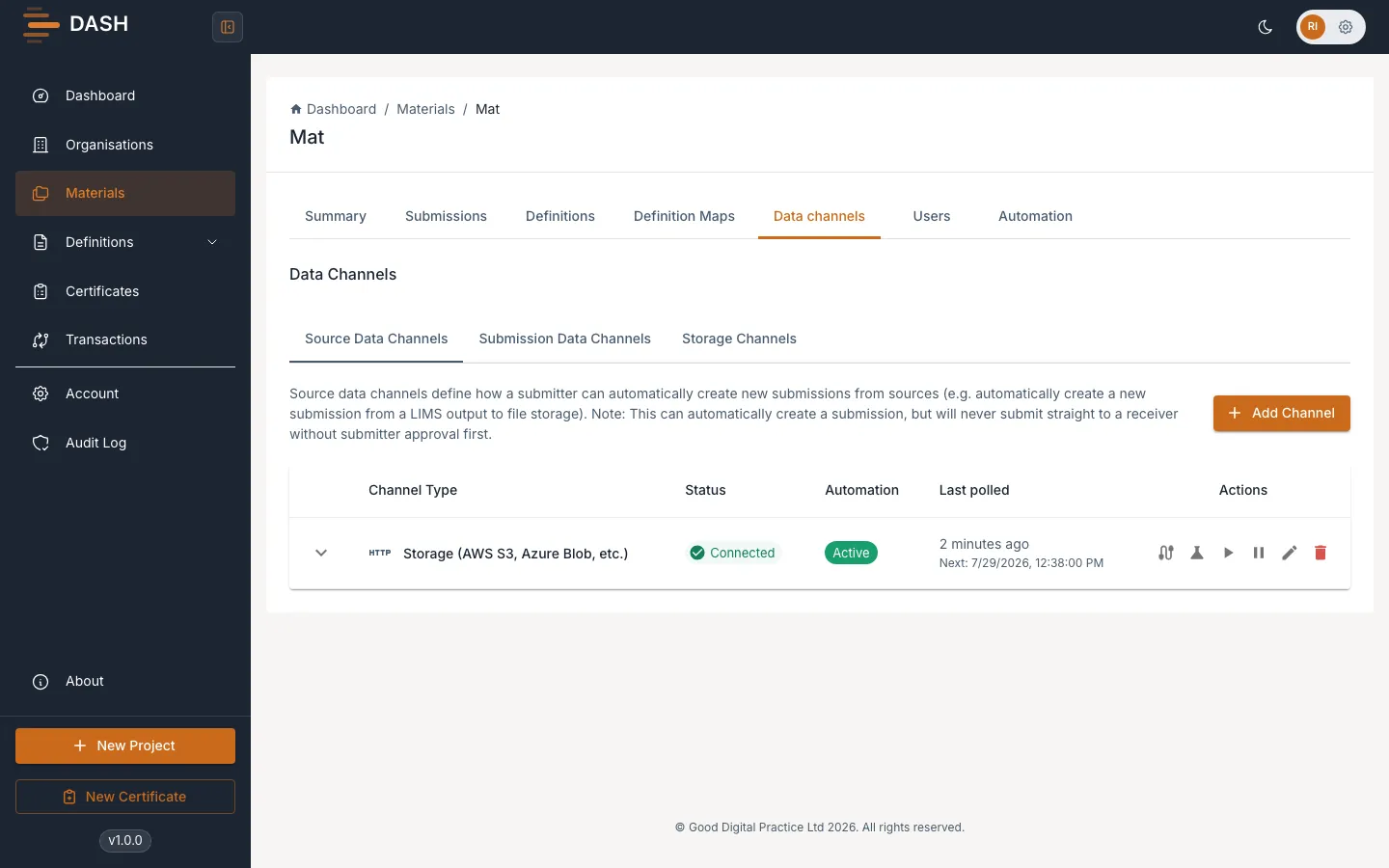
Every channel is given a unique identifier of the form CH- followed by a short code.