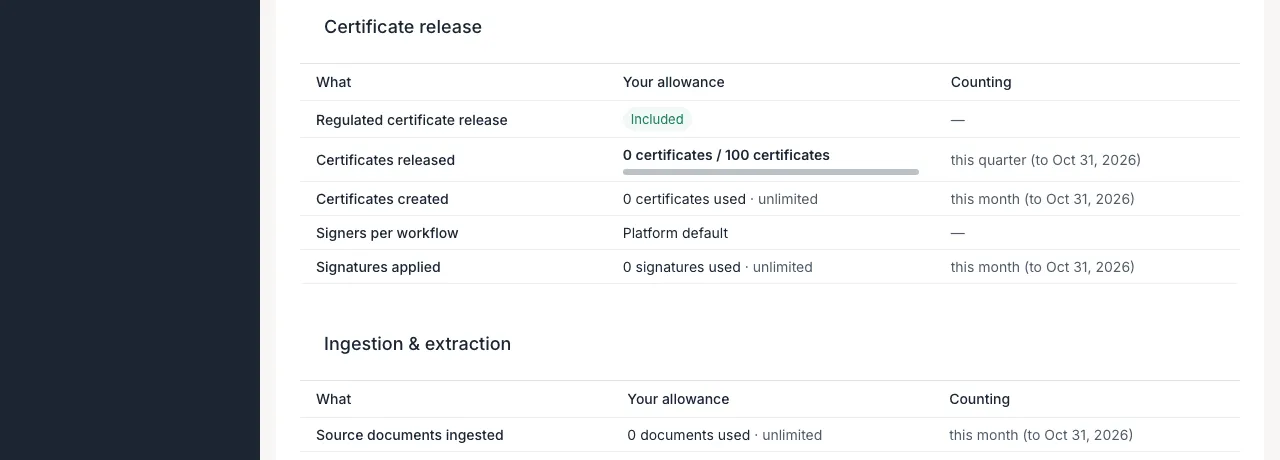
View your plan and usage
Each DASH account has exactly one plan. The plan sets what your account can do: which features are included, how many of certain things you can hold, and how much you can use in each period. The Plan & Usage tab shows all of this in one place, together with your current usage.
Open Plan & Usage
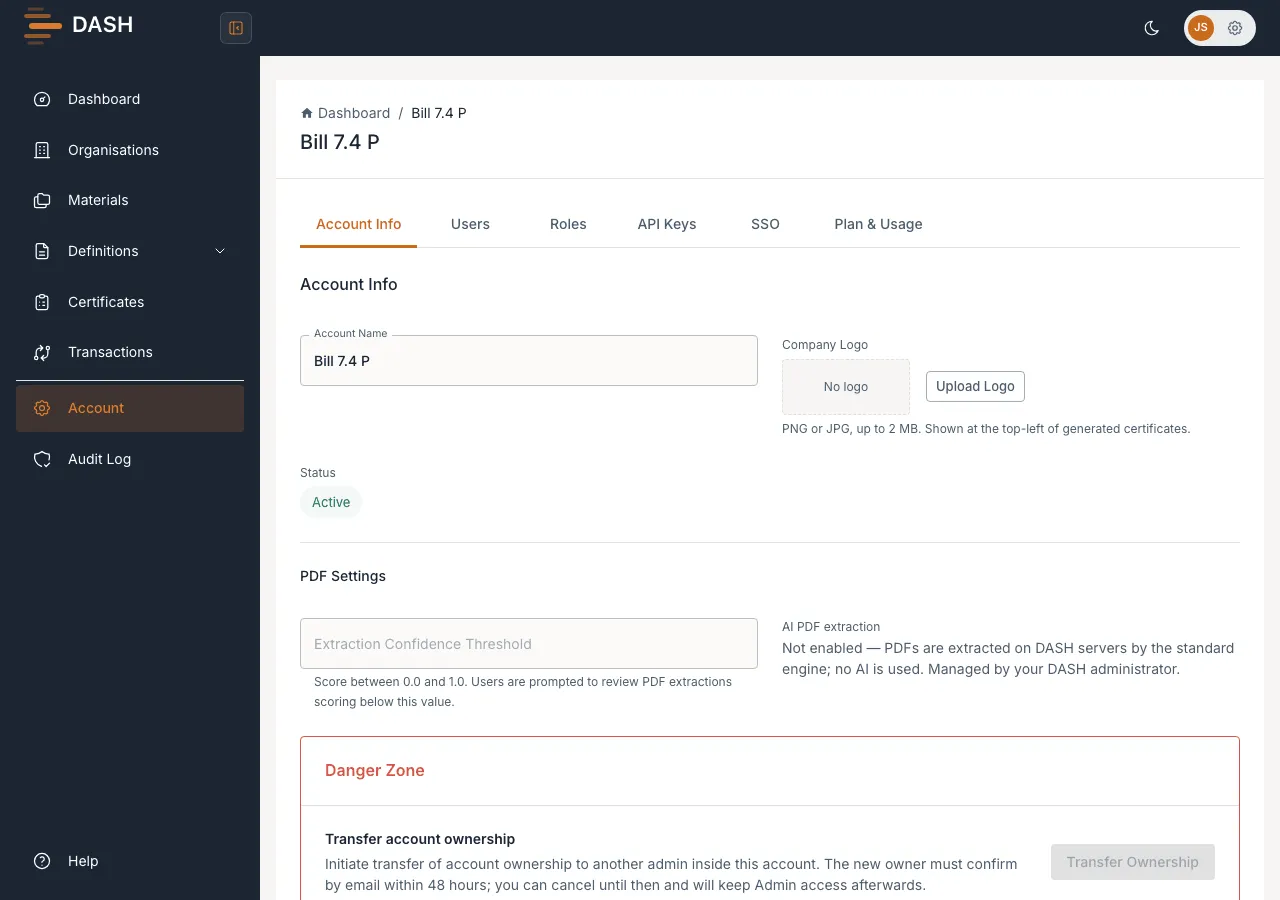
Section titled “Open Plan & Usage”- Select Account in the sidebar.
- Open the Plan & Usage tab, the last tab after Account Info, Users, Roles, API Keys and SSO.
If your plan doesn’t include regulated release, or your subscription isn’t active, a notice appears at the top of every page. Administrators can select View Plan & Usage on that notice to go straight to the tab.
Read Your plan
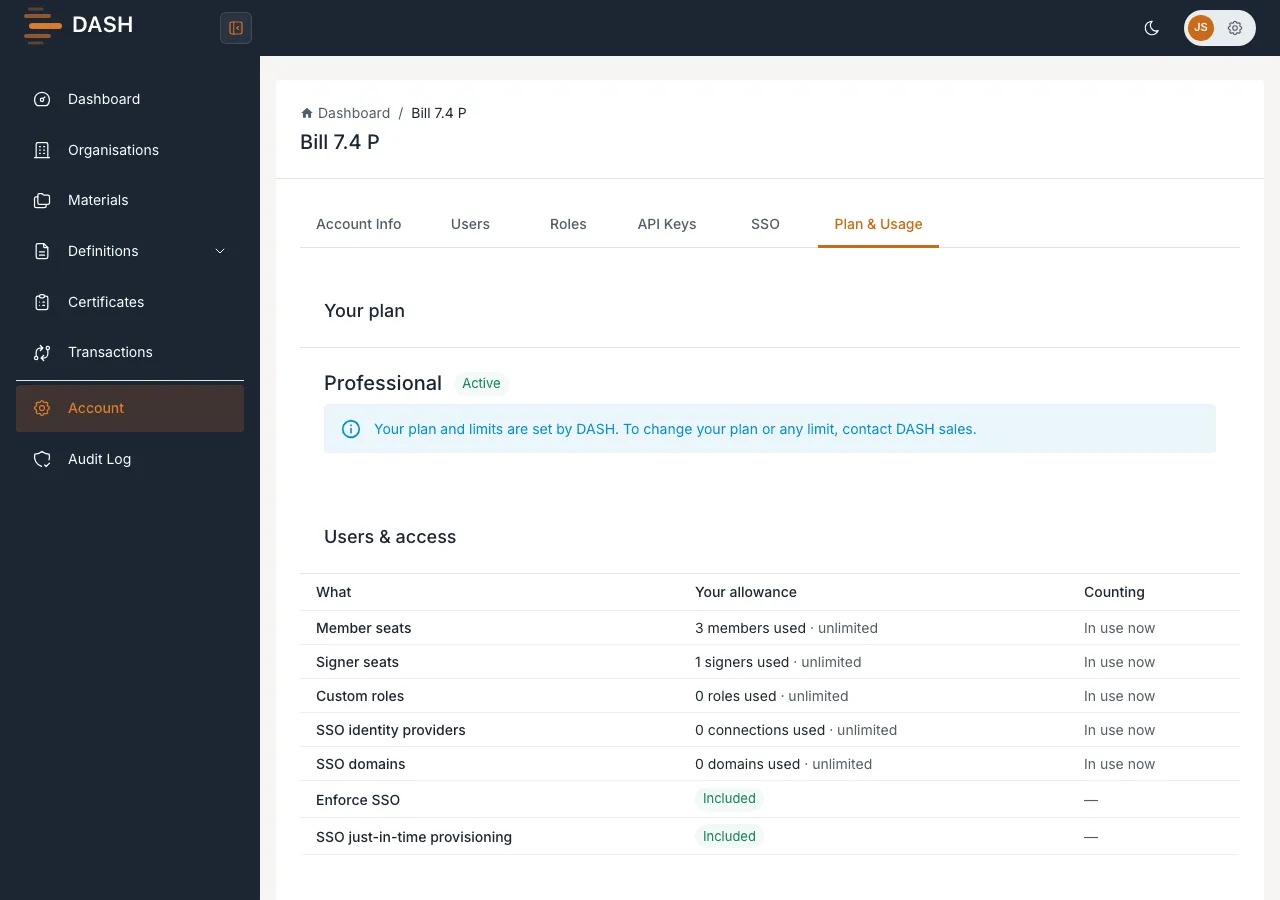
Section titled “Read Your plan”The Your plan card at the top shows:
- The plan name, for example Free, the default plan every new account starts on.
- The subscription status chip: Active, Suspended (read-only) or Ended. See Subscription status.
- Contract term, if DASH has recorded one, shown as Contract term: followed by the start and end dates. A term with no end date shows open-ended.
- A note that “Your plan and limits are set by DASH. To change your plan or any limit, contact DASH sales”, with the DASH sales email address where one is configured.
Read the entitlement tables
Section titled “Read the entitlement tables”Below Your plan, one card per area lists everything your plan can include or limit. The areas are Users & access, Partners & materials, Formats & mappings, Channels & connectors, Certificate release, Ingestion & extraction, Integrations and Storage. Hold the pointer over an item’s name to see a short description.
Each table has three columns:
| Column | What it shows |
|---|---|
| What | The item, for example Materials, Certificates created or Regulated certificate release. |
| Your allowance | Your plan’s value and, where it is counted, how much you have used. |
| Counting | How the item is counted. |
What you may see under Your allowance:
| Value | Meaning |
|---|---|
| Included / Not included | A feature that your plan does or doesn’t include. |
| A bar with used / limit, for example 4 certificates / 5 certificates | How much of a limit or allowance you have used. The bar turns amber from 80% and red once you go over. |
| … used · unlimited | Counted, but your plan sets no cap. |
| Unlimited, or a value followed by each | A per-item limit: no cap, or the cap for each item. |
| A value with a unit, for example 25.0 MB or 60 seconds | An operating value (a parameter) your plan sets. |
| Platform default | Your plan uses the platform’s own value. |
What you may see under Counting:
| Value | Meaning |
|---|---|
| In use now | A limit on how many you hold at once. Archiving, removing or revoking frees space. |
| Per item | A limit that applies to each item separately, for example fields per output format. |
| this month, this quarter, this year or this contract term, with (to [date]) | An allowance counted over a billing period, and the date the next period begins. |
For what limits, allowances, features and parameters mean in practice, see Limits and features.
Arrangements made for your account
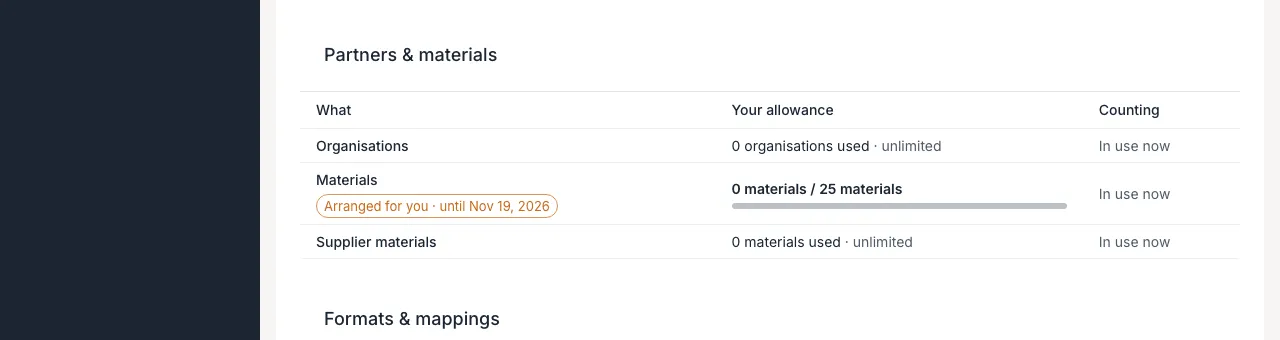
Section titled “Arrangements made for your account”DASH sales can agree a different value for one item for your account only, for example a higher Materials limit, sometimes for a limited time. Such an item carries the chip Arranged for you, or Arranged for you · until [date] when it ends on a set date. Other accounts on the same plan are not affected. When an arrangement ends, the item returns to your plan’s value.
How usage is counted
Section titled “How usage is counted”- Billing periods. Allowances are counted per billing period. DASH runs the billing clock itself, by calendar month, quarter or year, from your contract anniversary, or over the whole contract term, as agreed for your account. The Counting column shows which, and when the current period ends.
- A fresh count each period. When a new period begins, a new count starts. The previous period’s usage is kept unchanged.
- Counted once. A released certificate counts once against Certificates released, however many times it is retried or copied to storage.
- Permanently recorded. Each counted use is recorded permanently, so DASH can reconcile any figure.