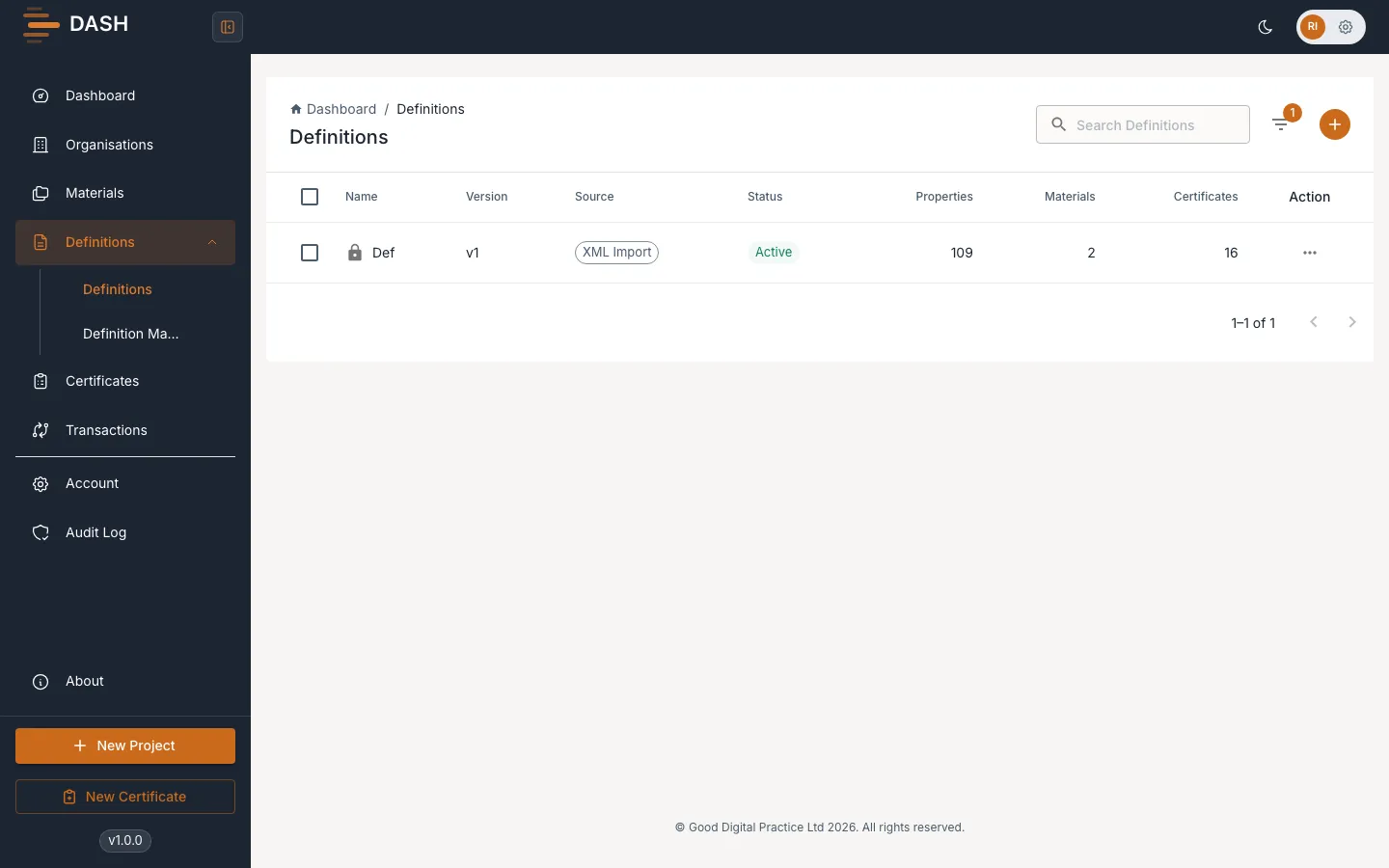
Definitions overview
A definition is the schema behind your certificates. It describes the properties of a data record — the fields, their types, their units and their structure — so that DASH knows what a finished document should contain. You build a definition once and reuse it across as many materials as you like.
Definitions are account-level: they belong to your account, not to a single material, and the same definition can be linked to more than one material. They are also versioned — every time you need to change a definition that is already in use, you create a new version rather than editing the old one.
What a definition contains
Section titled “What a definition contains”A definition is made up of properties. Each property is either:
- a value property — a single atomic field with a type (integer, float, text, boolean or date), an optional unit, and optional validation; or
- an entity property — a container that groups other properties together to give your output a nested structure (for example a “Test Result” that holds a name, a result and a unit).
See Add & manage properties for how to build these.
Versioning and reuse
Section titled “Versioning and reuse”Because a definition is account-level, one definition can describe the output for several materials at once. When a definition needs to change but is already referenced by a certificate, you don’t edit it in place — you create a new version. The version number increments automatically for every definition that shares a name in your account, so history is never lost. See Locking & archiving.
The Definitions list
Section titled “The Definitions list”Open Definitions from the sidebar to see one row per definition. The list is grouped so that each name appears once, showing its latest version. For each definition the list shows:
| Column | What it tells you |
|---|---|
| Name | The definition name. A lock icon appears when it is referenced by certificates. |
| Version | The current version (for example v2). A 2 versions chip appears when more exist. |
| Source | The source type it is associated with. |
| Status | Active or Inactive, or Archived. |
| Properties | How many properties it has. |
| Materials | How many materials it is linked to. |
| Certificates | How many certificates reference it. |
Use the Search Definitions box to find one by name, and the Filter button to change what is shown.