

View change history
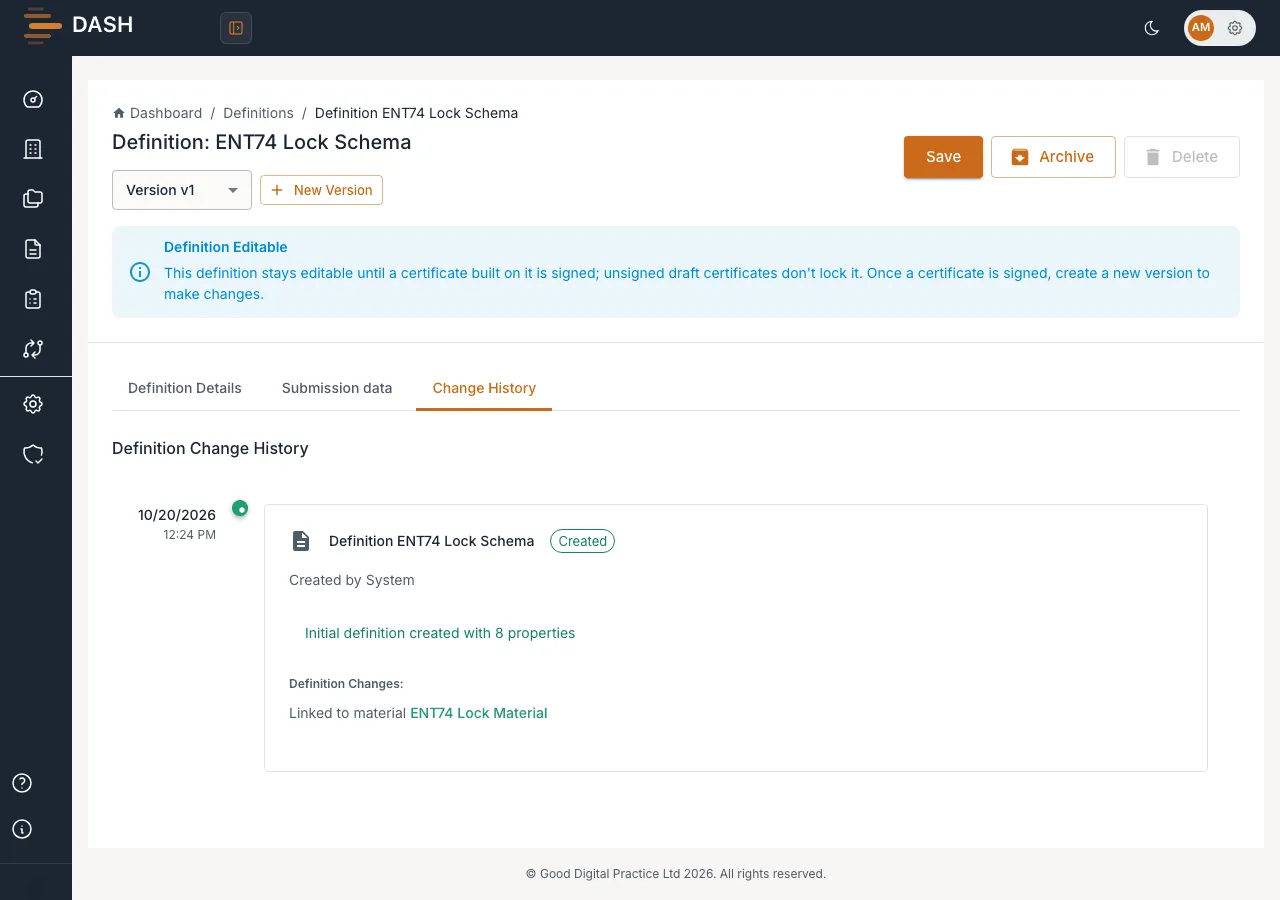
Every definition keeps a history of how it has changed. The Change History tab on the definition record shows each change in date order: who made it, and which properties were added, removed or modified. Use it when you need to confirm what changed in a definition that feeds regulated output.
Open the change history
Section titled “Open the change history”- Open the definition from Definitions → Definitions.
- Select the Change History tab. The heading reads Definition Change History.
- Review the timeline. Each entry shows the date and time, whether the definition was Created, Deleted or Modified, and by whom.
What an entry can contain
Section titled “What an entry can contain”- A line such as “Initial definition created with 8 properties”: the first entry of a definition that was created with properties, for example by an import.
- Definition Changes: changes to the definition itself, such as a rename, a change of standing, or a material being linked or unlinked.
- Properties Added, Properties Removed and Properties Modified, each with a count and the details of the property (type, unit, whether it is required, and its validation).
- “Metadata updated (no field changes detected)” when something was saved without changing any field.
A definition with no recorded changes shows “No change history found”.
The full audit record
Section titled “The full audit record”Every change to a definition is also recorded in the account-wide audit trail, with the person, their role, the time, and the values before and after. To see it, open Audit Log → Data Changes and filter by the definition. See Audit log.