

Organisations overview
An Organisation is a client organisation you do business with — the company you send documents to, or receive documents from. In DASH you group your Materials and their Certificates under the Organisation they belong to, so all the work for a given customer or supplier sits in one place.
An Organisation is not the same as your Account. Your Account is your company’s tenant in DASH; one Account owns many Organisations. Think of Organisations as the address book of the companies you exchange quality documents with.
Why you use Organisations
Section titled “Why you use Organisations”- Group related work. Every Material can be associated with an Organisation, so a Material’s Certificates are automatically tied to that client.
- See the whole relationship in one record. Opening an Organisation shows its details, its metadata fields, its related Materials, and the Certificates produced for those Materials.
- Keep your workspace tidy. Filter the Materials list and the dashboard by Organisation to focus on one client at a time.
The Organisations list
Section titled “The Organisations list”Open Organisations from the main navigation to reach the All Organisations page. From here you can browse, search and filter every Organisation in your Account.
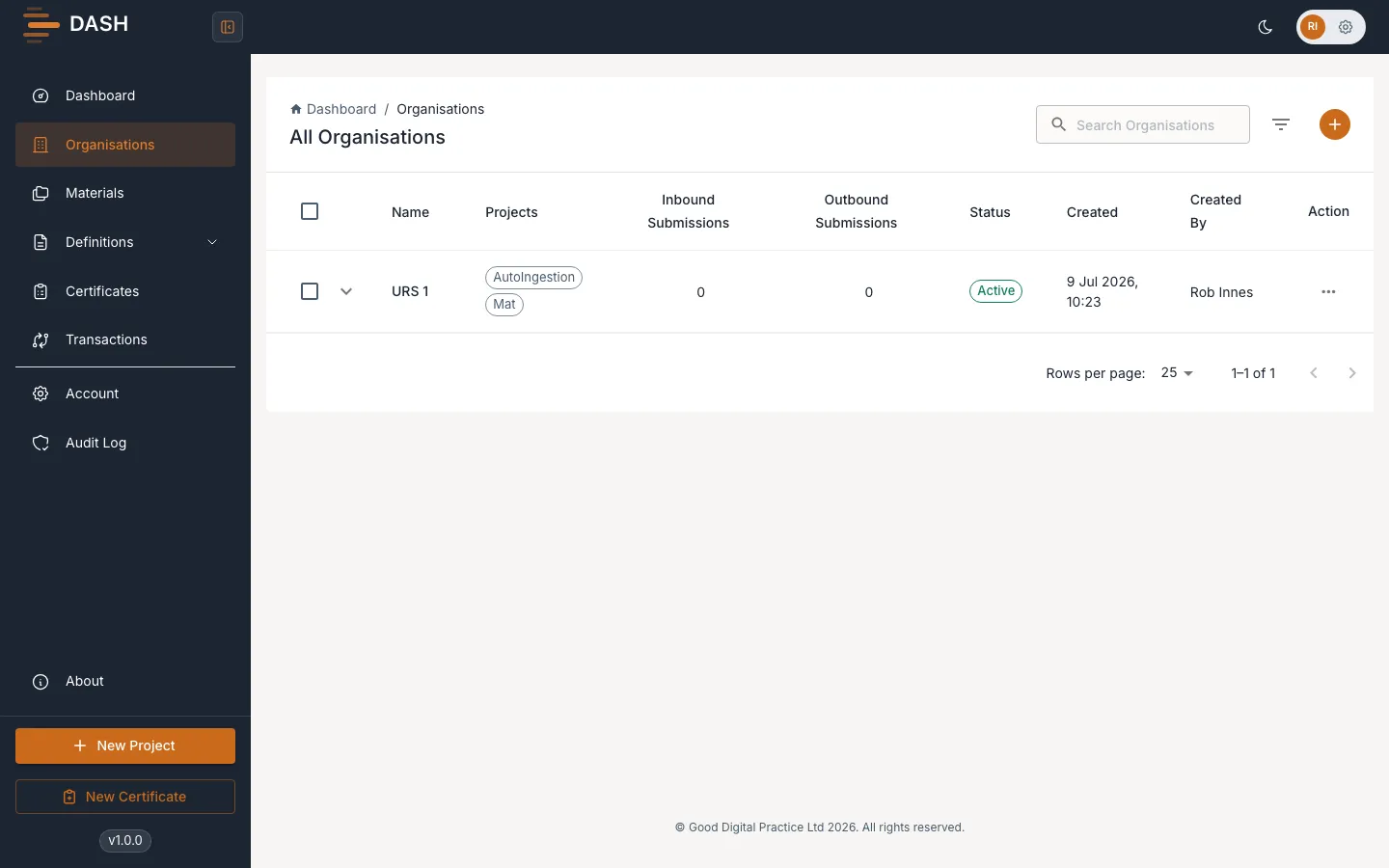
Each row shows:
- Name — the Organisation’s name.
- Projects — how many Materials are attached.
- Inbound Submissions and Outbound Submissions — Certificate counts by direction.
- Status — an Active or Inactive chip.
- Created and Created By — when the record was added, and by whom.
To find a specific Organisation, type into the Search Organisations box to match by name. To narrow the list by status, open the filter and choose Filter by Status: All, Active or Inactive. Select Clear All Filters to reset.