

Audit log
The audit log is DASH’s permanent record of who did what and when. It captures user-visible and security-relevant actions across your account, so you can answer questions like “who signed this?” or “when was this user promoted?” — and demonstrate that trail to an auditor.
What the audit log records
Section titled “What the audit log records”The audit log covers account and security events, including:
- Sign-in and access — Login, Login Failed, Logout, Password Reset, Password Changed.
- Multi-factor authentication — enabling and disabling authenticator apps (TOTP), MFA challenge and verification events, backup code generation and use, and step-up prompts.
- Passkeys — Passkey Registered, Passkey Removed, Passkey Login and failed passkey attempts.
- Team and roles — Invitation Sent, Invitation Accepted, Role Changed, Promoted to Admin, Demoted from Admin, and users deactivated or reactivated.
- Ownership and impersonation — Ownership Transfer Initiated, Confirmed or Cancelled, and Impersonation Started or Stopped.
- Account lifecycle — Account Registered, Email Verified, Account Updated, Subscription Changed.
Certificate signing is recorded here too, so every signature is tied to a named person and a time.
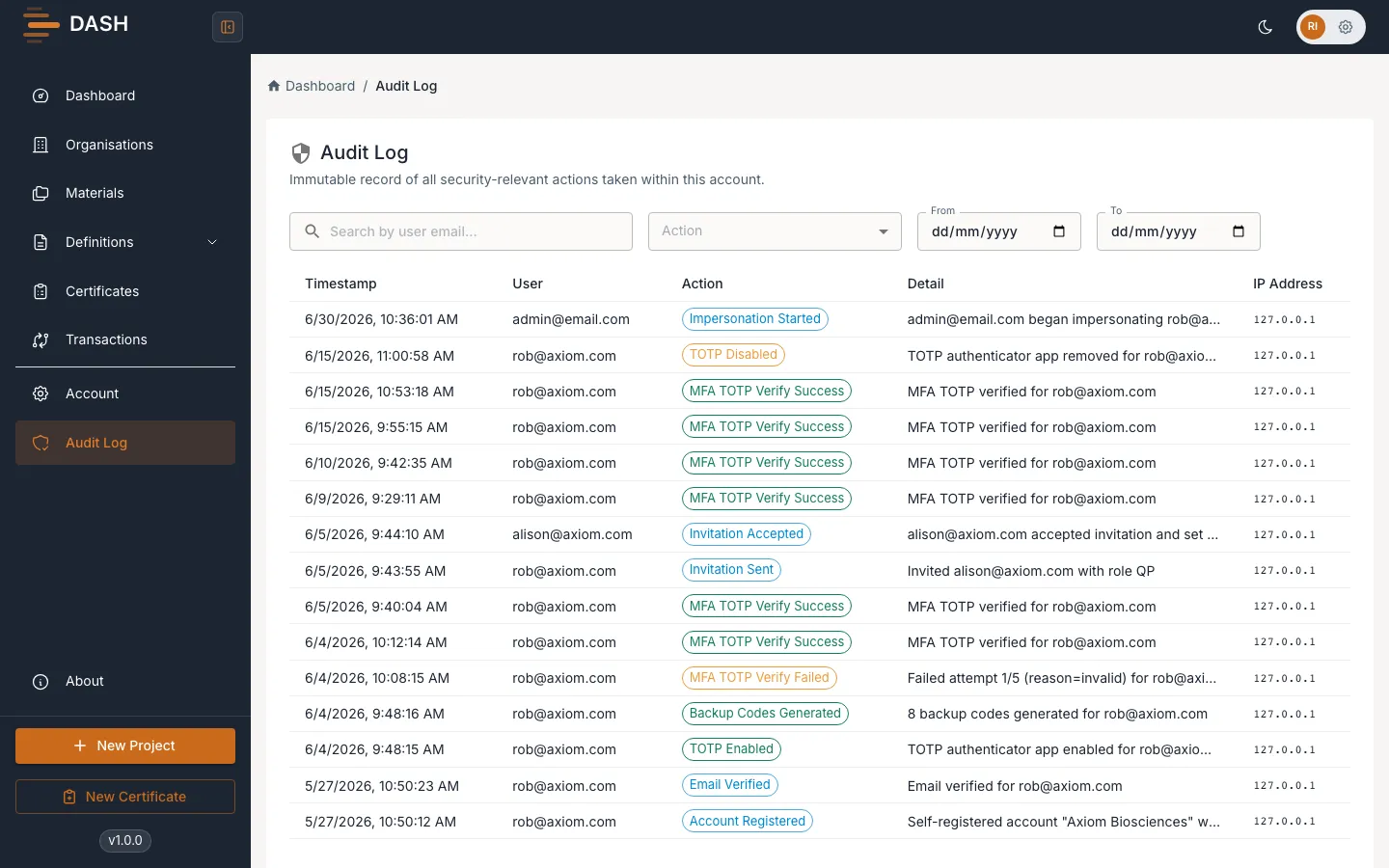
Filter and search
Section titled “Filter and search”Use the controls above the table to narrow the log:
- Search by user email — type an email address to see only that person’s actions.
- Action — filter to a single action type (the default is All Actions).
- From and To — set a date range.
- Clear — remove all active filters and return to the full list.
Adjust rows per page (10, 25, 50 or 100) at the bottom to page through larger result sets.
Read an entry
Section titled “Read an entry”Each row shows the Timestamp, the User (email), the Action as a coloured chip, a Detail with context for that action, and the source IP Address. Select a row to open the Audit Log Detail panel, which shows the full entry — Action, Timestamp, Actor, Detail, IP address, Account and a unique Audit ID for reference.