

Account lockout
To defeat password guessing, DASH temporarily locks sign-in for an email address after too many failed attempts in a row. The lock ends on its own. Nobody’s account is ever locked permanently by this rule.
The rule
Section titled “The rule”| What counts as a failure | A wrong password, or a wrong code at the Two-factor verification step after a correct password |
| How many failures lock sign-in | Six in a row for the same email address, within 60 minutes |
| How long the lock lasts | 60 minutes, counted from the sixth failure |
| What clears the count | A successful sign-in |
What you see
Section titled “What you see”While the lock is in force, every sign-in attempt for that address is refused with:
“Account temporarily locked due to too many failed attempts. Please try again in N minute(s).”
The number tells you roughly how long is left.
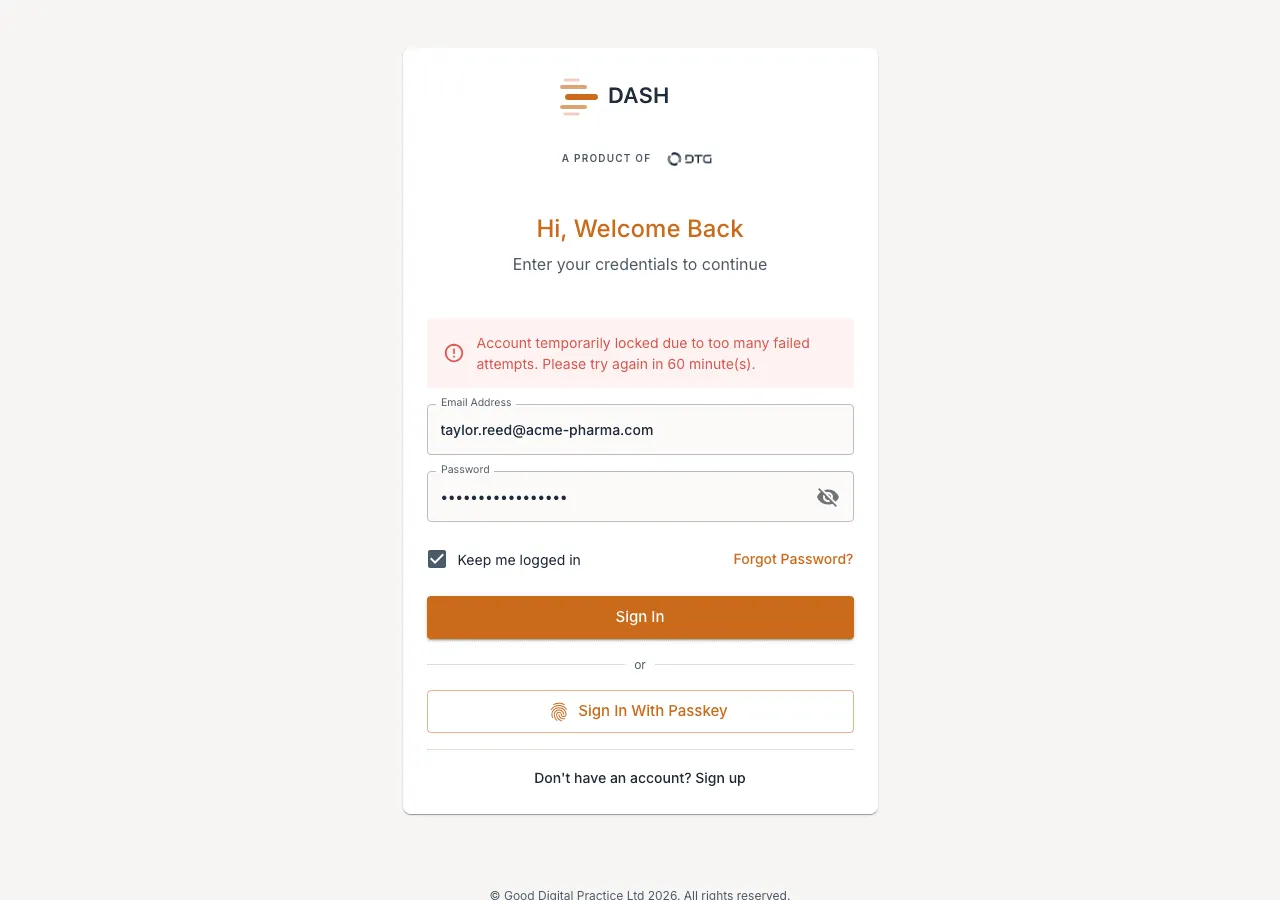
DASH gives exactly the same refusal whether or not the email address belongs to a DASH user, so the lock notice never reveals who has an account.
What to do
Section titled “What to do”- Wait. Trying again during the lock does not extend or restart it, and those attempts do not count toward another lock. When the time shown has passed, you can sign in again.
- Make sure you have the right password before trying again. If you are not sure, start a password reset while you wait. A new password does not shorten the lock, but it means your next attempt will succeed.
- If your organisation uses single sign-on, a successful sign-in with Continue With … ends the lock straight away. See Sign in with SSO.
Your account administrator cannot lift the lock from within DASH.
A single typing error does not add up
Section titled “A single typing error does not add up”The count is of failures in a row. As soon as you sign in successfully, the count goes back to zero. A few typing errors spread over a day never lock you out, as long as you get in between them.
Other limits you might meet
Section titled “Other limits you might meet”Two other limits protect DASH. They are separate from the sign-in lock:
- Two-factor verification at sign-in. After five wrong codes, the verification step is abandoned and you start again from the sign-in page. See Two-factor verification at sign-in.
- Step-up verification (when you sign a certificate or make a sensitive admin change). After five wrong codes, DASH shows “Too many incorrect codes. Wait a few minutes, then try again.” See Step-up verification.