

Sign in with SSO
If your organisation has set up single sign-on (SSO), you can sign in to DASH with the same company login you use for email and other work applications. Your identity provider (for example Microsoft Entra ID, Okta or Keycloak) checks who you are, and DASH signs you in.
Sign in
Section titled “Sign in”- Open the DASH sign-in page (“Hi, Welcome Back”) and type your work email address in Email Address.
- Move to the next field (or click elsewhere on the page). DASH recognises your domain and shows a Continue With … button, named after your organisation’s connection.
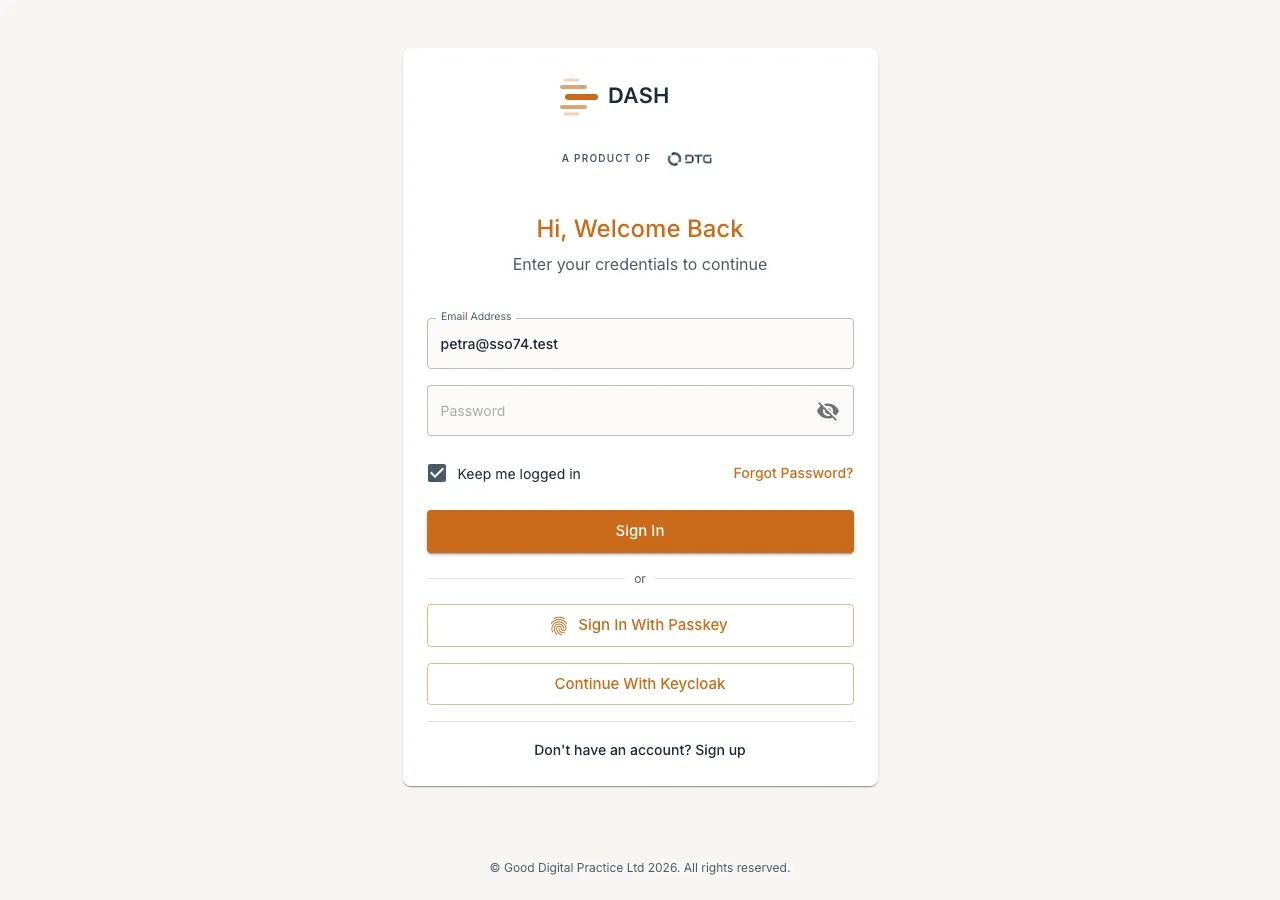
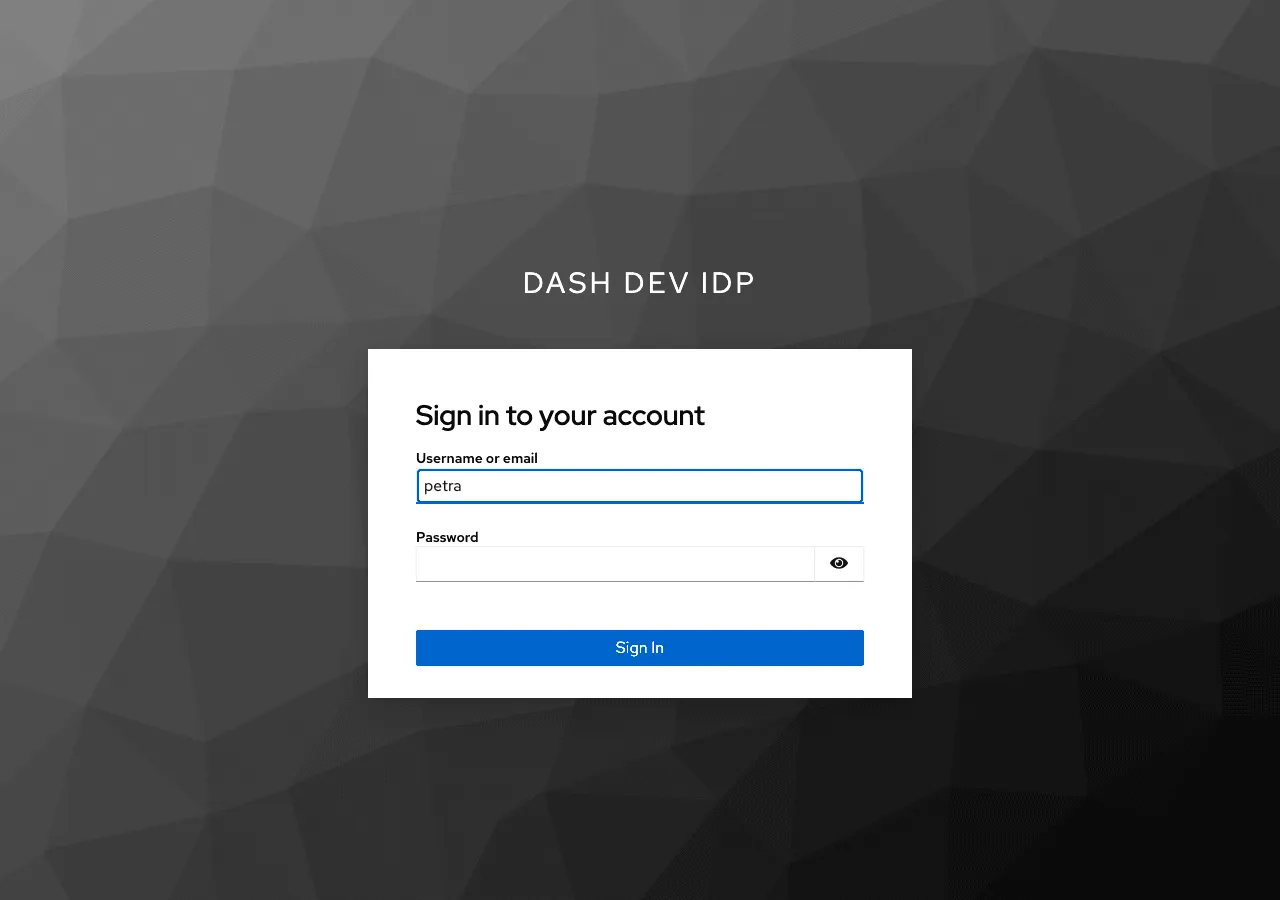
If your organisation requires SSO, the Password field disappears and the main button itself becomes Continue With …. See What people on an enforced domain see. 3. Select Continue With …. DASH takes you to your identity provider’s own sign-in page. 4. Sign in there as you normally do. If you are already signed in to your company login in this browser, this step may happen automatically.
- Your identity provider sends you back to DASH, and you land on the Dashboard.
Where you land
Section titled “Where you land”When you sign in with SSO, DASH takes you straight into the account that owns the connection, your organisation’s account. You don’t see the Select Account screen, even if you belong to other DASH accounts as well.
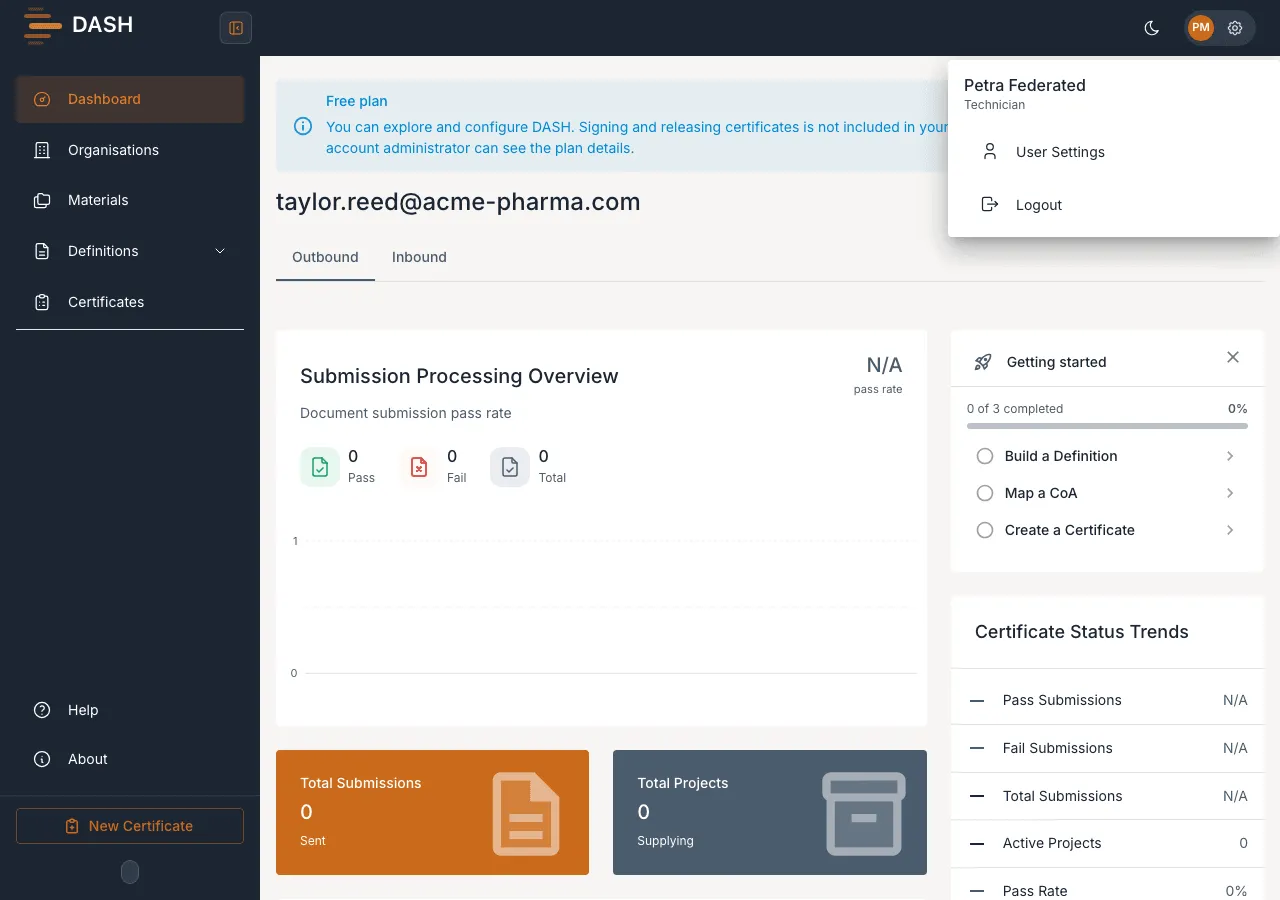
To work in a different account, select Logout from the profile menu, then sign in again with that account’s sign-in method and choose it on Select Account. See Select an account.
A few other things to know:
- Your name and role come from your identity provider. DASH updates your name each time you sign in, and may update your role from your company groups. See Group-to-role mapping.
- Two-factor checks are done by your identity provider. DASH doesn’t show its own Two-factor verification step after an SSO sign-in.
- Signing still needs fresh proof. When you sign a certificate, DASH asks you to confirm your identity again. If you joined through SSO you have no DASH password, so you need a passkey or an authenticator app for this. See Step-up at signing.
- SSO ends a sign-in lock. If your address was locked after too many wrong passwords, a successful SSO sign-in ends the lock. See Account lockout.
Why the sign-in is safe
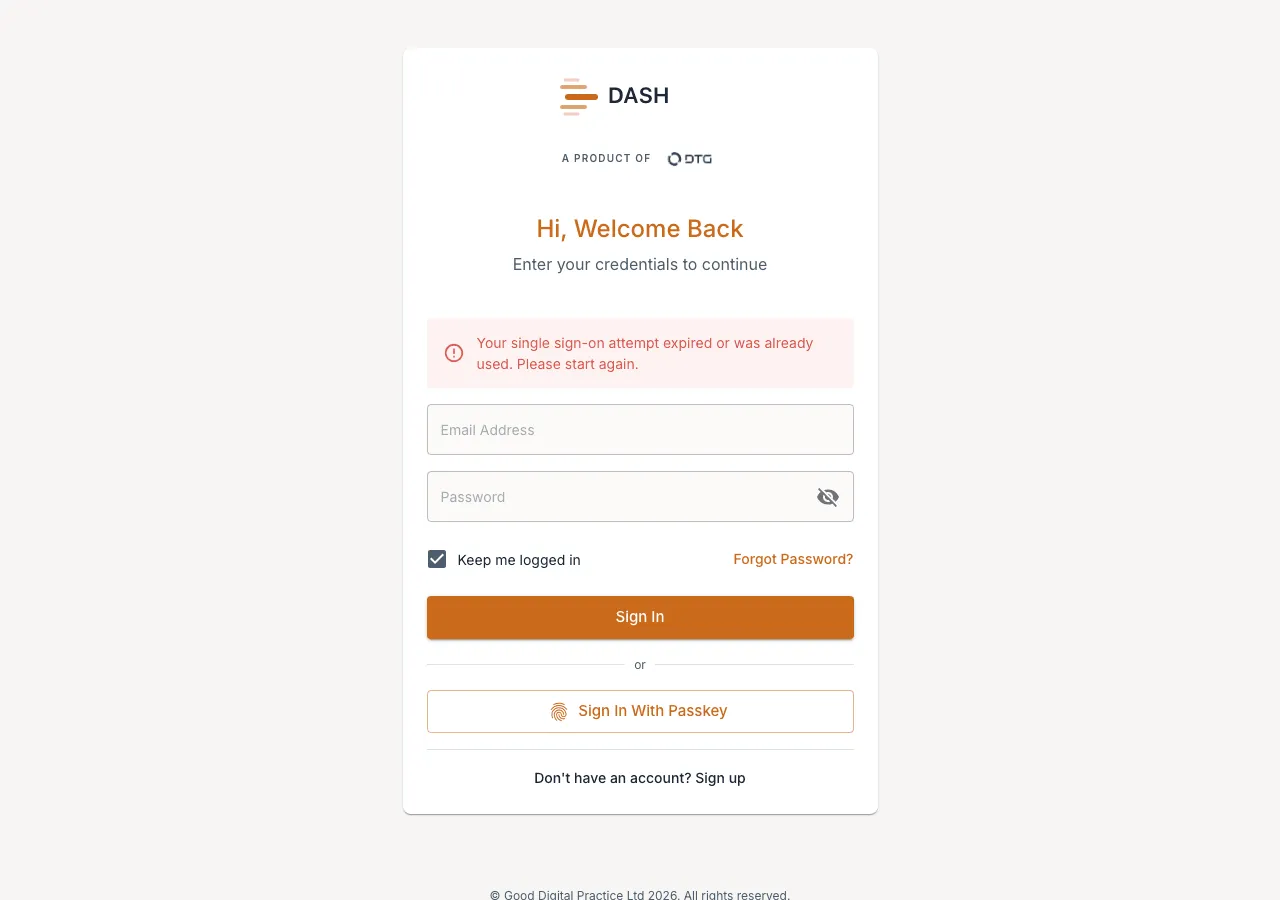
Section titled “Why the sign-in is safe”Each SSO sign-in is tied to the single request DASH made, can be used only once, and expires after a short time. DASH refuses any response from the identity provider that has been replayed, altered, or is out of time, and never signs anyone in from it. If you use your browser’s back button or an old link to repeat a sign-in, you see “Your single sign-on attempt expired or was already used. Please start again.” Start again from the sign-in page.
Every SSO sign-in, and every refused or failed attempt, is recorded in your organisation’s Audit Log.
If DASH refuses your sign-in
Section titled “If DASH refuses your sign-in”Sometimes your identity provider accepts your login but DASH can’t let you in, for example because your company groups don’t give you a DASH role. You return to the DASH sign-in page with a message explaining why, such as “Your identity provider groups do not give you a role in this DASH account, so access was refused. Contact your administrator.” You are not signed in.
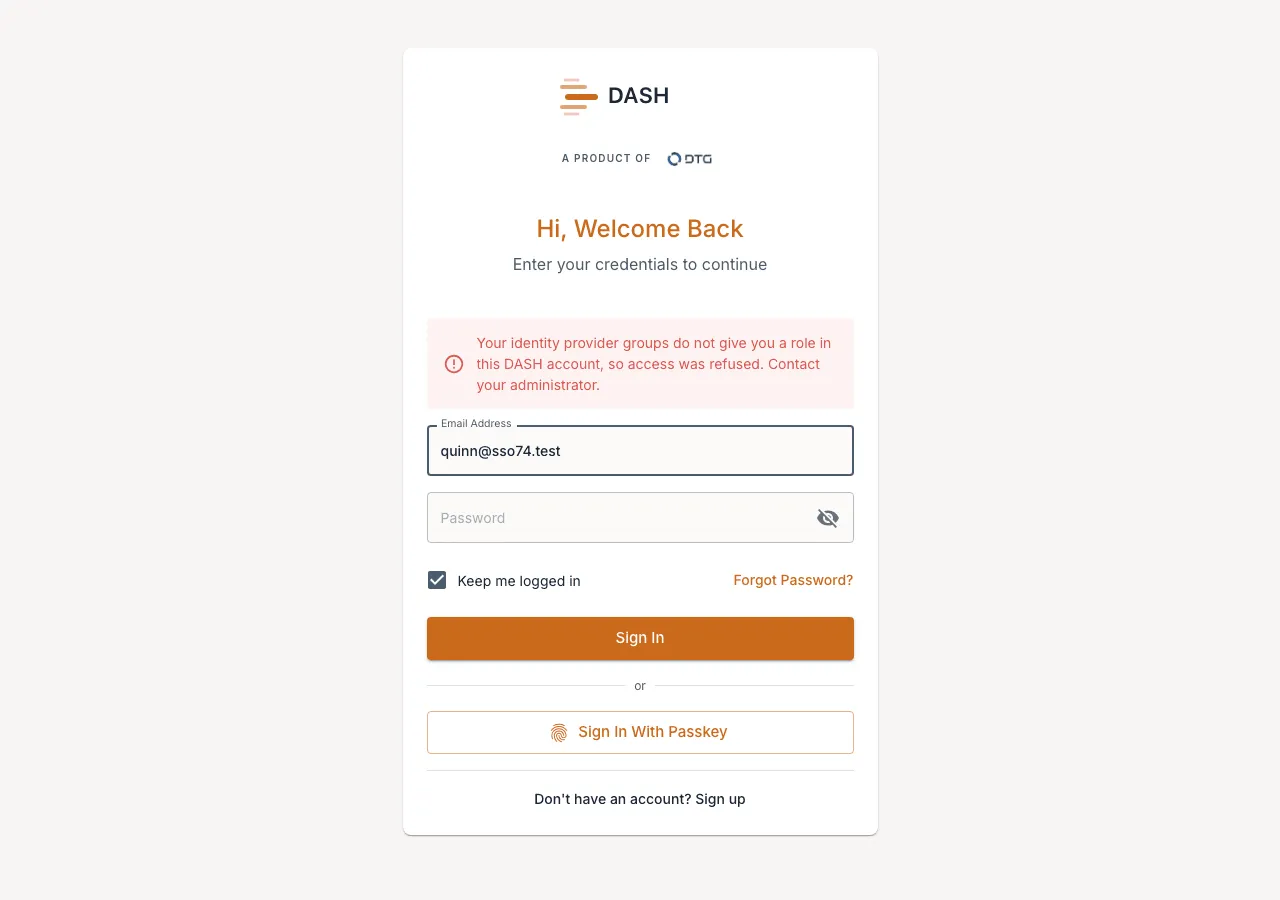
For every message and what to do about it, see SSO sign-in refused.