

Organisation metadata fields
Metadata fields let you record custom details on an Organisation that don’t fit the standard name and status — for example a customer number, a site code or an internal reference. Each field is a named value you define yourself, so you can capture whatever your process needs.
Add a metadata field
Section titled “Add a metadata field”- Open the Organisation and go to the Organisation Metadata Fields section.
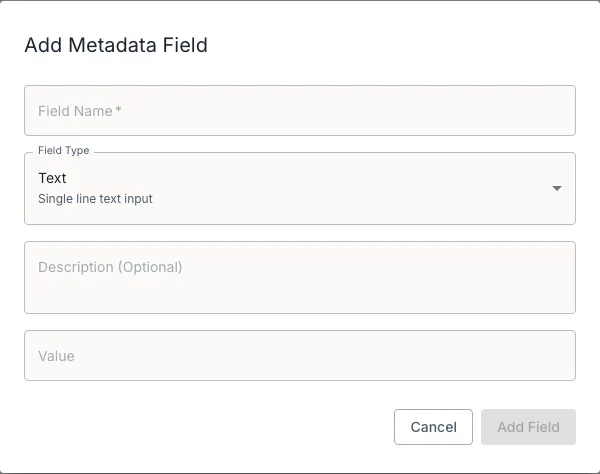
- Select Add Field. The Add Metadata Field dialog opens.
- Fill in:
- Field Name (required) — for example Customer Number or Site Code.
- Field Type — Text, Number, Date or Boolean.
- Description (Optional) — a short note on what the field is for.
- Value — the value itself; the input matches the field type you chose.
- Select Add Field.
Your fields appear in a table showing Field Name, Description, Type and Value. Use the row actions to Edit or delete a field, and drag the handle to reorder.
How saving works
Section titled “How saving works”Metadata on an Organisation is stored as a single set. When you save, DASH replaces the previously stored fields with the current set — it does not merge your changes into the old list.
If an Organisation has no metadata yet, you’ll see No metadata fields configured with a prompt to add fields to define custom information for this Organisation.