Signature ledger
The signature ledger is a permanent, chained record of everything that happens to the signatures on your certificates: each signature applied, each void, each seal at release and each renewal of the long-term timestamp. Each entry is bound to the one before it, so if an entry were removed, changed or moved, DASH would detect it. It sits alongside the audit log as independent evidence of who signed what, and when.
How the ledger is organised
Section titled “How the ledger is organised”- One chain per Material. Each Material in your account has its own chain, holding the signature events of all its certificates. The first entry of a chain is Chain opened.
- Chains never cross accounts. A chain belongs to one Material in one account. Another account can’t see it, and an entry can’t be moved into another chain without the check detecting it.
- Each entry carries two fingerprints. The Content fingerprint identifies the document an event concerns, for example the sealed XML. The Entry fingerprint seals the entry itself, including the link to the entry before it.
Review a Material’s ledger
Section titled “Review a Material’s ledger”- Select Audit Log in the sidebar, then open the Signature Ledger tab.
- Choose the Material in Material. DASH loads its chain and checks it straight away.
- Read the result above the table, for example “Chain intact — 9 entries verified.”, followed by the time of the check.
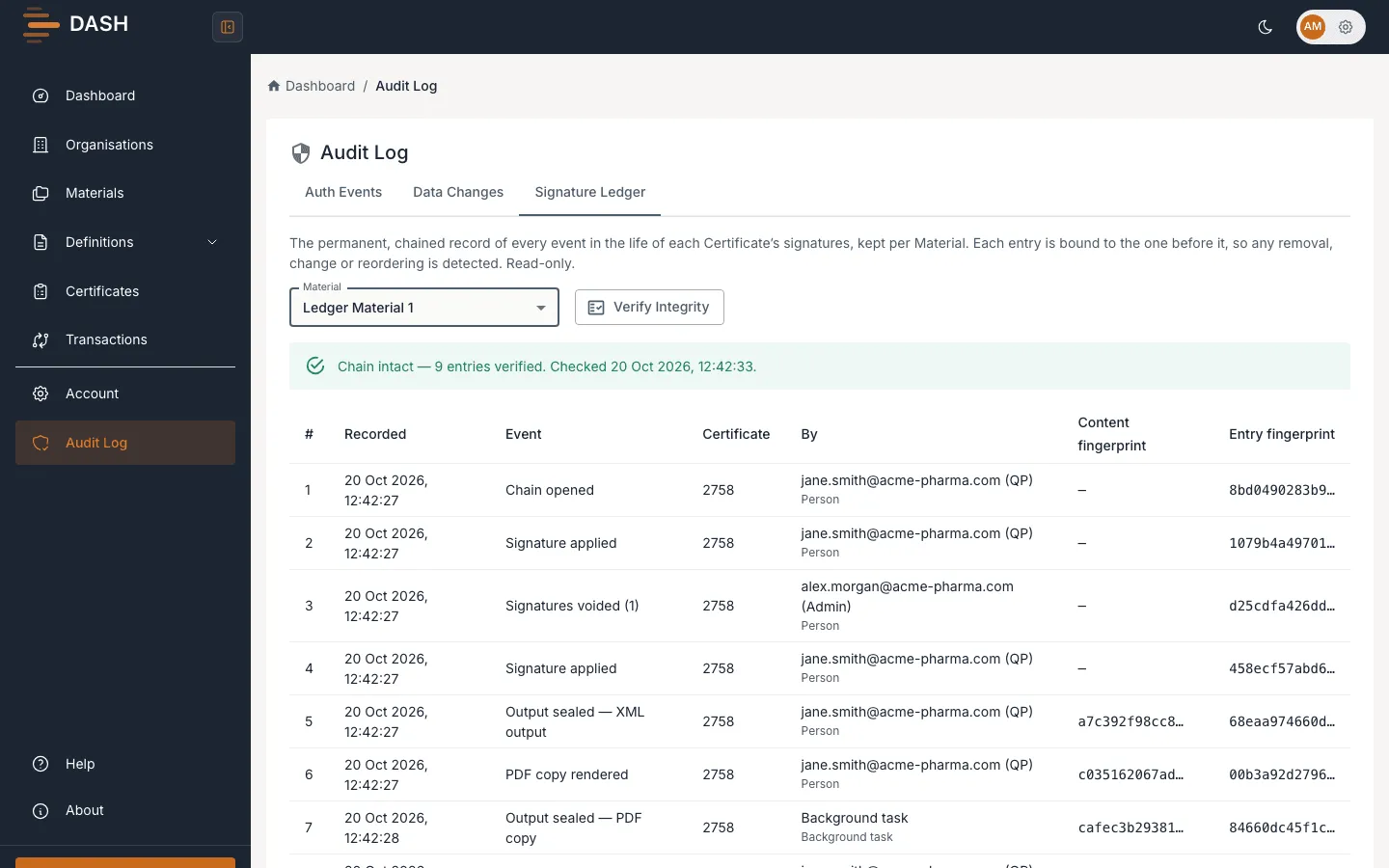
The table lists each entry in order: # (its position), Recorded, Event, Certificate, By and the two fingerprints. Hold the pointer over a fingerprint to see it in full.
| Event | When it is recorded |
|---|---|
| Chain opened | The first entry for the Material is written. |
| Signature applied | A signer signs a certificate. |
| Signatures voided | A change to a certificate’s source data voids its signatures. The number voided is shown, for example Signatures voided (1). |
| Output sealed — XML output | The machine-readable output is sealed at release. |
| PDF copy rendered | The PDF copy is produced at release. |
| Output sealed — PDF copy | The PDF copy is sealed. |
| Submitted | The certificate is transmitted for the first time and becomes sealed against further change. |
| Archival timestamp renewed | DASH renews the long-term timestamp on a sealed PDF copy. |
By names the person and their role at the time, for example the QP who signed. Underneath, it says where the event came from: Person, Background task (work DASH does on its own, such as sealing the PDF copy), Operator command or Platform.
Run an integrity check
Section titled “Run an integrity check”Select Verify Integrity to run the check again at any time. DASH recomputes every link in the chain and reports either:
- “Chain intact — N entries verified.”: every entry is present, in order and unchanged.
- Chain broken at entry #N. with the reason, and a Break chip on that entry in the table.
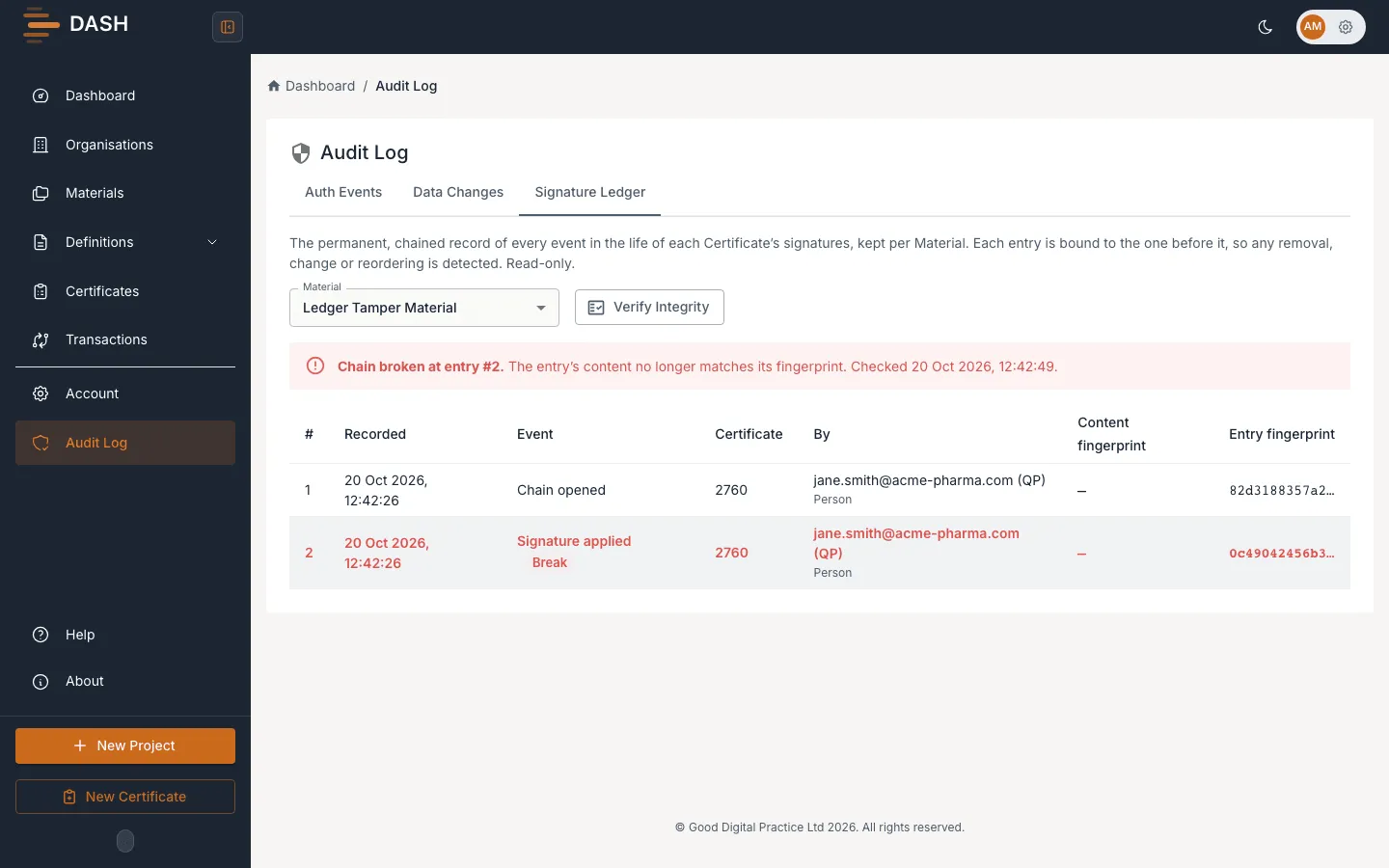
The reasons DASH can give are:
- “The first entry is missing or is not the opening entry.”
- “There is a gap in the entry positions.”
- “The link to the previous entry does not match.”
- “The entry’s content no longer matches its fingerprint.”
- “The entry belongs to another chain (another Material or account).”
Long-term validity
Section titled “Long-term validity”A certificate of analysis has to stay provably authentic for years, longer than any signing certificate lasts. The ledger is part of how DASH keeps it so:
- Each release is on record. The sealing of the XML output and the PDF copy is written to the chain, with the fingerprint of each sealed document. When anyone runs Verify Seal on a released certificate, DASH checks the seal against this record. See Sealed PDF and long-term validity.
- Timestamp renewals are on record. DASH renews the archival timestamp of each sealed PDF copy before it ages. Each renewal adds an Archival timestamp renewed entry, with the fingerprints before and after.
- A daily digest. Once a day, DASH commits your account’s new ledger entries to a single digest that is kept permanently. This lets DASH show later that the ledger hasn’t been rewritten as a whole.
Re-checking the daily digests
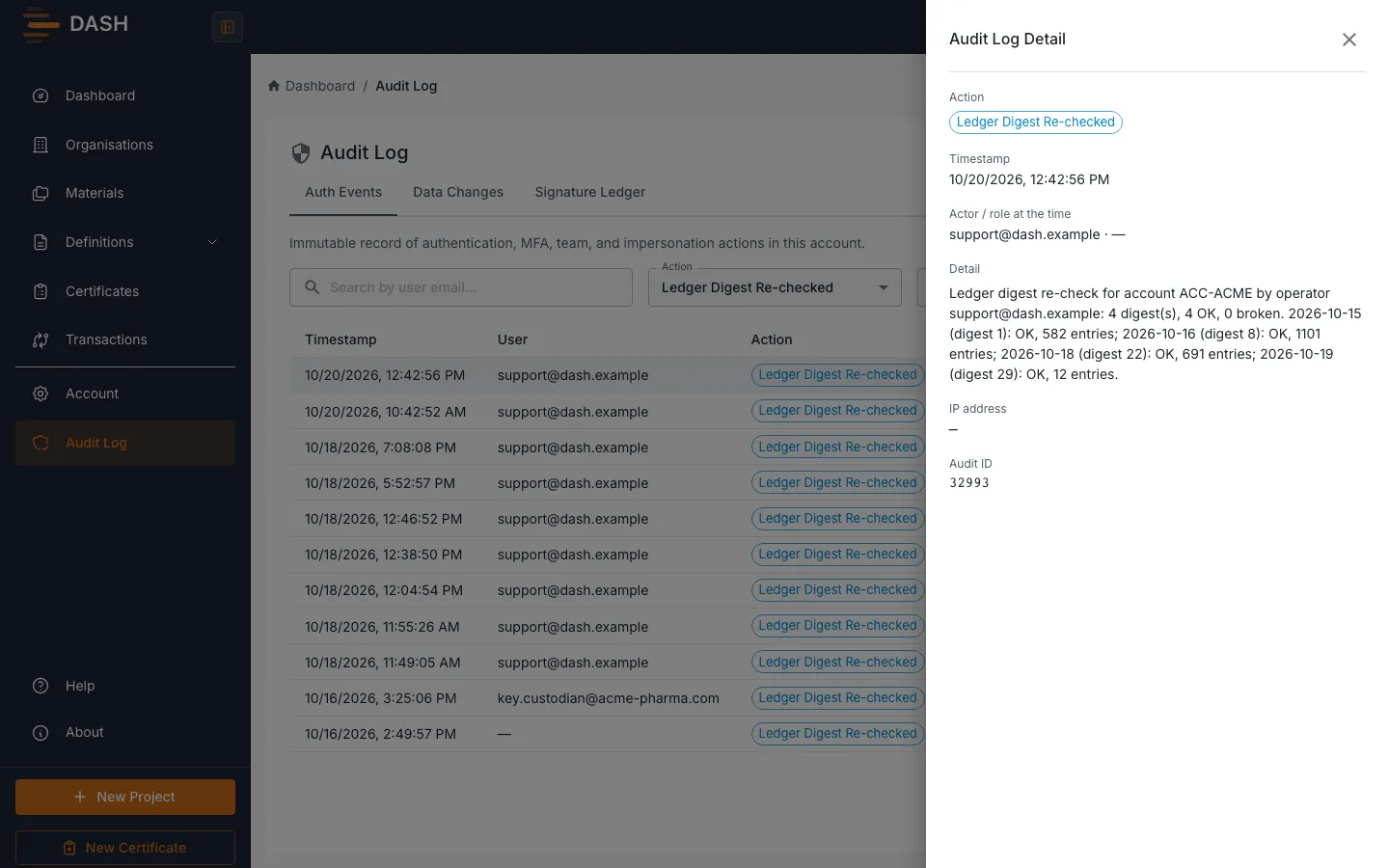
Section titled “Re-checking the daily digests”Only DASH staff can re-check past daily digests. If you need this evidence, for example for an inspection or an investigation, contact DASH support. Each re-check is recorded in your audit log as Ledger Digest Re-checked (in the Audit Trail group of the Action filter), naming the DASH operator, the digests checked and whether each still matches.