

Enforce SSO and break-glass recovery
By default, SSO is an extra option: people on your domain can choose Continue With … or still sign in with a DASH password. If your policy is that everyone must use the company login, switch on enforcement. DASH then blocks every DASH-local sign-in (password and passkey) for people on the connection’s verified domains and sends them to your identity provider instead. Because your identity provider becomes the only way in, disabling someone there also stops them signing in to DASH.
Switch on enforcement
Section titled “Switch on enforcement”- Go to Account → SSO and open the connection with the edit (pencil) icon.
- Under Status, switch on Enforce SSO (block password login for verified domains). Despite the label, passkey sign-in is blocked too.
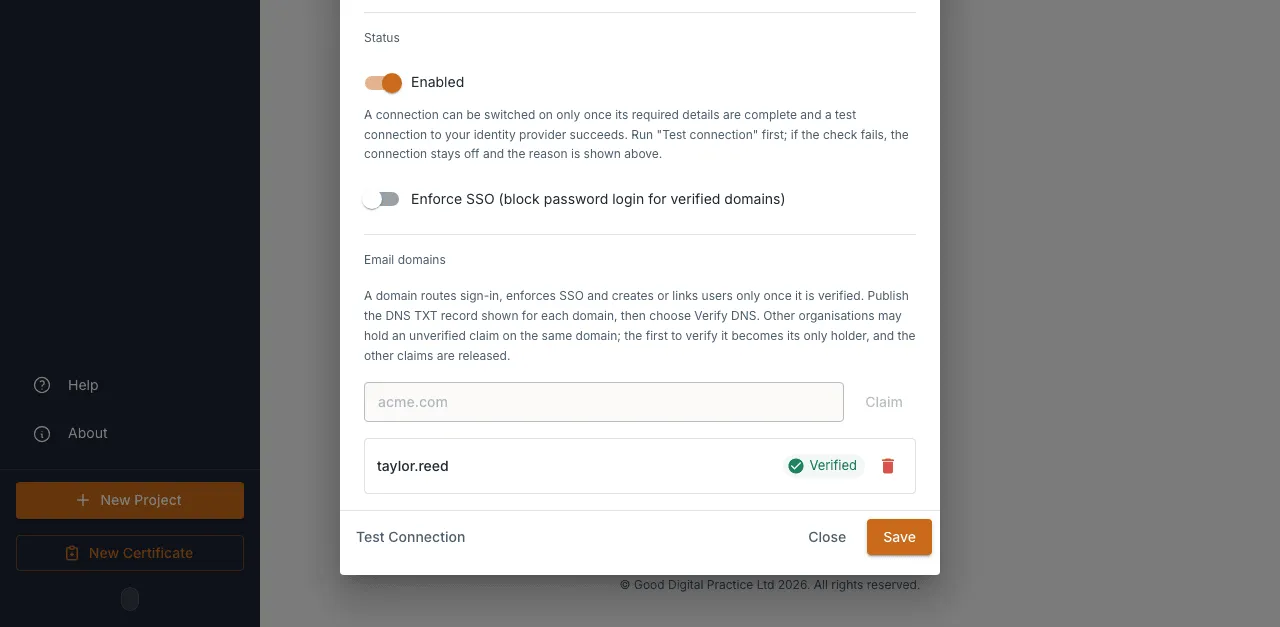
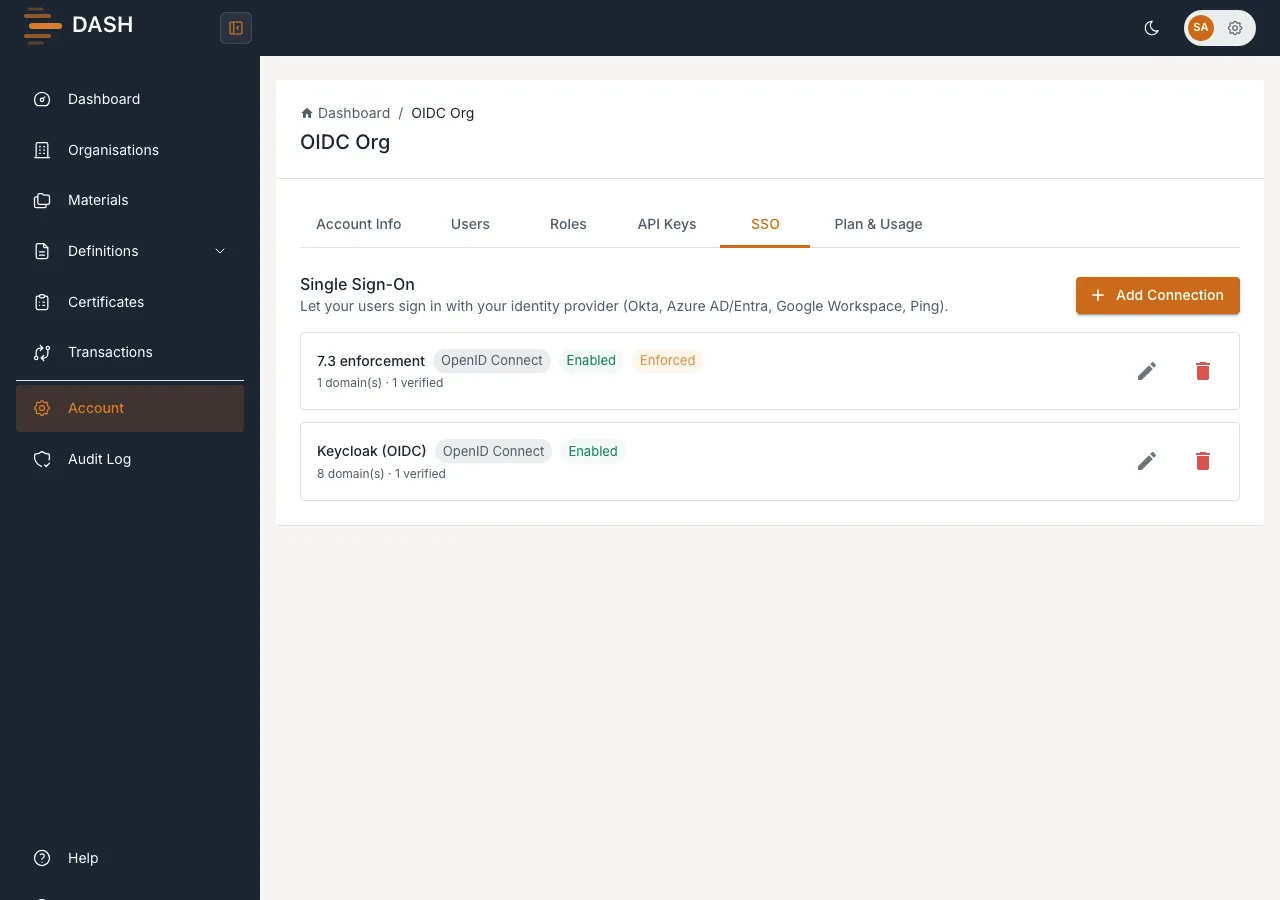
- Select Save. DASH shows “SSO connection updated”, and the connection in the list now carries an Enforced chip next to Enabled.
To stop enforcing, switch the toggle off and select Save. Both changes are recorded in the Audit Log as SSO Configuration Changed (“SSO enforcement enabled” / “SSO enforcement disabled”).
Once enforcement is on, a later change to your plan never switches it off.
What people on an enforced domain see
Section titled “What people on an enforced domain see”When someone types an address on an enforced, verified domain on the sign-in page:
- the Password field disappears;
- a notice says “… requires single sign-on for your organization.”, naming your connection;
- the main button becomes Continue With … and takes them to your identity provider.
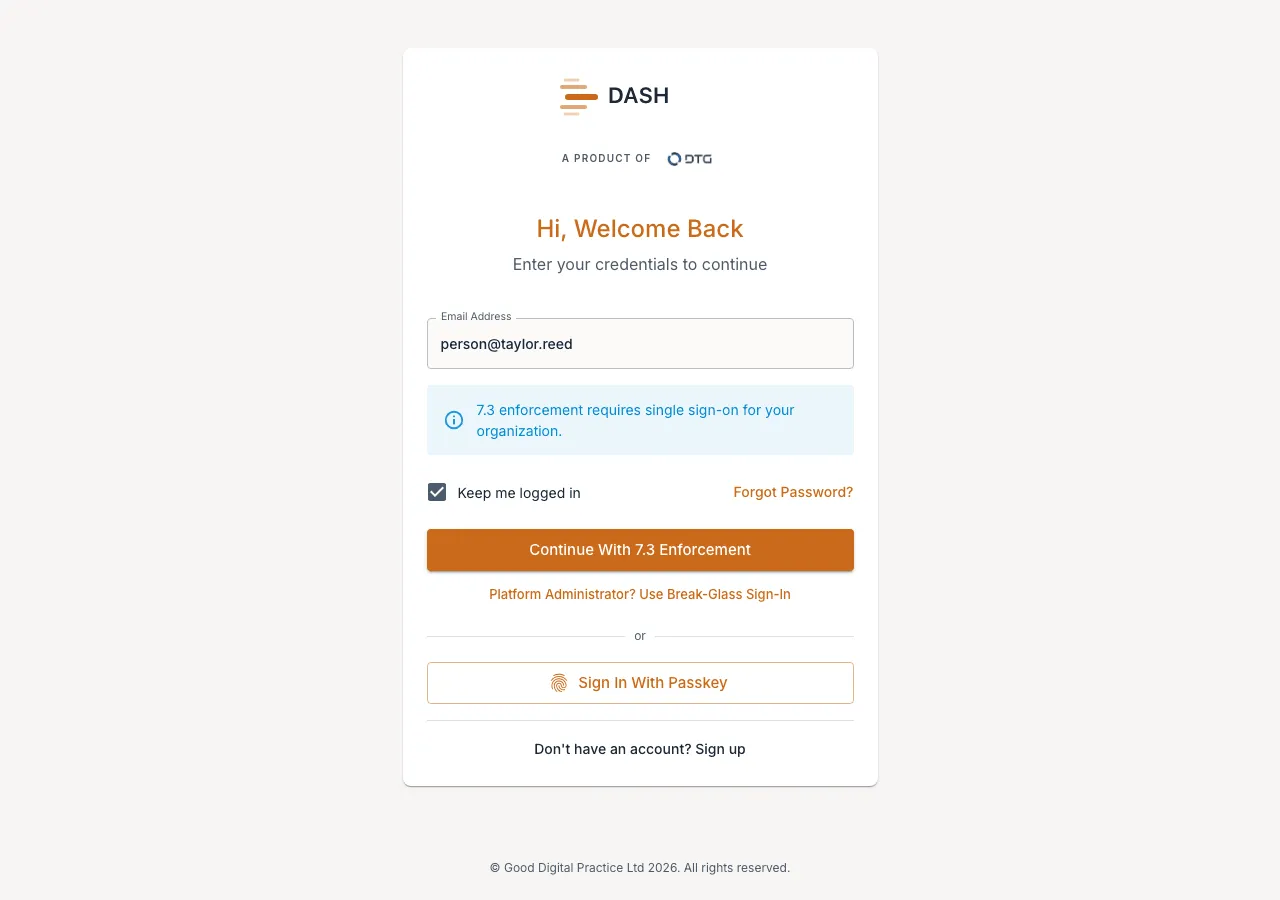
If they try to sign in with a password anyway, DASH refuses and sends them to the identity provider.
What enforcement doesn’t cover
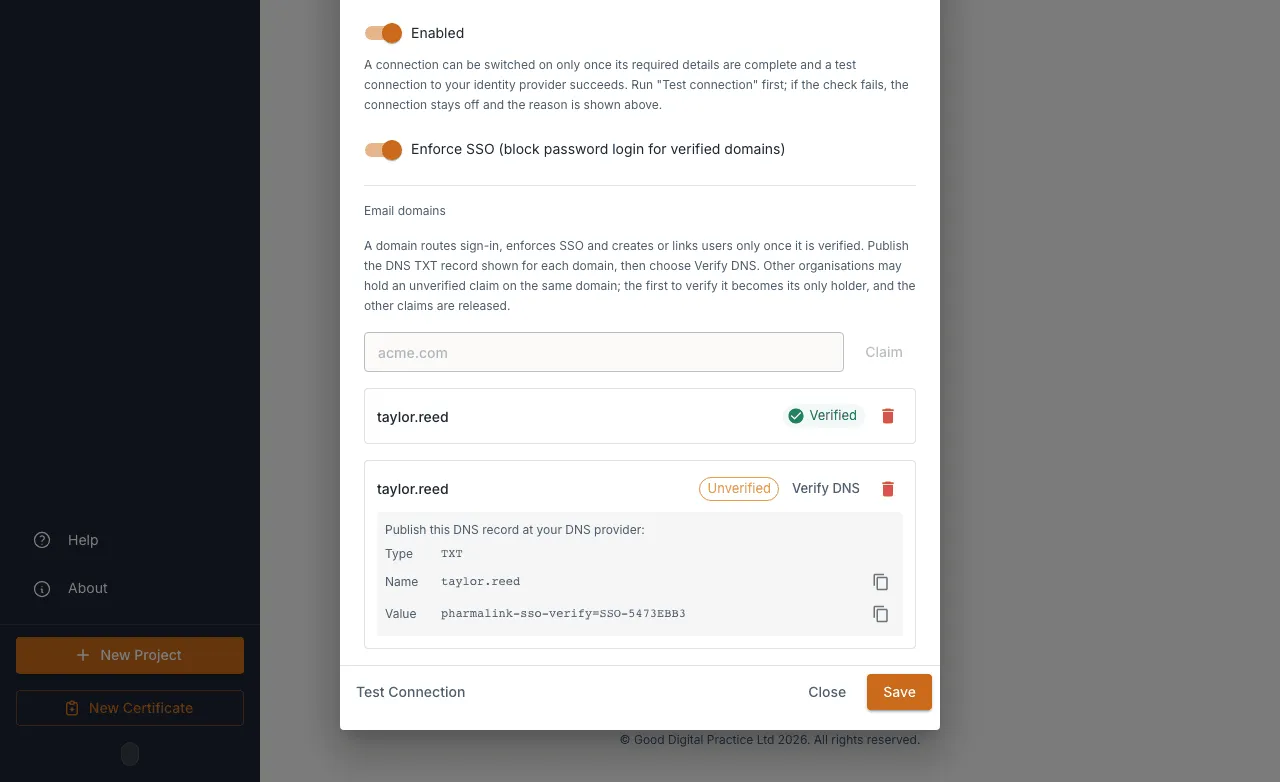
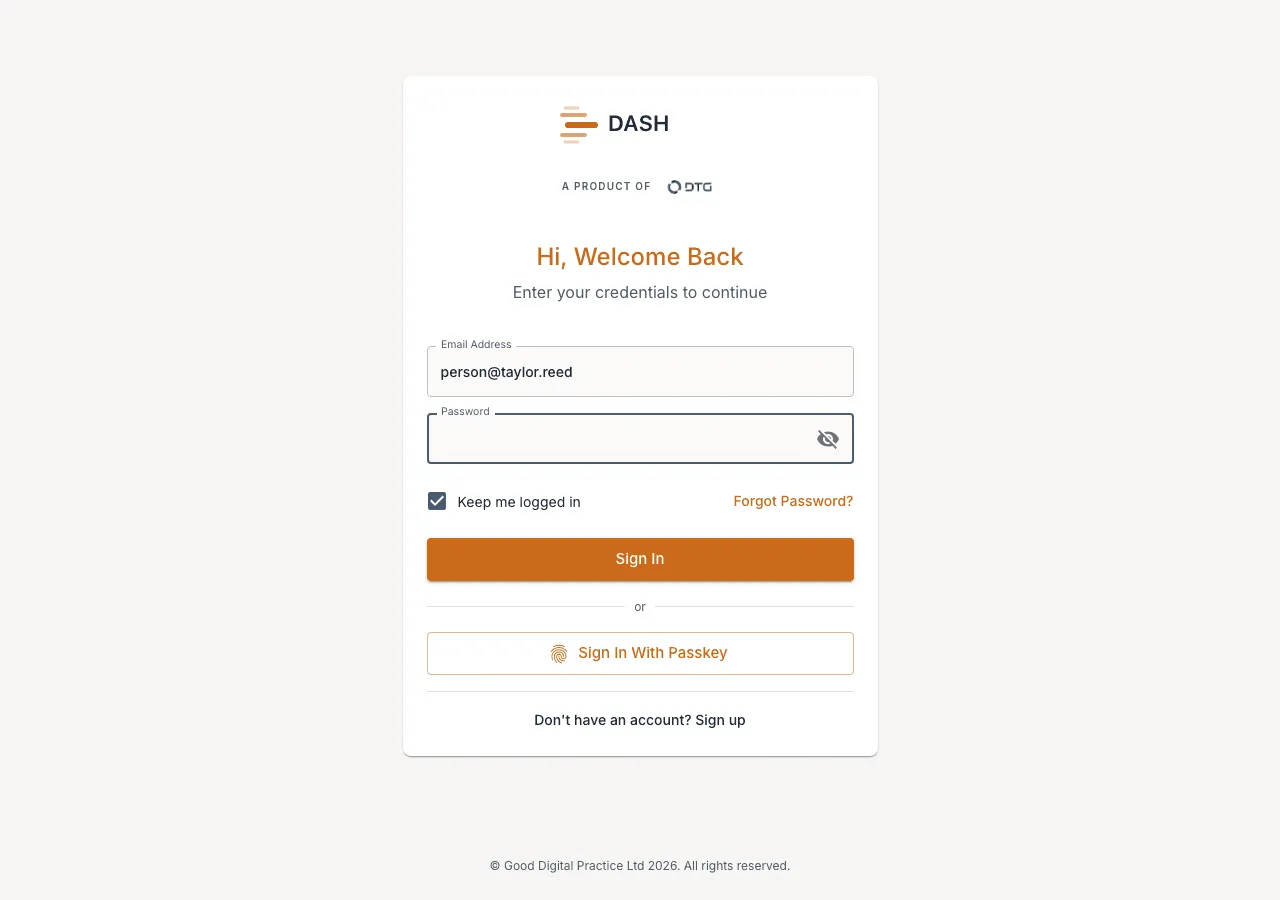
Section titled “What enforcement doesn’t cover”- Unverified domains. Enforcement has no effect on a domain until it is verified. If you switch on enforcement before any domain is verified, the dialog reminds you: “Enforcement has no effect until at least one email domain below is verified.” People on an unverified domain keep the ordinary Password field and Sign In button.
- Other domains. Enforcement applies only to addresses on the connection’s verified domains. Members whose addresses are on other domains, such as a contractor’s own company domain, still sign in with their DASH password.
- A switched-off connection. While the connection is Disabled, enforcement is not applied.
If your identity provider is unavailable
Section titled “If your identity provider is unavailable”With enforcement on, people on your verified domains can sign in only through your identity provider. That includes your own Admins if their addresses are on an enforced domain. If your identity provider has an outage, or the connection breaks (for example an expired certificate or secret), they can’t sign in until it is fixed.
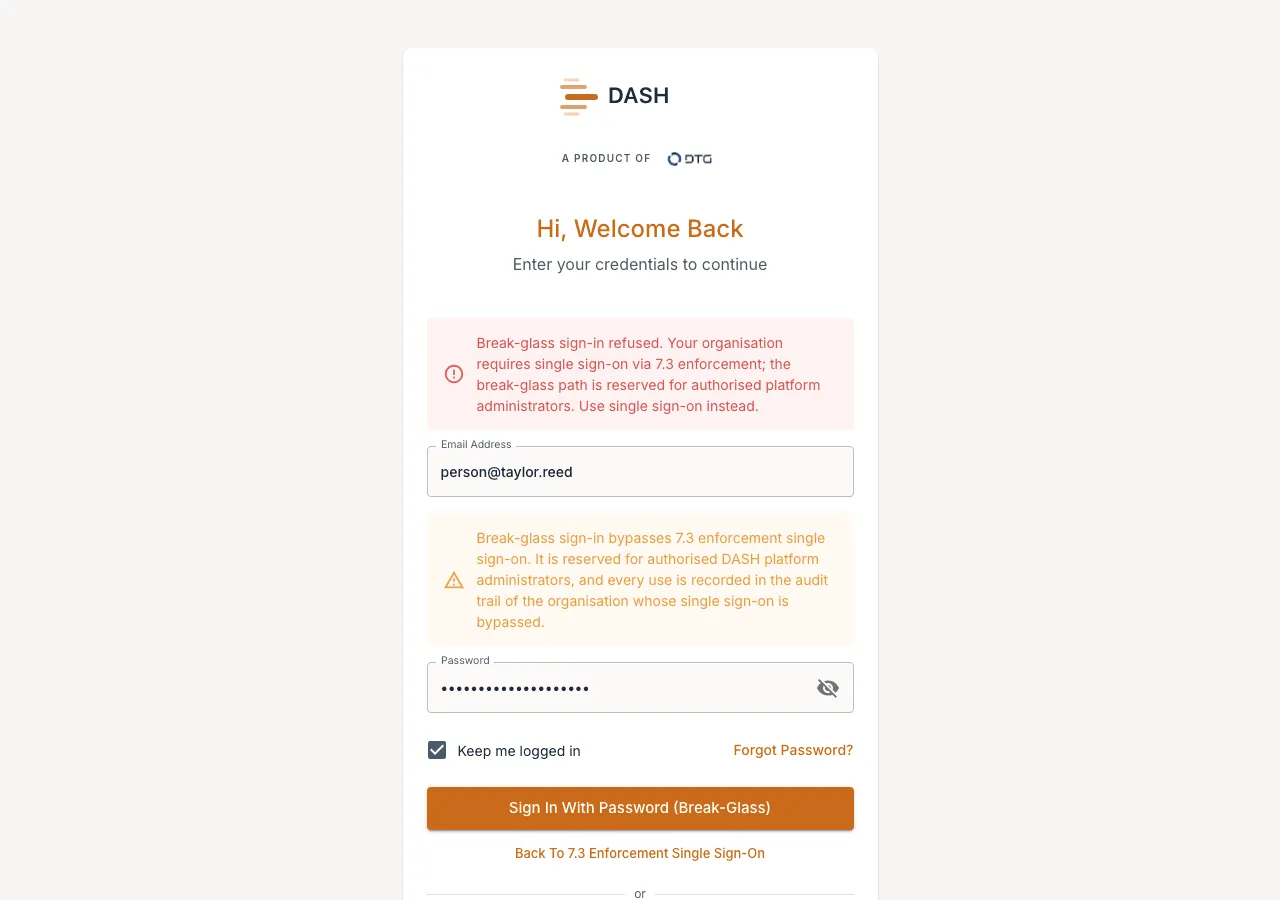
DASH keeps a recovery route for this situation, called break-glass sign-in. On an enforced sign-in page there is a link “Platform administrator? Use break-glass sign-in”. It is reserved for DASH platform administrators. Your own users, including Admins, can’t use it. If they try, DASH refuses: “Break-glass sign-in refused. Your organisation requires single sign-on via …; the break-glass path is reserved for authorised platform administrators. Use single sign-on instead.”
If your identity provider is down and your people are locked out, contact DASH support.
Every use of break-glass sign-in is recorded in your account’s Audit Log as a separate entry, SSO Break-glass Sign-in (Enforcement Bypassed), naming the DASH administrator, the domain and the connection that were bypassed, and the time. See SSO in the audit log.