

How DASH protects your data
DASH holds regulated quality records, so it is built to keep them separate, attributable and unaltered. This page explains in plain words what DASH guarantees and what you will see. Each section links to the detailed article.
Your account is a separate space
Section titled “Your account is a separate space”Everything your company creates in DASH belongs to your Account: members, roles, Organisations, Materials, Definitions, Definition Maps, data channels and certificates. A new account starts with its own empty set of records.
- Other accounts cannot see your records. They do not appear in another account’s lists or searches, and nobody can change them from another account.
- A link from another account leads nowhere. If someone opens the address of one of your records while signed in to a different account, DASH shows a “not found” page, such as “Failed to load organisation: Failed to fetch organisation”, “No Project matches the given query.” or “Definition not found”. This is exactly what they would see for a record that does not exist, so it does not even confirm that your record exists. (“Project” in that message means a Material.)
- This holds for administrators too. An Admin in one account has no authority in any other account.
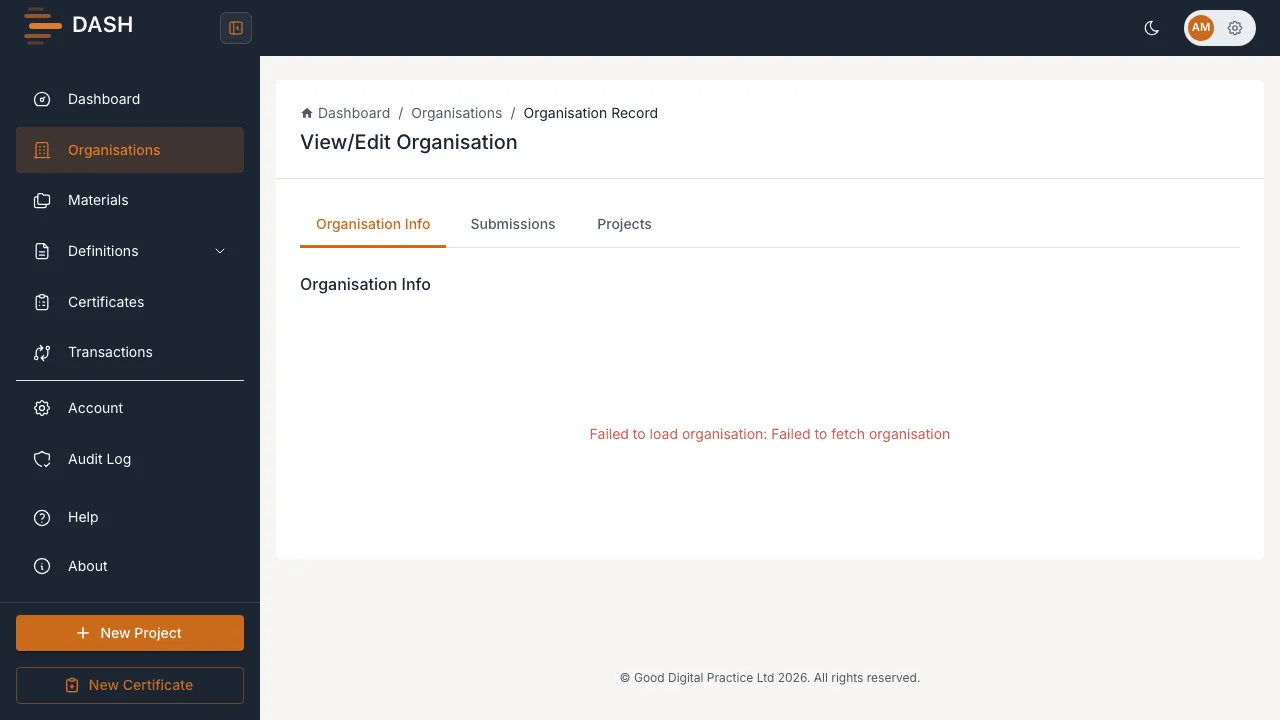
If you see one of these messages when following a link a colleague sent you, check which account you are signed in to. See Permission problems.
Membership is the only way in
Section titled “Membership is the only way in”You can only work in an account you are a member of. An administrator adds you by invitation (or your organisation’s single sign-on adds you). If you belong to several accounts, you choose one on the Select Account screen each time you sign in, and everything you do in that session applies to that account only. A member who is deactivated loses access to that account straight away, but stays named in its history.
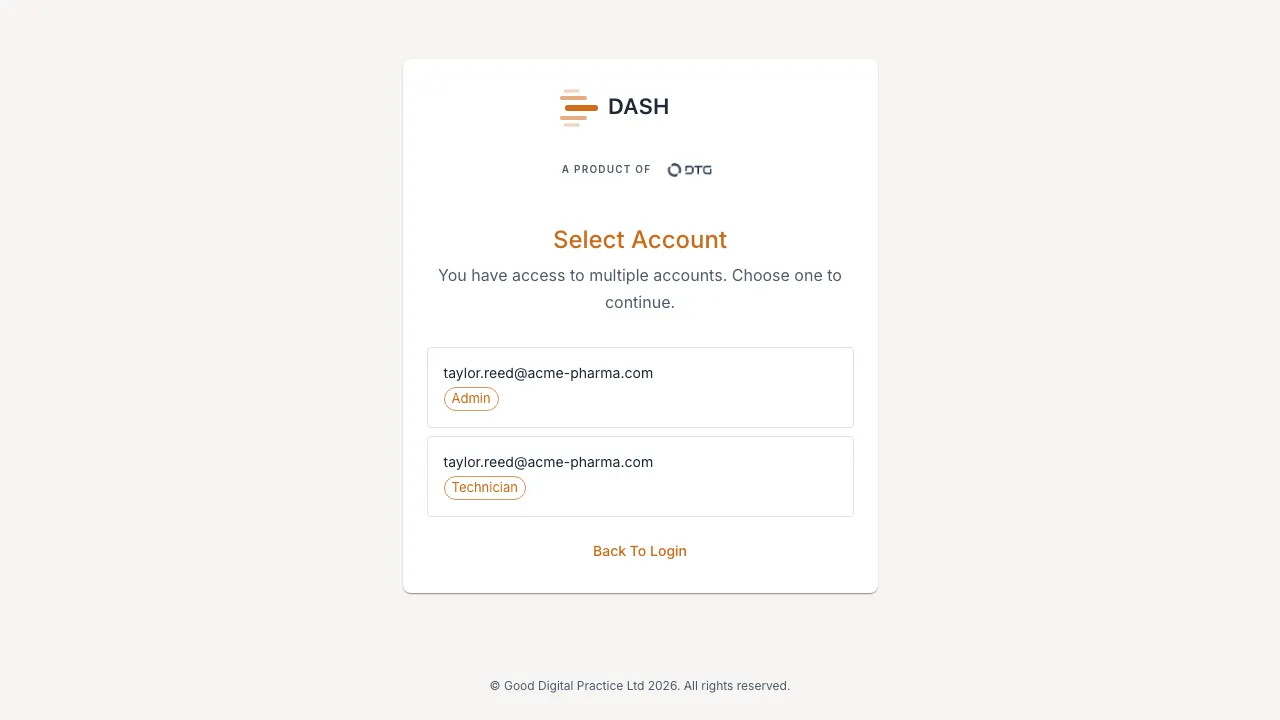
See Choose an account and Deactivate and reactivate users.
Your role limits what you can do
Section titled “Your role limits what you can do”Each member holds one role, and the role grants specific actions in specific areas. DASH hides or greys out what your role does not allow, and it also refuses the action on the server, so a hidden button is never the only barrier. See Roles & permissions.
Every action is recorded
Section titled “Every action is recorded”DASH keeps an audit trail for each account. It records who did what and when, the role they held at the time, and what changed in each record. Every action is recorded against exactly one account, and one account’s trail never shows another account’s activity.
- Nobody can edit or delete an audit entry. The detail view is read-only.
- People stay named in the trail even after they are deactivated.
- When DASH support works in your account on your behalf, their actions are marked.
Admins see the trail under Audit Log. See Audit log and Support access.
Every attempt to send a certificate or file a copy is also recorded in the Transaction Log, and those entries cannot be edited or deleted either. See Transaction log.
Only the QP can release, and signing needs proof
Section titled “Only the QP can release, and signing needs proof”- Release belongs to the QP. Only a member with the QP role can apply the signature that releases a certificate. An Admin cannot. See Who can sign.
- Fresh proof at every signature. Just before signing, you confirm your identity again with your password, a passkey or an authenticator code. That proof covers one signature only and cannot be reused. See Step-up verification at signing.
- Sensitive admin actions need proof too. Promoting someone to Admin or transferring ownership asks for a code from the Admin’s authenticator app. See Step-up verification.
A signature always matches the data it signed
Section titled “A signature always matches the data it signed”- Signatures are kept as they were. A signature records the signer’s name, its meaning, the time and how the signer confirmed their identity. Later changes to the signer’s account or to the workflow do not rewrite it. See How signing works.
- Changing the data voids the signature. If the data behind a signed certificate changes, DASH voids all its signatures and returns it to an unsigned draft that must be reviewed and signed again. The voided signatures are kept, with when and why they were voided. See When a signature is voided.
- Signed records lock what they depend on. The Definition and Definition Map behind a signed certificate lock, so they cannot change underneath it. See Lock & archive a definition.
- A tamper-evident ledger. Each Material keeps a chained record of its signing events. An Admin can check it at any time with Verify Integrity. See Signature ledger.
Released documents carry a seal
Section titled “Released documents carry a seal”The released certificate’s PDF carries a digital seal. Anyone who receives it can check that it came from DASH and has not been altered since. The seal is built to stay checkable for years. In DASH you can check it from the certificate’s Verification tab. See Sealed PDF and long-term validity.