Storage channels
A storage channel pushes a copy of a certificate’s submitted output to an archival backend. Unlike the submission channel, a storage channel does not send the certificate to a recipient — it keeps a record of it in your own document store or cloud bucket.
Storage pushes happen automatically at the end of the submission pipeline, after the certificate has been transmitted.
Supported storage backends
Section titled “Supported storage backends”A storage channel can archive to:
- AWS S3 (and S3-compatible stores)
- Azure Blob Storage
- SharePoint
- Veeva Vault
1. Add a storage channel
Section titled “1. Add a storage channel”- Open the material and go to its Data Channels section.
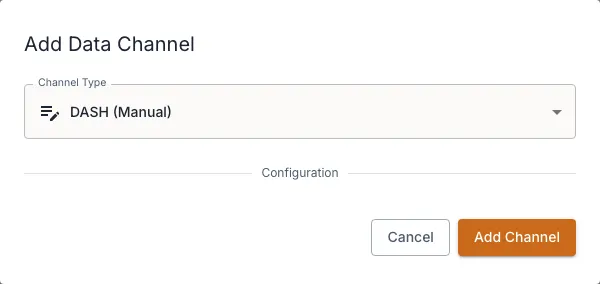
- In the storage group, add a channel and choose its backend.
- Enter its configuration and credentials, then make sure it is active so it participates in submissions. See Enter credentials & test connectivity.
- Save the channel.
How storage push works on submit
Section titled “How storage push works on submit”When you submit a signed certificate, DASH generates the XML, transmits it to the submission channel, and then pushes a copy of the output to each active storage channel.
Storage pushes are best-effort: if a push to a storage channel fails, the failure is recorded but the certificate submission still succeeds. This means a storage problem never blocks a certificate from reaching the recipient.
Check and retry storage results
Section titled “Check and retry storage results”On the certificate record, a Storage channels banner summarises which pushes succeeded and which failed, and you can expand it for the per-channel detail. If a push failed, use the per-channel Retry control to re-attempt just that storage channel. See Submit & track status and Retry a failed certificate.