

Definition Maps overview
A definition map connects a source document to a definition. Where a definition describes what your output should contain, a definition map describes where each piece comes from in an incoming file. It takes one source file type — CSV, Excel, XML, JSON or PDF — and maps its fields onto the properties of one definition.
A map is bound to a single definition but can be linked to more than one material, so the same mapping can serve several materials that receive documents in the same format.
What a map holds
Section titled “What a map holds”- A source type (CSV, Excel, XML, JSON or PDF) and its source configuration — for example a CSV’s delimiter and headers, an Excel workbook’s sheets and cells, or a PDF’s regions and AI-extraction settings.
- Field mappings — each one links a single source field to a single definition property, and may carry a transform and a row-selection rule. See Field transforms & row rules.
- Validation rules — checks that run on the mapped data before a certificate is signed. See Validation rules.
The Definition Maps list
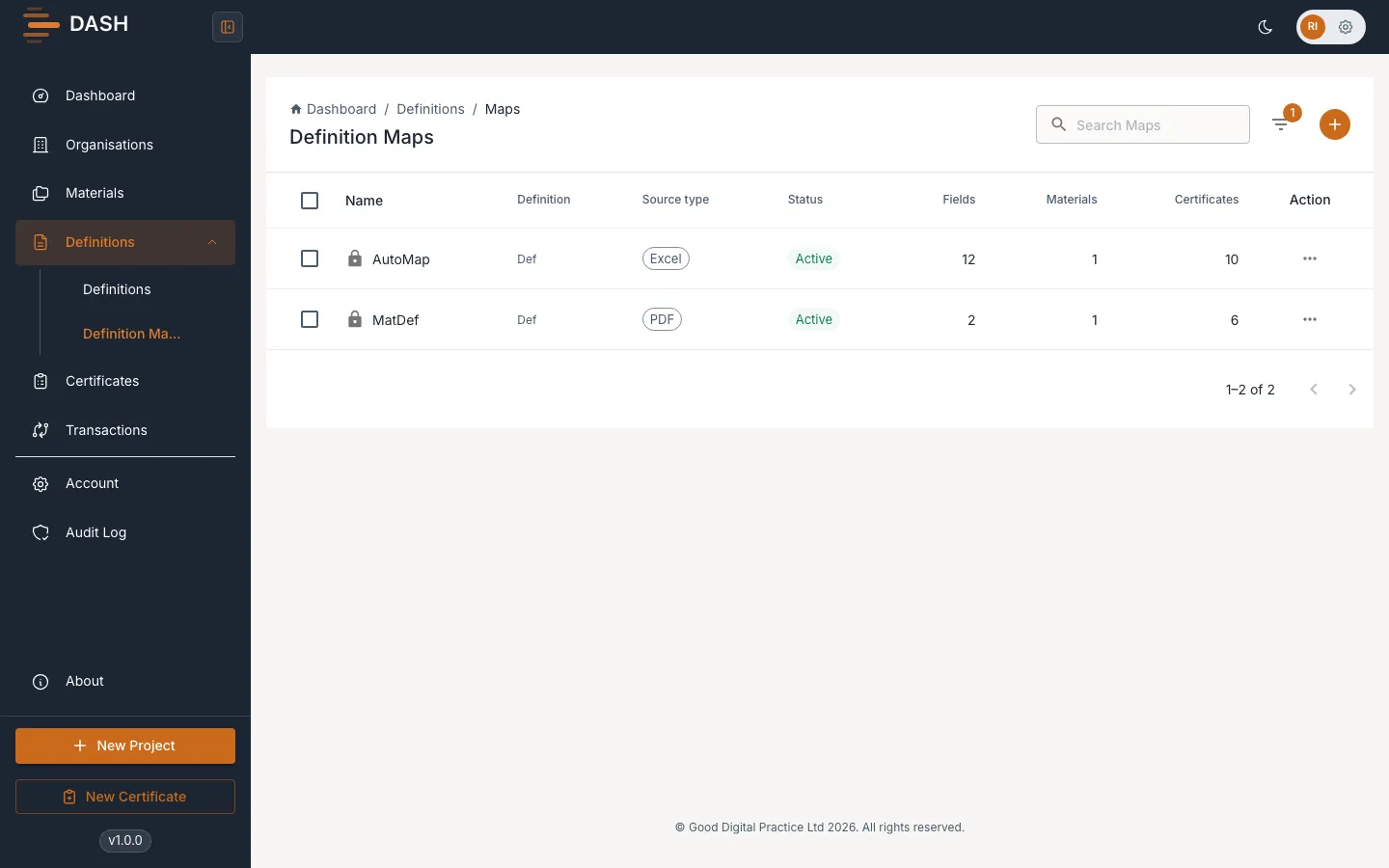
Section titled “The Definition Maps list”Open Definition Maps from the sidebar to see one row per map. For each map the list shows:
| Column | What it tells you |
|---|---|
| Name | The map name. A lock icon appears when it is referenced by certificates. |
| Definition | The definition it maps onto. |
| Source type | CSV, Excel, XML, JSON or PDF. |
| Status | Active, Inactive or Archived. |
| Fields | How many field mappings it has. |
| Materials | How many materials it is linked to. |
| Certificates | How many certificates reference it. |
Use Search Maps to find one by name or definition, and Filter to narrow by Status, Source type and Definition.
Locking, deletion and archiving
Section titled “Locking, deletion and archiving”A definition map’s lock behaves differently from a definition’s. A definition becomes fully read-only once it is in use; a map does not lock in the same all-or-nothing way. What is always protected is deletion: once any certificate references a map, you cannot delete it — an attempt is refused with “Cannot delete map with existing submissions.”
When a map is in use and you need to retire it, archive it. Archiving is a reversible soft-hide that removes the map from the default list without deleting it. Archived maps are hidden until you turn on Show archived in the Filter menu.