

Step-up at signing
Every time you select Sign, DASH asks you to prove it is really you, at that moment, before it records your signature. Being signed in isn’t enough. This fresh check, called step-up verification, is what makes the signature a deliberate act by you, and not something anyone at an unlocked computer could do.
Confirm your identity
Section titled “Confirm your identity”After you tick the agreement box, type your full name and select Sign (see Sign a certificate), the Confirm your identity to sign dialog opens. Use one of these methods.
With your password
Section titled “With your password”This is what the dialog offers first.
- Re-enter your DASH password in Password.
- Select Verify & Sign.
With an authenticator code
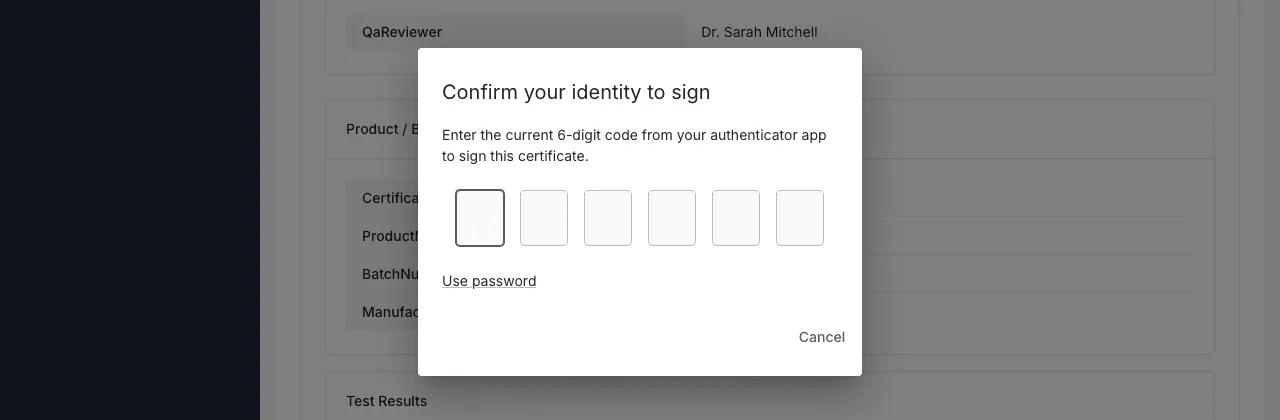
Section titled “With an authenticator code”- Select Use authenticator code.
- Type the current 6-digit code from your authenticator app. DASH checks it as soon as you type the sixth digit, so there is no button to press.
With a passkey
Section titled “With a passkey”- Select Use passkey.
- Select Continue (or the Use Passkey button) and confirm on your device, for example with Touch ID, Windows Hello or a security key.
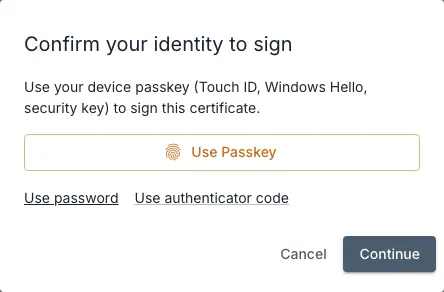
The dialog shows only the methods you have: Use passkey appears only if you have registered a passkey on this kind of device, and Use authenticator code only if you have an authenticator app set up. To switch back, select Use password.
Select Cancel to close the dialog. Nothing is signed, and your typed name stays in the form.
Once you’ve confirmed
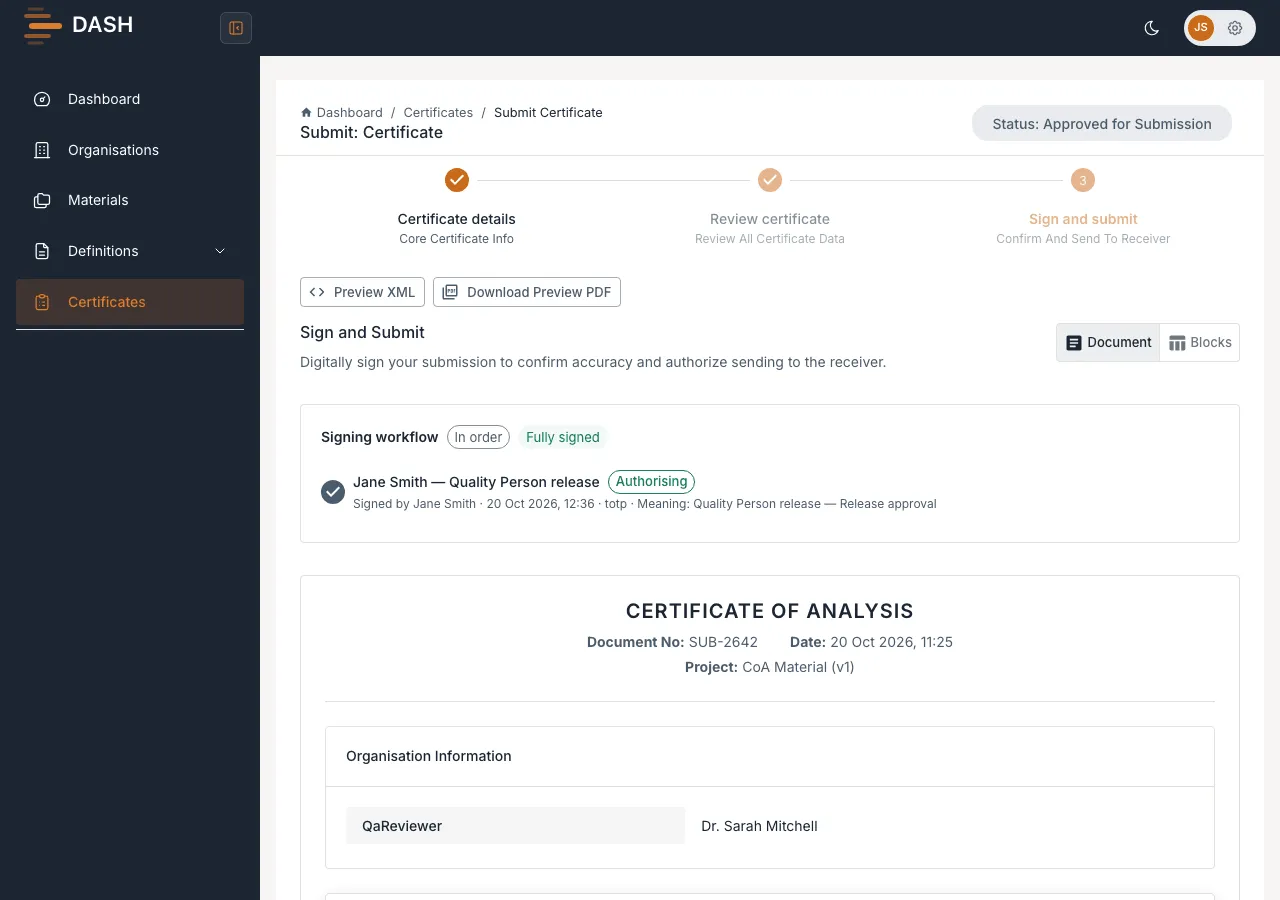
Section titled “Once you’ve confirmed”DASH records the signature. The workflow line for your step shows the method you used, for example Signed by Jane Smith · 18 Oct 2026, 17:46 · password (an authenticator code appears as totp), and the same method is stored on the signature permanently.
One confirmation, one signature
Section titled “One confirmation, one signature”- It works only once. Each confirmation authorises exactly one signature. To sign a second certificate, or a second step, you confirm again.
- It expires. A confirmation that isn’t used within 10 minutes lapses.
- It can’t be replayed. DASH refuses any attempt to reuse a confirmation that has already been used, and records the refusal.
- It isn’t wasted on a refused attempt. DASH checks that you are entitled to sign the step before it uses your confirmation. If you aren’t entitled, you are never offered the dialog in the first place: the Sign button is disabled or absent.
- If your confirmation lapses while DASH is signing, the dialog simply opens again so you can confirm and finish. What you typed is kept.
What gets recorded
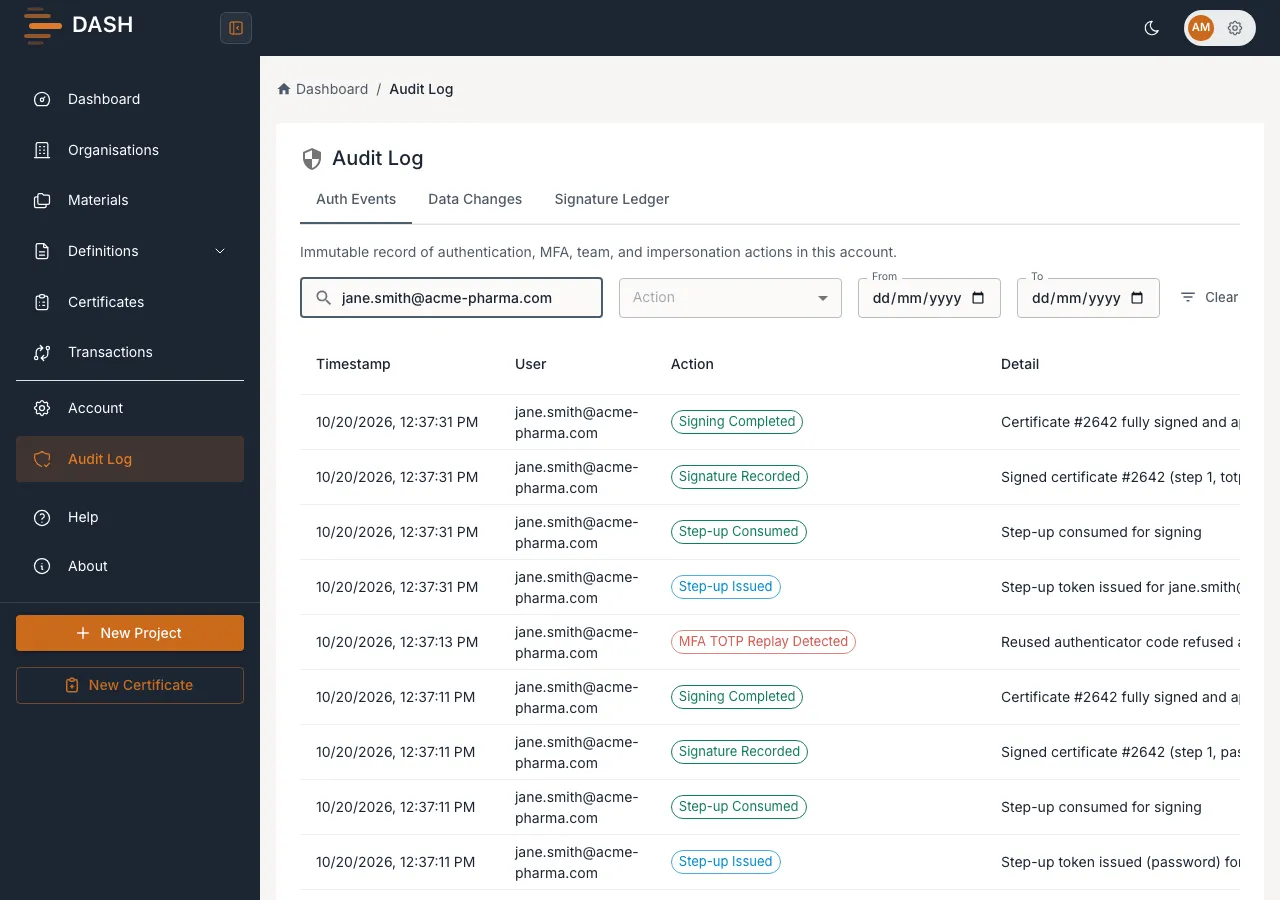
Section titled “What gets recorded”The account’s Audit Log → Auth Events tab shows the whole sequence for each signature: Step-up Issued when you confirmed, Step-up Consumed when the signature used it, then Signature Recorded naming the certificate, the step and the method. Refusals appear as Step-up Required (denied) or Step-up Rejected (replayed / invalid / expired).
See Audit log.
If confirmation fails
Section titled “If confirmation fails”| Message | What to do |
|---|---|
| “Incorrect password. Try again.” | Re-enter your DASH password. The certificate stays unsigned. |
| “Invalid code. Try again.” | The code was wrong or already used. Wait for your app to show a new code. |
| “Passkey prompt was dismissed. Try again or use your password.” | You closed the device prompt. Try again, or use another method. |
| “Too many incorrect codes. Wait a few minutes, then try again.” | Several codes were refused in a short time. Wait, then use a fresh code. |
| “Your account signs in via single sign-on, so a passkey or authenticator app is required to apply an electronic signature. Please enrol one in Security Settings.” | Register a passkey or an authenticator app under your avatar → User Settings → Security. |
If you’ve lost access to your authenticator, see Backup codes.
Related
Section titled “Related”- Step-up verification, including the authenticator-only check used for administrative actions
- Sign a certificate
- Multi-factor and step-up overview