

Materials overview
A Material is the unit of work in DASH. It’s where you configure how a particular stream of quality documents is acquired, processed and released. A Material carries its own metadata fields, its assigned team, and its data channels — and it’s the parent of the Definitions and Certificates that flow through it.
If an Organisation is the client you work with, a Material is a specific piece of work you do for or with that client.
Receiver vs Supplier Materials
Section titled “Receiver vs Supplier Materials”Every Material is set up as one of two types, chosen when you create it:
- Supplier (outbound) — you submit documents to another organisation. Use this when you send Certificates of Analysis, test results or quality documentation to a client.
- Receiver (inbound) — you receive documents from other organisations. Use this when you invite suppliers, labs or CDMOs to submit documents to you for validation.
The type sets the direction the documents travel, and shapes the channels and workflow the Material uses.
The Materials list
Section titled “The Materials list”Open Materials from the main navigation to reach the All Materials page.
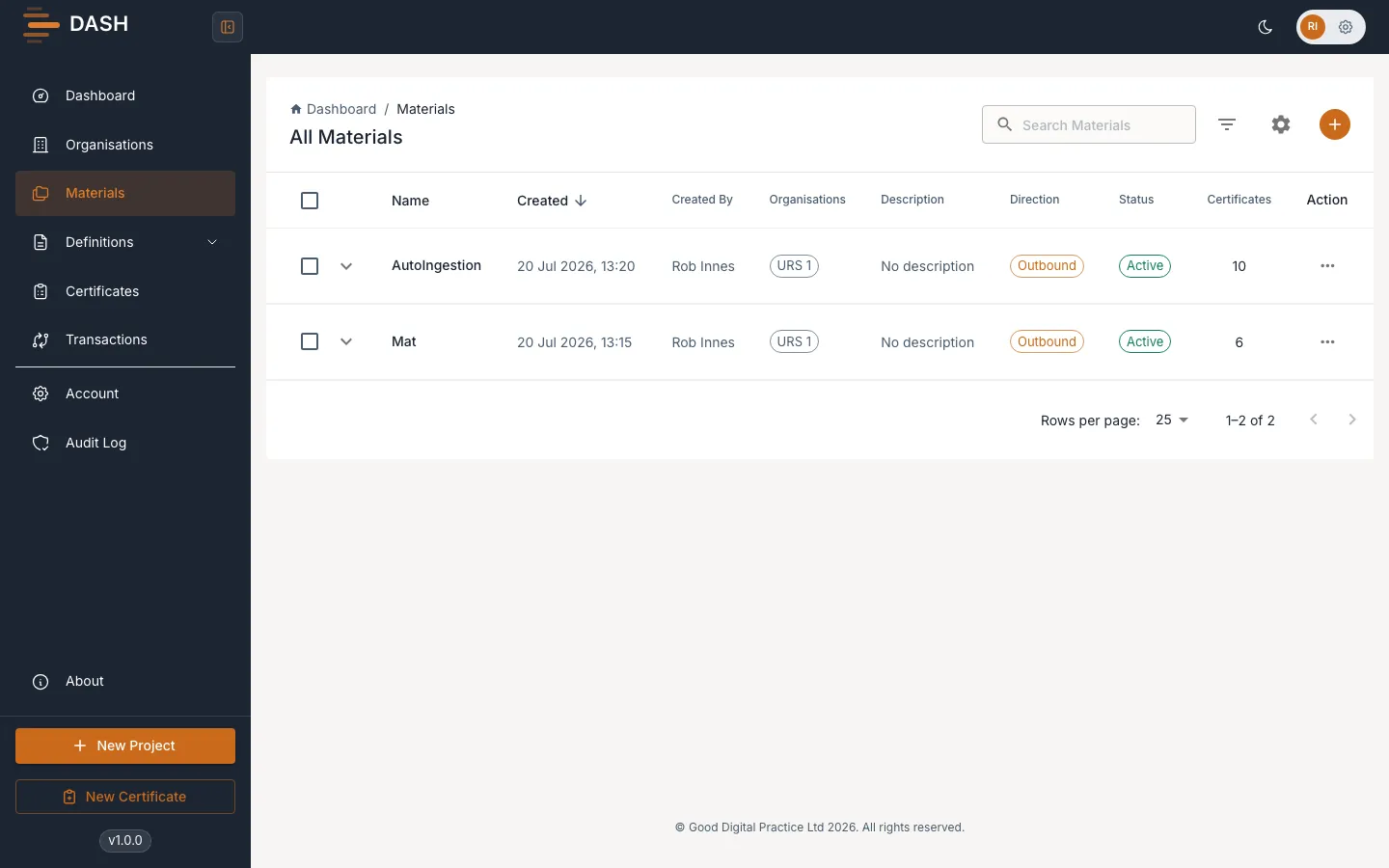
Each row shows the Name, Description, associated Organisations, Direction (inbound or outbound), Status, the Certificates count, and when it was Created and by whom. Expand a row to see per-Material counts of Submission Data Channels, Source Data Channels and Submissions.
Search and filter
Section titled “Search and filter”- Search Materials — matches by name, identifier or description.
- Filter by Status — All, Active or Inactive.
- Filter by Direction — All, Outbound or Inbound.
- Filter by Organisation — All, or a specific Organisation.
Select Clear All Filters to reset everything.