

Usage and fair use
DASH shows when each API key was last used, so you can tell a working integration from a forgotten one. It also limits how fast any one key can call the API, so a misconfigured BI tool can’t crowd out your other integrations.
See when a key was last used
Section titled “See when a key was last used”- Select Account in the sidebar, then the API Keys tab.
- Read the Last used column. It shows the date and time, in your browser’s time zone, when a BI tool last read data with that key. A key that has never been used shows “—”.
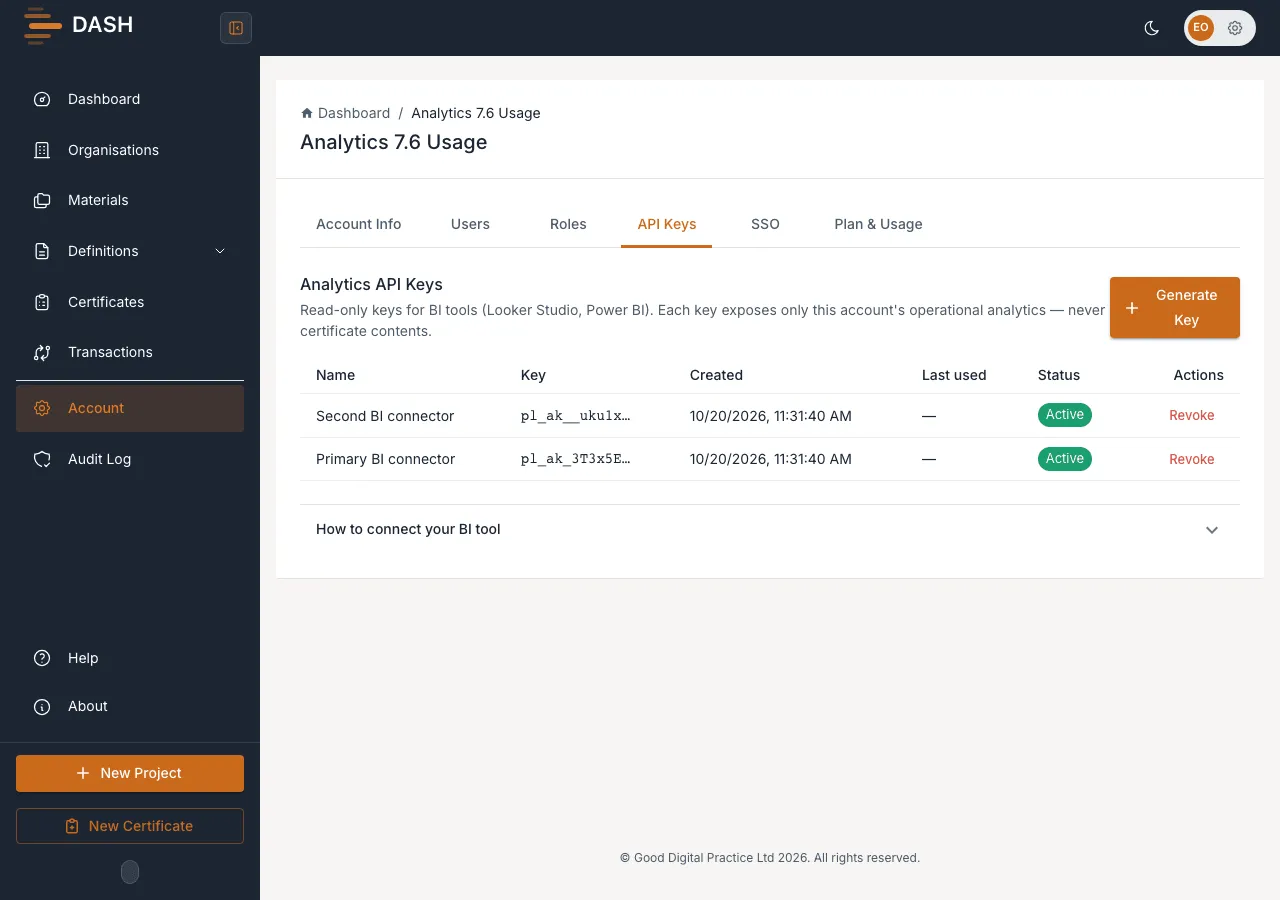
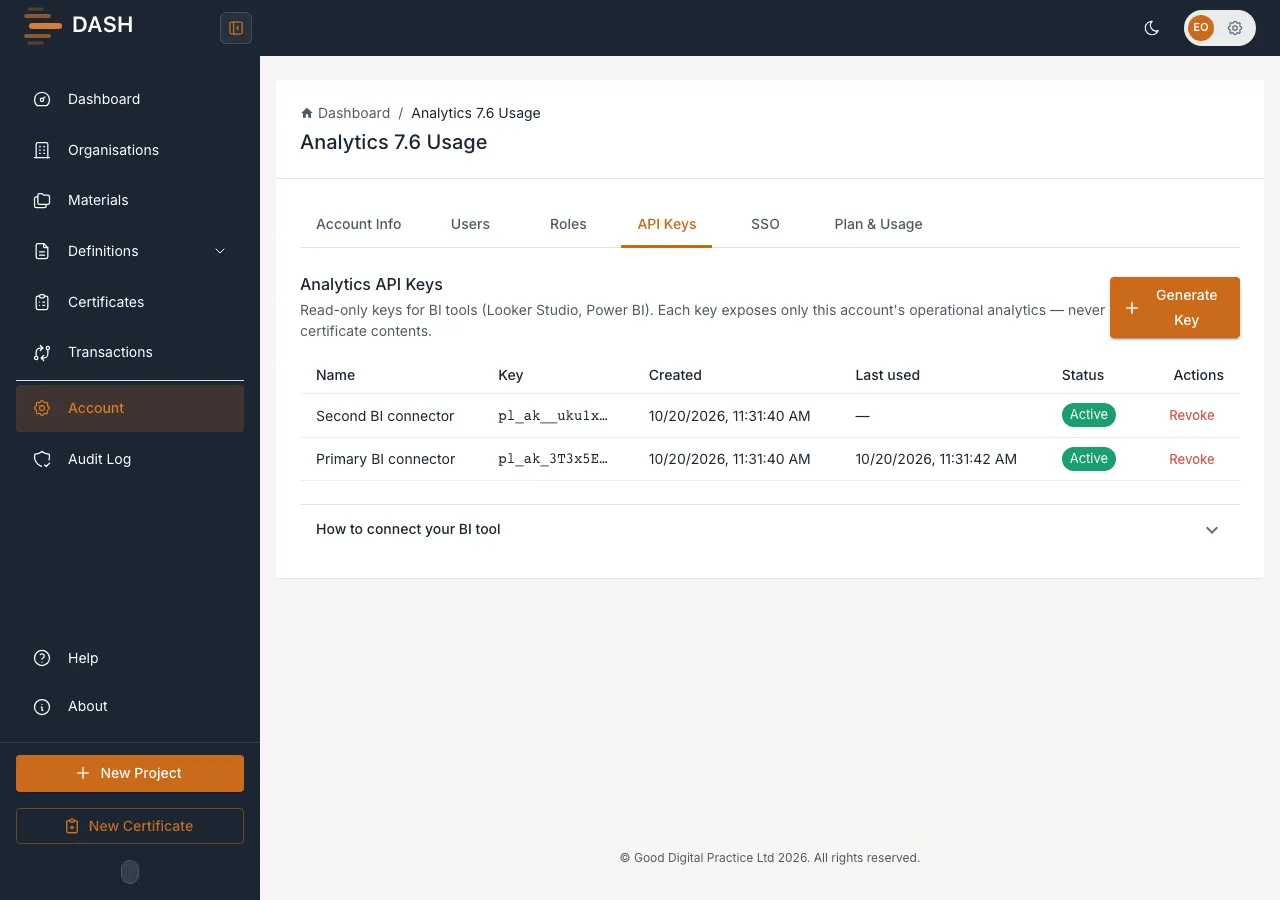
Last used is refreshed at most once a minute. A BI tool polling every few seconds moves it forward about once a minute, not on every request, so treat it as accurate to the minute. The list doesn’t update by itself: open the tab again to see the latest time.
Fair-use rate limit (per key)
Section titled “Fair-use rate limit (per key)”Each key may make a set number of requests per minute. The default is 300 requests per minute per key. Your plan may set a different rate, shown as Analytics API rate on Plan & Usage.
- The limit applies to each key on its own. A key that hits its limit doesn’t slow down or block any other key.
- Requests over the limit are refused with HTTP error 429 (“Too Many Requests”) and nothing is returned. The response tells the BI tool how many seconds to wait (the standard Retry-After header) before the key is served again.
- Nothing is lost or locked. Once the wait is over, the same key works normally.
If your BI tool reports a “Too Many Requests” or 429 error, reduce its refresh frequency, or set it to wait the time it is given and then retry. A dashboard refresh rarely needs more than a few requests a minute. The Metrics summary gives the headline figures in one request, and your developer can fetch lists in larger pages. The exact response is under Errors in the Endpoints reference, with sample retry code under Pagination.
Request allowance (per account)
Section titled “Request allowance (per account)”Your plan may also include an allowance of Analytics API requests for a period (for example, a month). Every request the API serves counts towards it, for all of your account’s keys together. You can see how much has been used on Plan & Usage.
When the allowance is used up, what happens depends on how your plan enforces it:
- If the allowance is a hard limit, further requests are refused (HTTP error 403) with the message “You have used your Analytics API requests allowance (n) for this period until [date]. Please contact DASH sales to increase it.” Requests are served again when the next period starts.
- If it is a soft limit or only counted, requests keep being served.
For a hard or soft allowance with a warning level set, your account administrators (the Owner and members with the built-in Admin role) receive a usage warning email once usage reaches that level, at most once per period.
To change the rate or the allowance, contact DASH sales. See Limits and features.