

Endpoints reference
This page is for the developer or BI specialist who connects a reporting tool to DASH. It lists every endpoint, parameter and field of the Analytics API, and the responses to expect. For what the API is and how keys are issued, start with the Analytics API overview.
Authentication
Section titled “Authentication”Send the key as a bearer token in the Authorization header of every request. There is no sign-in,
cookie or session, and no CSRF token is needed.
export DASH_API_KEY='pl_ak_EXAMPLE…'   # your key, kept out of source control
curl -H "Authorization: Bearer $DASH_API_KEY" \  https://your-dash-host/api/analytics/summary/
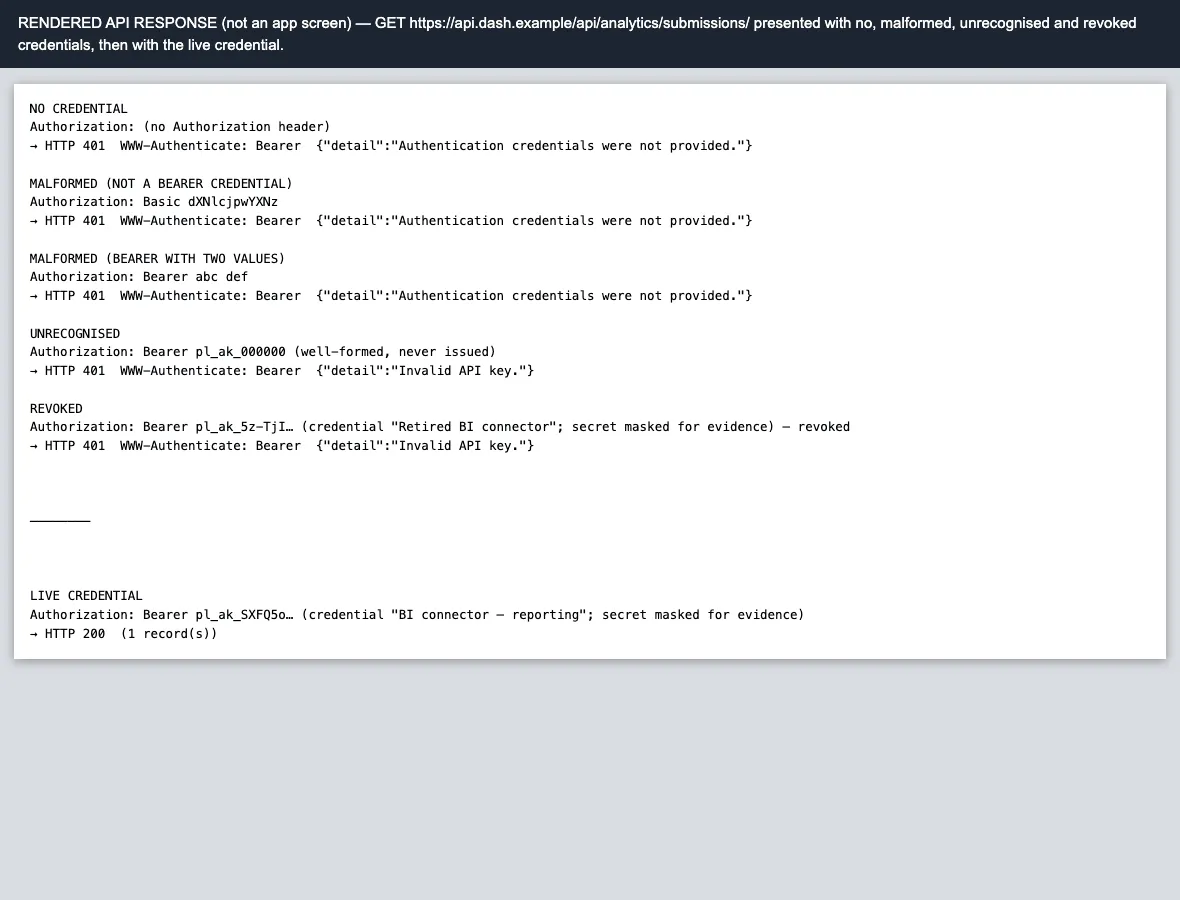
A request with no key, a malformed header, an unknown key or a revoked key gets 401 (see
Errors).
Endpoints
Section titled “Endpoints”All endpoints sit under /api/analytics/ and accept only GET, HEAD and OPTIONS.
| Endpoint | Returns | In the app |
|---|---|---|
GET /api/analytics/submissions/ |
Certificates, with status and timestamps (no content) | Certificates |
GET /api/analytics/organisations/ |
Organisations, with a certificate count | Organisations |
GET /api/analytics/projects/ |
Materials, with a certificate count | Materials |
GET /api/analytics/definitions/ |
Definitions, with a certificate count | Definitions |
GET /api/analytics/definition-maps/ |
Definition Maps, with a certificate count | Definition Maps |
GET /api/analytics/transaction-logs/ |
Transmission attempts: outcome, channel and duration | Transactions and the certificate’s Channel Log |
GET /api/analytics/summary/ |
Headline totals, breakdowns and rates in one object | See Metrics summary |
The six list endpoints also serve a single record at /api/analytics/[resource]/[id]/, for example
/api/analytics/submissions/2023/.
Read-only
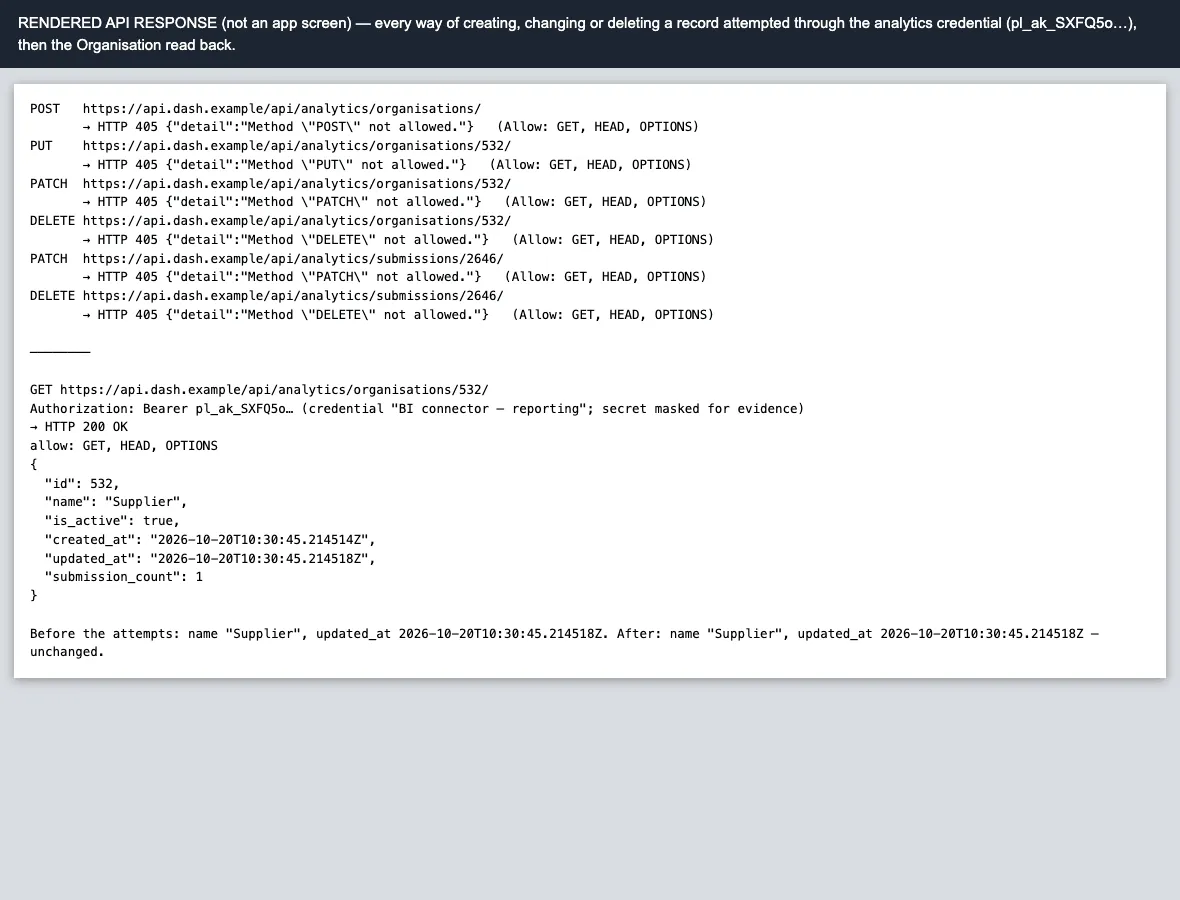
Section titled “Read-only”POST, PUT, PATCH and DELETE are refused with 405 on every endpoint, and the record is left
unchanged. The Allow header reads GET, HEAD, OPTIONS.
Query parameters
Section titled “Query parameters”Common to the list endpoints
Section titled “Common to the list endpoints”| Parameter | Format | Effect |
|---|---|---|
created_from |
YYYY-MM-DD |
Records created on or after this date (inclusive). |
created_to |
YYYY-MM-DD |
Records created on or before this date (inclusive). |
search |
text | Case-insensitive text search over the fields listed per resource below. |
ordering |
field name, - prefix for descending; several separated by commas |
Sort order. Only the fields listed per resource are allowed. |
page |
integer, from 1 | Page number. |
page_size |
integer, 1–100 | Records per page. Default 25, maximum 100. |
include_dry_run |
true |
Include records created by a source channel’s dry run. Excluded by default. See the note below. |
created_from and created_to filter on the record’s own creation date: for Organisations, Materials,
Definitions and Definition Maps, that is when the record was created, not when its certificates were.
Per resource
Section titled “Per resource”| Endpoint | Filters | search covers |
ordering fields (default) |
|---|---|---|---|
submissions |
status (see status values), organisation (counterparty Organisation id), project (Material id), definition (Definition id) |
Material name, Organisation name, Definition name | created_at, updated_at, signed_at, status (default -created_at) |
organisations |
is_active (true/false) |
name | name, created_at, updated_at (default name) |
projects |
is_active, project_type (supplier = Outbound, receiver = Inbound), organisation (id) |
Material name, Organisation name | name, created_at, updated_at (default -created_at) |
definitions |
status (active/inactive), source_type (manual, csv_import, xml_import) |
name | name, version, created_at, updated_at (default -created_at) |
definition-maps |
is_active, source_type (csv, xml, json, excel, pdf) |
name, Definition name | name, created_at, updated_at (default -created_at) |
transaction-logs |
status (success/failure), direction (outbound/inbound), action, channel_type |
channel name, connector type | created_at, duration_ms, status (default -created_at) |
summary |
created_from, created_to, include_dry_run only |
— | — |
# Certificates awaiting approval, created in October 2026, oldest firstcurl -H "Authorization: Bearer $DASH_API_KEY" \ "https://your-dash-host/api/analytics/submissions/?status=awaiting_approval&created_from=2026-10-01&created_to=2026-10-31&ordering=created_at"Malformed parameters are refused, never ignored
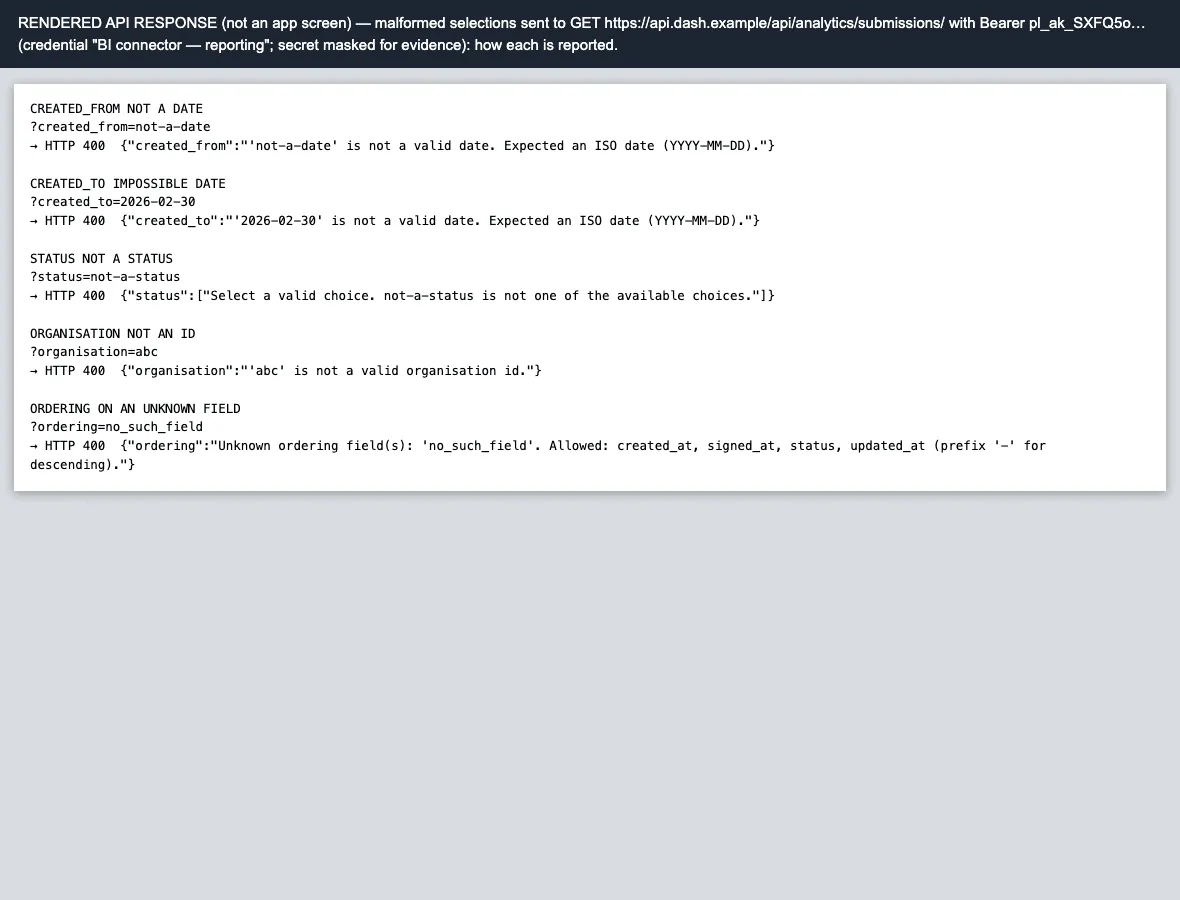
Section titled “Malformed parameters are refused, never ignored”A parameter the API can’t apply returns 400 with a message naming the parameter, so a report is
never built on a filter that was silently dropped:
- a date that isn’t
YYYY-MM-DD, or doesn’t exist (2026-02-30); - a
statusor other choice that isn’t one of the listed values; - an
organisationthat isn’t a number; - an
orderingfield that isn’t allowed (the message lists the allowed fields).
Pagination
Section titled “Pagination”The list endpoints return pages of 25 records by default:
{ "count": 953, "next": "https://your-dash-host/api/analytics/submissions/?page=2", "previous": null, "results": [ { "id": 2023, "status": "awaiting_approval", "...": "..." } ]}Follow next until it is null, or set page_size up to 100. A page number past the end returns
404. The summary endpoint isn’t paginated.
import os, time, requests
url = "https://your-dash-host/api/analytics/submissions/?page_size=100"headers = {"Authorization": f"Bearer {os.environ['DASH_API_KEY']}"}rows = []while url:    r = requests.get(url, headers=headers, timeout=30)    if r.status_code == 429:  # fair-use limit: wait as told, then retry        time.sleep(int(r.headers.get("Retry-After", "60")))        continue    r.raise_for_status()    page = r.json()    rows.extend(page["results"])    url = page["next"]
Fields per resource
Section titled “Fields per resource”Each resource returns exactly these fields and no others. A field added to DASH later is not returned until it is added to this list under change control. Certificate values, extracted or mapped data, edits, files, output documents, Definition schemas, map configurations, channel settings and transmission request, response and error bodies are never returned.
submissions (Certificates)
Section titled “submissions (Certificates)”| Field | Meaning |
|---|---|
id |
Certificate number, as shown in DASH. |
status |
Current status. See status values. |
is_dry_run |
true if created by a source channel’s dry run. |
created_at, updated_at, signed_at |
Created, last changed and signed (null if not signed), in UTC. |
project, project_name |
The Material’s id and name. |
organisation, organisation_name |
The counterparty Organisation: the certificate’s own Organisation where set, otherwise its Material’s. |
definition, definition_name, definition_version |
The Definition’s id, name and version. |
source_channel_type, submission_channel_type |
The kind of source channel and outbound channel. See channel types. |
signed_by |
The signer’s full name, or their email address if no name is recorded. |
organisations
Section titled “organisations”| Field | Meaning |
|---|---|
id, name |
The Organisation’s id and name. |
is_active |
Whether it is active. |
created_at, updated_at |
Created and last changed. |
submission_count |
Certificates exchanged with it (through its Materials, or recorded on the certificate). |
projects (Materials)
Section titled “projects (Materials)”| Field | Meaning |
|---|---|
id, name |
The Material’s id and name. |
project_type |
supplier = Outbound, receiver = Inbound. |
is_active |
Whether it is active. |
organisation, organisation_name |
Its Organisation. |
created_at, updated_at |
Created and last changed. |
submission_count |
Its certificates. |
definitions
Section titled “definitions”| Field | Meaning |
|---|---|
id, name, version |
The Definition’s id, name and version. |
status |
active or inactive. |
source_type |
How it was built: manual, csv_import or xml_import. |
created_at, updated_at |
Created and last changed. |
submission_count |
Certificates that use it. |
definition-maps
Section titled “definition-maps”| Field | Meaning |
|---|---|
id, name |
The map’s id and name. |
source_type |
The source file type: csv, xml, json, excel or pdf. |
is_active |
Whether it is active. |
definition, definition_name |
Its Definition. |
created_at, updated_at |
Created and last changed. |
submission_count |
Certificates that use it. |
transaction-logs
Section titled “transaction-logs”| Field | Meaning |
|---|---|
id |
The transmission record’s id. |
submission |
The certificate number. |
direction |
outbound or inbound. |
action |
What was attempted. See transmission values. |
status |
success or failure. |
channel_type, channel_name, connector_type |
The kind, name and connector of the channel used. |
http_status_code |
The status code the receiving channel returned, if any. |
duration_ms |
How long the attempt took, in milliseconds. |
created_at |
When it happened. |
summary
Section titled “summary”GET /api/analytics/summary/ returns one object (not paginated). It accepts only created_from,
created_to and include_dry_run. What the figures mean is explained in plain language in
Metrics summary.
curl -H "Authorization: Bearer $DASH_API_KEY" \ "https://your-dash-host/api/analytics/summary/?created_from=2026-01-01&created_to=2026-09-30"{ "filters": { "created_from": "2026-01-01", "created_to": "2026-09-30", "include_dry_run": false }, "totals": { "submissions": 412, "organisations": 18, "projects": 35, "definitions": 22, "definition_maps": 41 }, "submissions_by_status": { "draft": 40, "awaiting_approval": 25, "approved_for_submission": 30, "pass": 280, "submit_failed": 12, "validation_failed": 5 }, "submissions_by_organisation": [ { "organisation_id": 7, "organisation_name": "Example Supplier Ltd", "count": 96 } ], "submissions_by_material": [ { "material_id": "PRJ-1A2B3C4D", "material_name": "Paracetamol API", "count": 54 } ], "submissions_by_channel_type": [ { "channel_type": "CHANNEL-002", "count": 210 } ], "submissions_by_month": [ { "month": "2026-09-01", "count": 61 } ], "pass_fail": { "pass": 280, "fail": 17, "fail_by_status": { "submit_failed": 12, "xml_failed": 0, "validation_failed": 5, "fail": 0 }, "pass_rate": 0.9428 }, "transaction_success_rate": { "success": 330, "failure": 21, "rate": 0.9402 }}| Field | Meaning |
|---|---|
filters |
The created_from, created_to and include_dry_run values the figures were computed with. |
totals.submissions |
Certificates counted; follows the date range and dry-run setting. |
totals.organisations, .projects, .definitions, .definition_maps |
How many the account has now (not filtered by date). |
submissions_by_status |
Certificates per status. Statuses with no certificates are omitted. |
submissions_by_organisation |
organisation_id, organisation_name, count per counterparty Organisation (the certificate’s own, otherwise its Material’s). organisation_id null = neither recorded. |
submissions_by_material |
material_id, material_name, count per Material. |
submissions_by_channel_type |
channel_type (outbound channel; null = none recorded), count. |
submissions_by_month |
month (first day of the month, YYYY-MM-DD), count, in date order. |
pass_fail |
pass; fail = the sum of fail_by_status (submit_failed, xml_failed, validation_failed, fail); pass_rate = pass ÷ (pass + fail), or null when both are 0. |
transaction_success_rate |
success, failure (transmission attempts in the date range) and rate = success ÷ (success + failure), or null when there were none. |
Breakdowns other than submissions_by_month are sorted by count, largest first. Rates are fractions
from 0 to 1, rounded to four decimal places.
Your account only
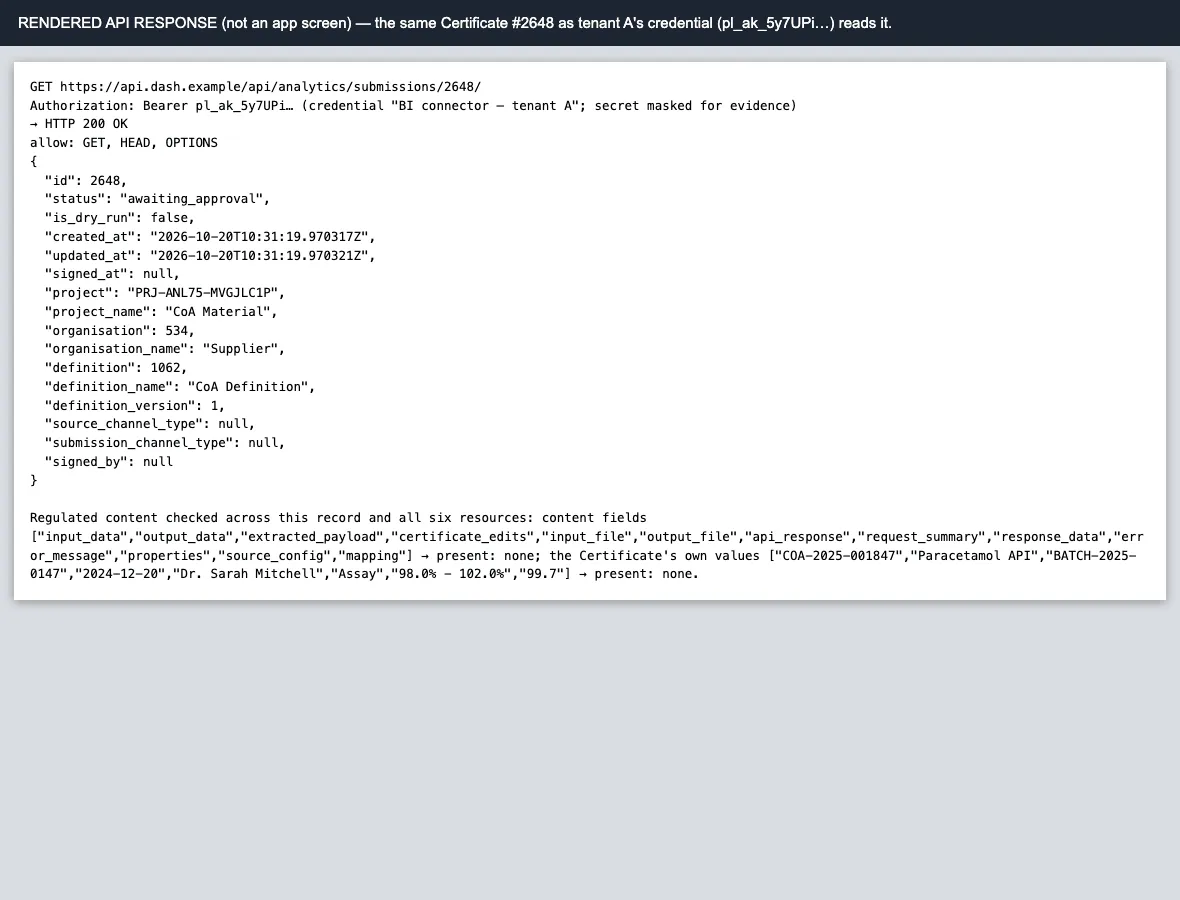
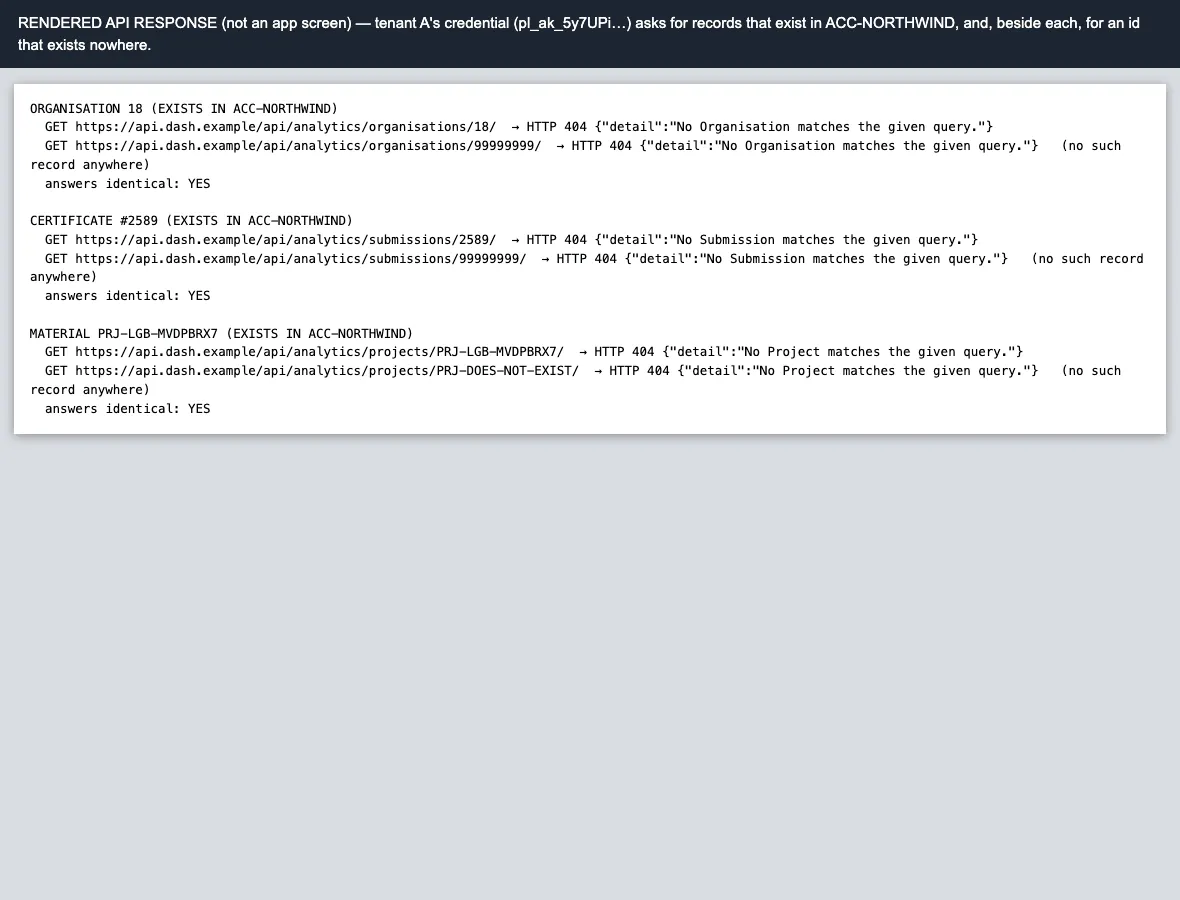
Section titled “Your account only”Every response is confined to the account that owns the key, before any filter, search or ordering is
applied. No combination of parameters returns another account’s records or counts them. Asking for
another account’s record by id gets the same 404 as an id that doesn’t exist anywhere:
Errors
Section titled “Errors”| Code | When | Body |
|---|---|---|
400 |
A malformed parameter (see above). | The parameter name and the problem, for example {"created_from": "'not-a-date' is not a valid date. Expected an ISO date (YYYY-MM-DD)."} |
401 |
No key, a malformed Authorization header, an unknown key, or a revoked key. The response carries WWW-Authenticate: Bearer and no data. |
{"detail": "Authentication credentials were not provided."} or {"detail": "Invalid API key."} |
403 |
Your plan doesn’t include the Analytics API, or the account has used up a hard Analytics API requests allowance for the period. | A detail message for people, plus code (entitlement_feature_unavailable or entitlement_quota_exhausted), entitlement, limit, used and period_end. Contact DASH sales. |
404 |
A record id that doesn’t exist in your account (including another account’s id), or a page past the end. | {"detail": "No Organisation matches the given query."} (the record type varies) |
405 |
Any method other than GET, HEAD or OPTIONS. |
{"detail": "Method \"POST\" not allowed."} |
429 |
The key has exceeded its fair-use rate (300 requests per minute per key by default). The Retry-After header gives the seconds to wait. |
{"detail": "Request was throttled. Expected available in 48 seconds."} |
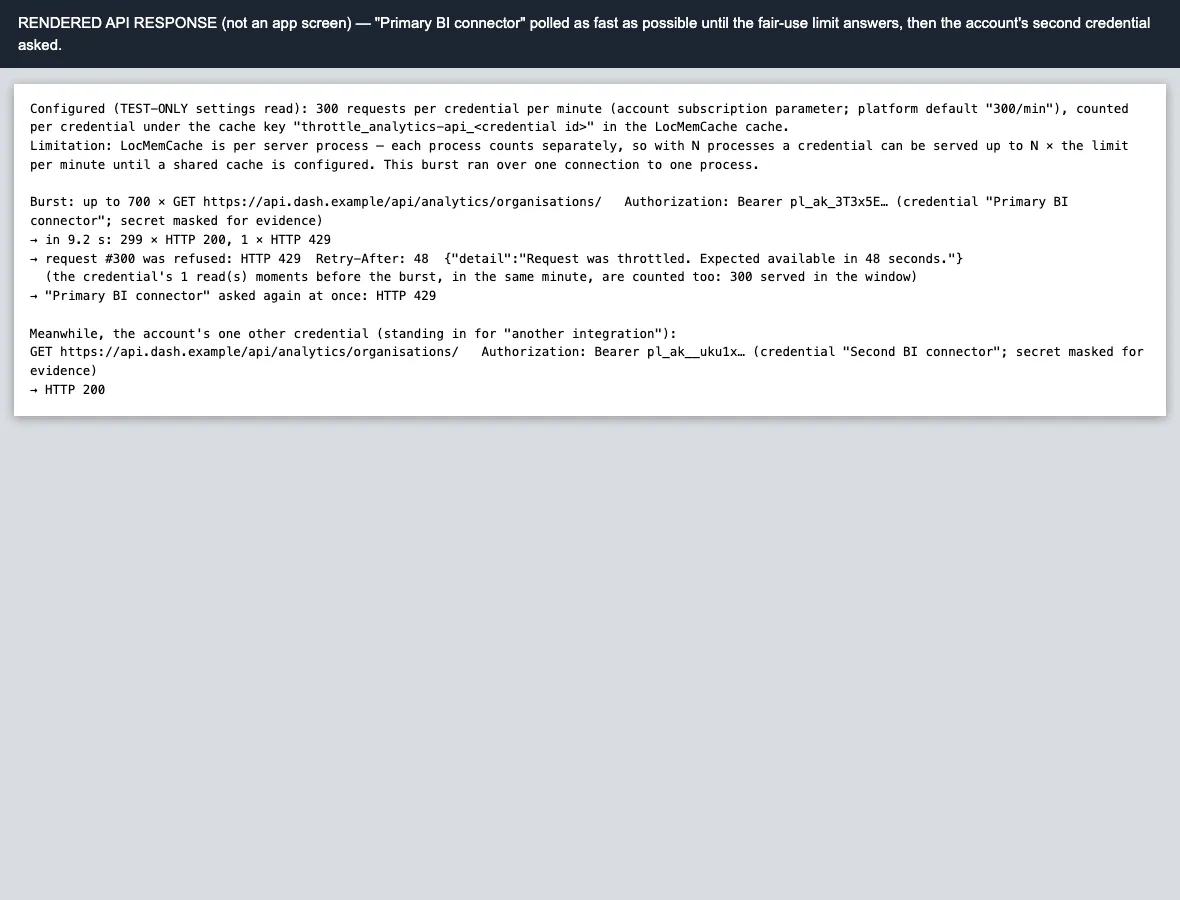
Rate limits apply to each key separately. See Usage and fair use.
Status values and the labels users see
Section titled “Status values and the labels users see”The API returns raw values. Use these tables to show the same labels people see in DASH.
Certificate status values
Section titled “Certificate status values”status |
Label in DASH |
|---|---|
draft |
Draft |
ingesting |
Ingesting |
ingest_failed |
Ingest Failed |
awaiting_approval |
Awaiting Approval (the Dashboard shows “Pending”) |
signing_in_progress |
Signing In Progress |
approved_for_submission |
Approved for Submission (the Dashboard shows “Approved”) |
generating_xml |
Generating XML |
awaiting_signing_key |
Awaiting Signing Key |
xml_failed |
XML Failed |
validation_failed |
Validation Failed |
submitting |
Submitting |
submit_failed |
Submit Failed |
fail |
Fail |
pass |
Pass |
What each status means is explained in Certificate statuses.
Channel types
Section titled “Channel types”channel_type |
Label in DASH |
|---|---|
CHANNEL-002 |
API |
CHANNEL-003 |
Storage (connectors: AWS S3, SharePoint, Veeva Vault) |
CHANNEL-004 |
DASH (Manual) |
CHANNEL-001 |
Email (retired; appears only on old records) |
null |
No channel recorded |
Transmission values
Section titled “Transmission values”| Field | Value | Label in DASH |
|---|---|---|
status |
success / failure |
Success / Failure |
direction |
outbound / inbound |
Outbound / Inbound |
action |
channel_submit |
Channel Submission |
retry_channel |
Retry Channel Submission | |
storage_push |
Storage Push | |
retry_storage |
Retry Storage Push | |
pdf_delivery |
Signed PDF Delivery |