

Changing your plan
DASH plans are arranged with DASH sales, not bought in the app. There is no payment page and no self-service plan change. Nobody in your account, including the Account Owner and Admins, can change the plan, a limit or the subscription status.
Request a change
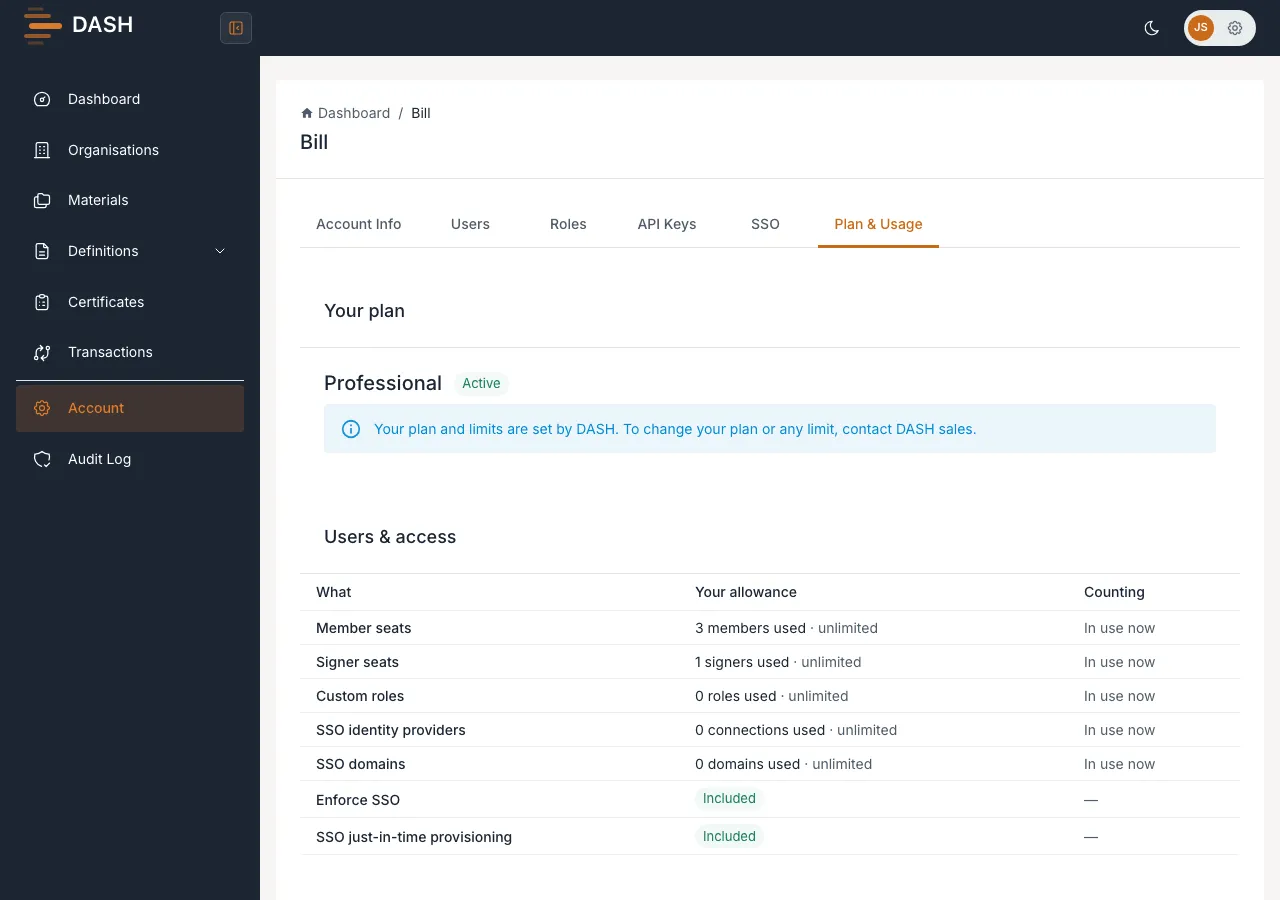
Section titled “Request a change”- Decide what you need, for example regulated release, a higher limit, a larger allowance, a feature such as a connector or the Analytics API, or the reactivation of a suspended subscription. Check your current values on Account → Plan & Usage. See View your plan and usage.
- Contact DASH sales. If an address is configured for your account, it is shown on Plan & Usage under Your plan.
- DASH sales agrees the change with you. A DASH staff member then makes it, with a recorded reason.
- Check Plan & Usage to confirm the new values. If the change affects the plan notice, the notice updates or disappears.
What DASH staff can change
Section titled “What DASH staff can change”- Your plan (tier). DASH moves your account from one plan to another. Only plans DASH currently offers can be chosen.
- Your subscription status: Active, Suspended (read-only) or Ended. See Subscription status.
- Your contract term, and what happens when it ends.
- Arrangements for your account only: a different value for one item, sometimes until a set date. These show as Arranged for you on Plan & Usage.
- Corrections to usage in the current period, each with a recorded reason.
When a change takes effect
Section titled “When a change takes effect”- A plan or status change applies either straight away or from a date agreed with you. DASH can cancel a scheduled change before it takes effect. A change that has been applied is never altered.
- An increase applies at once, including to the period in progress.
- A reduction applies from the next billing period, and never removes anything you already hold. See Limits and features.
Where commercial changes are recorded
Section titled “Where commercial changes are recorded”DASH keeps its own permanent record of every commercial change: who at DASH made it, when, why, and the values before and after. That record is kept by DASH, separately from your account. It is not part of your account’s audit trail, so plan changes don’t appear as actions in your Audit log.
If you need evidence of a plan or subscription change, for example for an audit, contact DASH sales or DASH support.
Invoicing
Section titled “Invoicing”DASH invoices outside the platform, using the usage DASH records for each billing period. For questions about an invoice, contact DASH sales.