

Signing authority
Releasing a certificate is a regulated decision, so DASH keeps it with the role responsible for it: the Quality Person (QP). This page sets out exactly who can sign what.
The rule
Section titled “The rule”| Who | Can release a certificate? | Can sign a workflow step? |
|---|---|---|
| Quality Person (QP) | Yes. The QP’s signature is the release approval. | Yes, any step they are named on, including the authorising step |
| A person named on a non-authorising step (any role, for example Submission Coordinator, Technician or Admin) | No | Yes, the step they are named on |
| A person named on the authorising step who is not a QP | No | No. DASH refuses it. |
| Admin (by role) | No. Admin is read-only for signing. | Only a non-authorising step they are named on |
| Project Manager, Technician, Submission Coordinator (by role) | No | Only a non-authorising step they are named on |
In the Roles screen this authority is the functional area labelled Submissions: Sign/submit. Only the QP role holds it. The same authority lets the QP submit the signed certificate. See Roles and permissions.
What you see if you can’t sign
Section titled “What you see if you can’t sign”If you open a certificate that you aren’t entitled to sign, DASH doesn’t show you a working signature form, so you can’t start a signature by mistake.
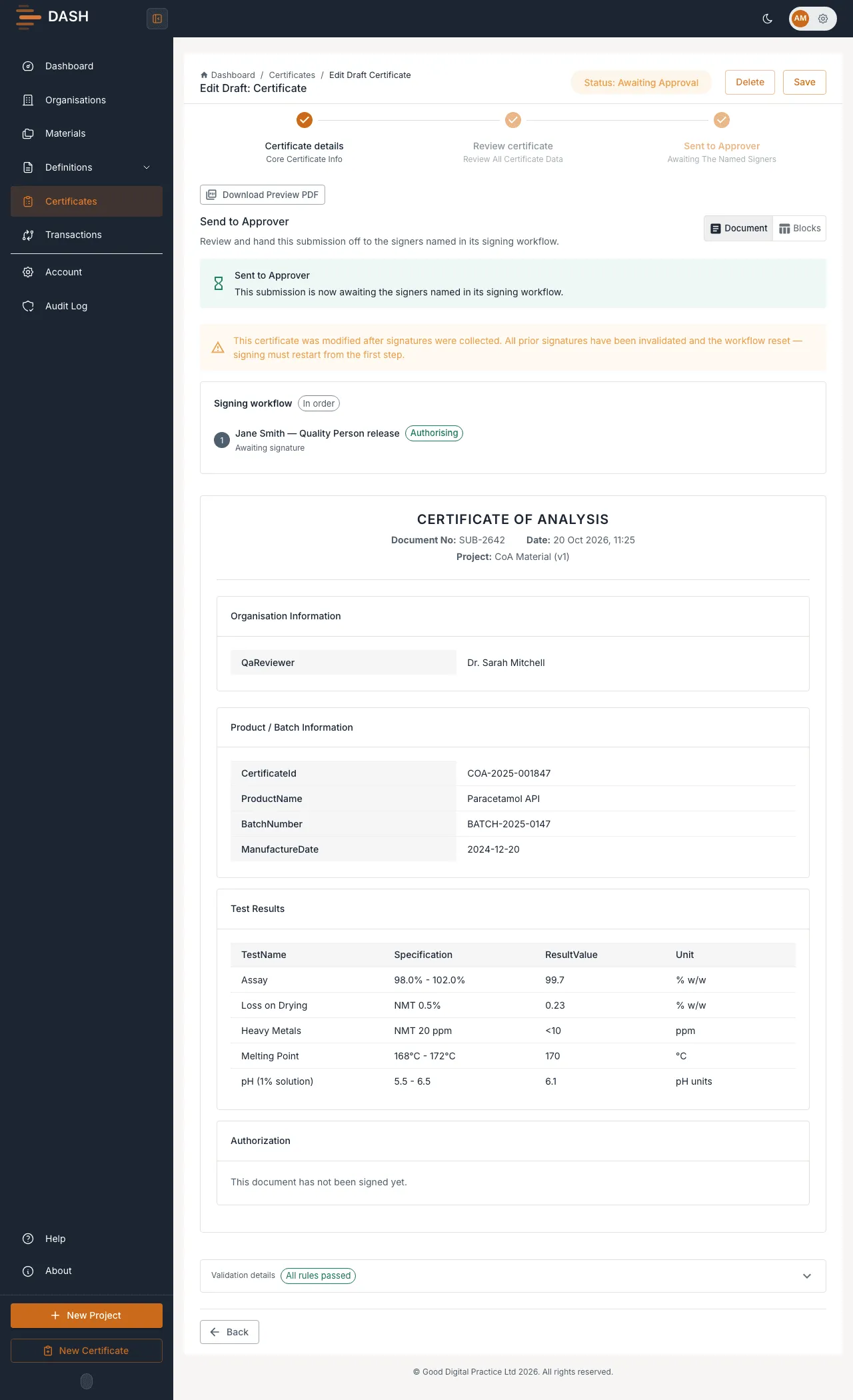
- No signing workflow, and you aren’t a QP. The final step is Send to Approver. You can hand the certificate to a Quality Person (QP), but the Authorization block reads “This document has not been signed yet.” and there is no Sign button. See Send for approval.
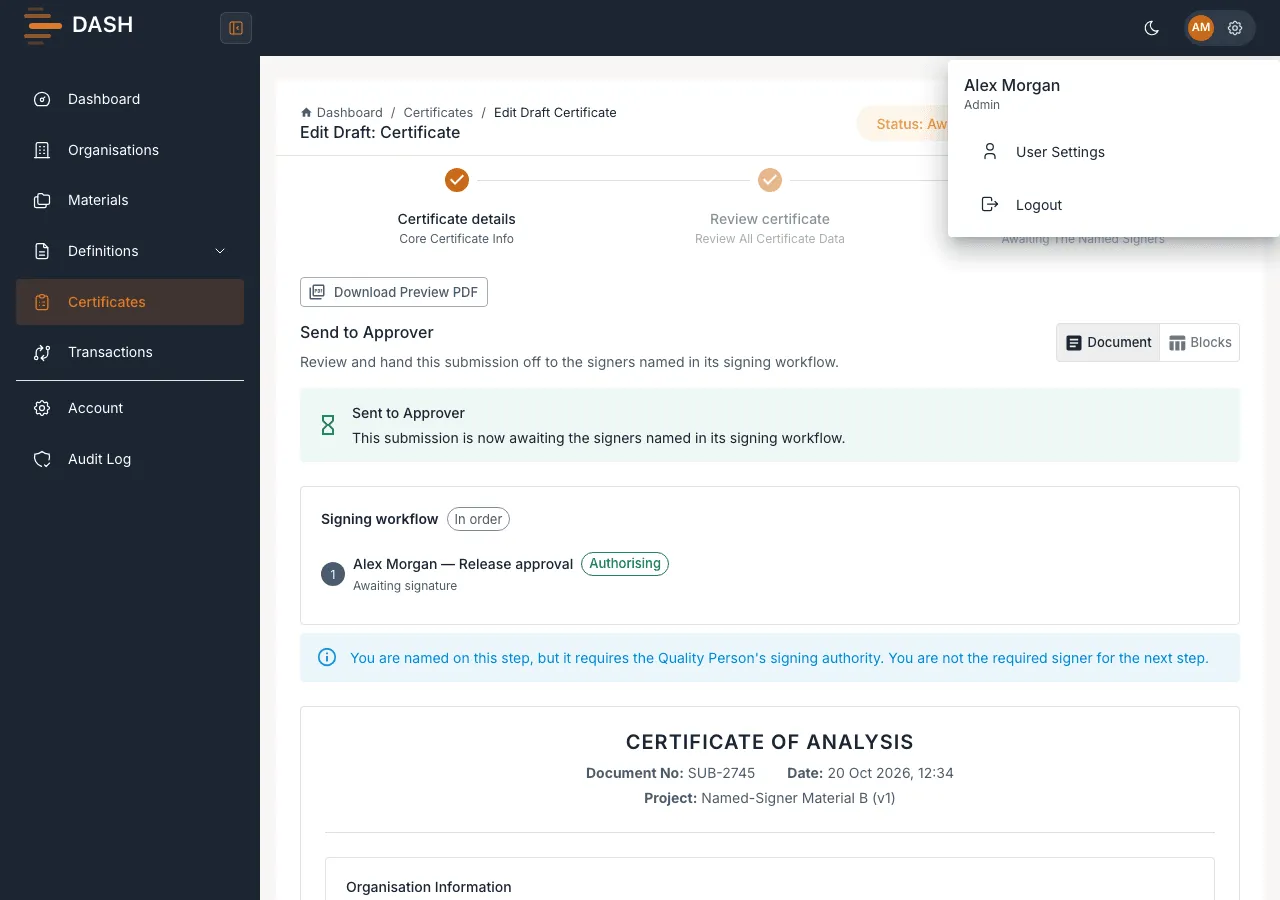
- You are named on the authorising step but aren’t a QP. DASH explains why it won’t let you sign: “You are named on this step, but it requires the Quality Person’s signing authority. You are not the required signer for the next step.” Ask the person who manages the workflow to name a Quality Person (QP) on the authorising step.
- A workflow applies and it isn’t your turn, or you aren’t named. You see “This material uses a signing workflow. Only the assigned signers above can sign this certificate.” or, if you’re a QP waiting on an earlier signer, “You are not the required signer for the next step. The Sign action will enable when it is your turn.”
What the Quality Person (QP) sees
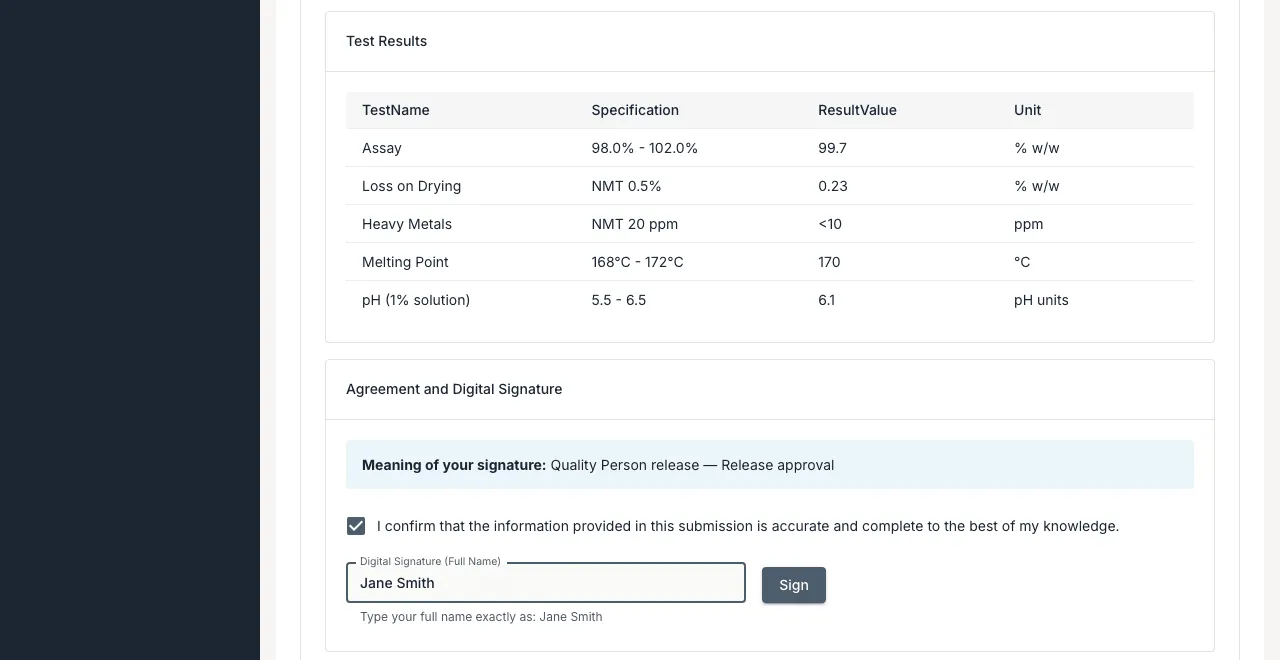
Section titled “What the Quality Person (QP) sees”A Quality Person (QP) who is entitled to sign sees the final step as Sign and Submit, with the Agreement and Digital Signature block and the meaning their signature will carry. See Sign a certificate.
Holding the role isn’t always enough
Section titled “Holding the role isn’t always enough”Signing also needs:
- access to the Material. A Quality Person (QP) only signs certificates for Materials they can reach. See Assign users to a Material.
- a plan that includes regulated release, for the first signature on a certificate. On a plan without it, the Sign step shows “Signing and releasing certificates is not included in your subscription. Please contact DASH sales to add it.” See Regulated release gate.
Having the plan doesn’t grant signing either: a Technician on a plan with regulated release still can’t sign.
Changing who can sign
Section titled “Changing who can sign”An Admin assigns roles. Giving someone the Quality Person (QP) role gives them signing authority; removing it takes it away immediately, for every certificate. See Assign roles and segregation of duties. A custom role can’t be given more authority than the built-in framework allows.