

Limits and features
Everything your plan can switch on, cap or count is one of four kinds of entitlement. DASH sets the values for your plan, and DASH sales can agree different values for your account. This page explains what each kind means, what happens when you reach it, and how usage is counted. To see your own values, open Plan & Usage.
The four kinds of entitlement
Section titled “The four kinds of entitlement”| Kind | What it does | Examples | Shown on Plan & Usage as |
|---|---|---|---|
| Limit | Caps how many of something you can hold at once. Archiving, removing, revoking or deactivating frees space. | Member seats, Materials, Organisations, Submission channels, Analytics API keys | A usage bar, counted In use now (or Per item) |
| Allowance | Counts uses over a billing period, then starts a fresh count. | Certificates created, Certificates released, Source documents ingested, Analytics API requests | A usage bar, counted this month, this quarter, this year or this contract term |
| Feature | Is either included in your plan or not. | Regulated certificate release, the connectors, Enforce SSO, Analytics API, Company logo on certificates | Included or Not included |
| Parameter | An operating value your plan sets, within the platform’s bounds. | Maximum upload size, Minimum source poll interval, Signers per workflow, Analytics API rate | A value with a unit, or Platform default |
What happens when you reach a limit or allowance
Section titled “What happens when you reach a limit or allowance”DASH applies each limit or allowance in one of three ways, as agreed for your plan:
- Hard: the action is refused, and nothing is created.
- Soft: the action goes ahead. The excess is recorded so DASH sales can follow it up with you.
- Count-only: usage is recorded, and nothing is refused or flagged.
Some items are never hard-enforced, because blocking them could leave a regulated record part-way. For example, Signatures applied is only ever counted, and Source channel dry runs is never refused.
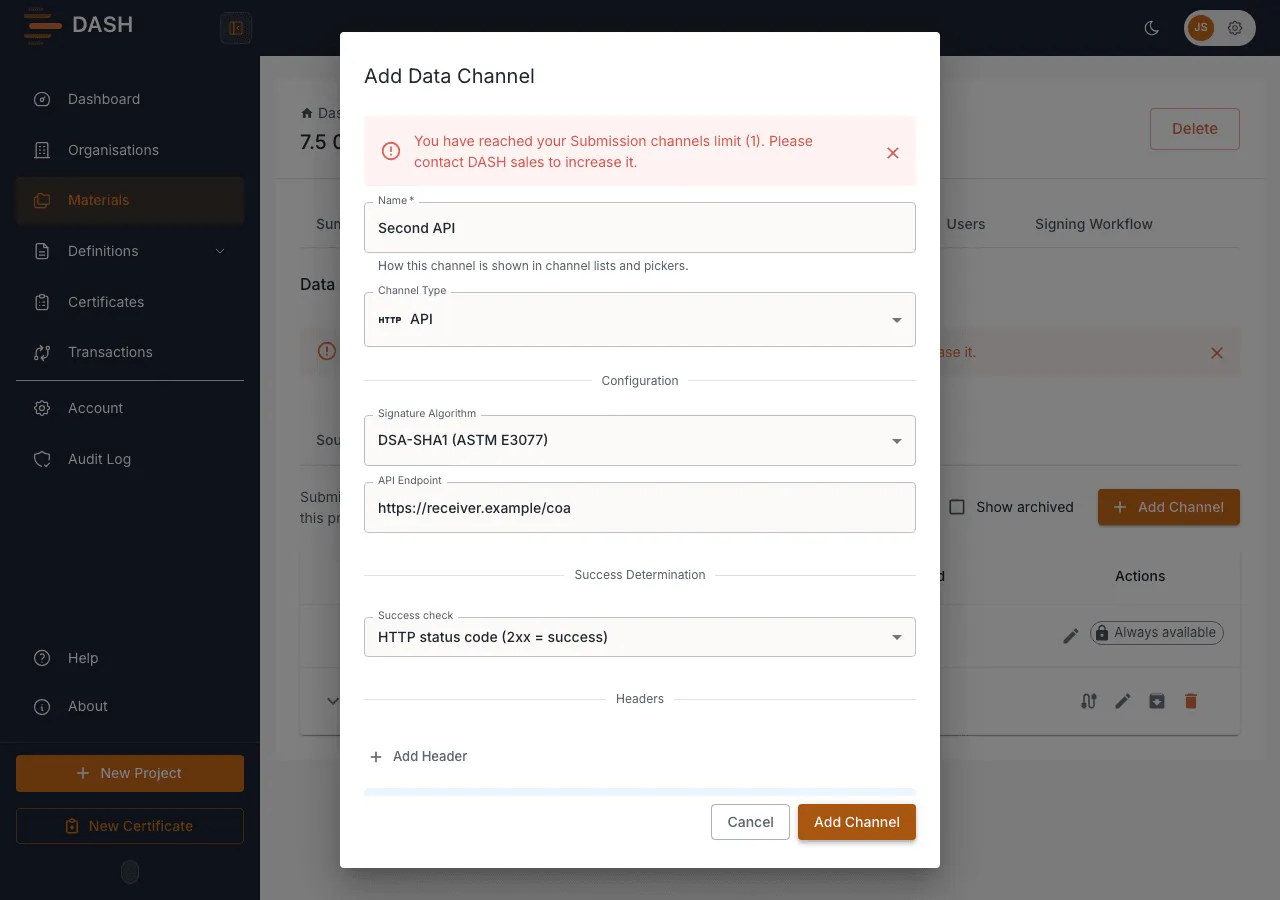
Read a plan refusal
Section titled “Read a plan refusal”When DASH refuses an action because of your plan, the message always names what was refused and says that DASH sales can change it. That’s how you tell a plan refusal from a role refusal. A role refusal talks about permissions, not your subscription.
| Message | Meaning |
|---|---|
| “[Item] is not included in your subscription. Please contact DASH sales to add it.” | A feature your plan doesn’t include. |
| “You have reached your [item] limit ([number]). Please contact DASH sales to increase it.” | A hard limit is full. Archive or remove something, or ask for a higher limit. |
| “You have used your [item] allowance ([number]) for this period until [date]. Please contact DASH sales to increase it.” | A hard allowance is used up until the next period begins on the date shown. |
| “[Item] must be at most [value] [unit] on your subscription. Please contact DASH sales to change it.” | A value above what your plan’s parameter allows, for example a file larger than your upload size. |
| “Your subscription is not active, so this action is unavailable. Please contact DASH sales.” | Your subscription is suspended or ended. See Subscription status. |
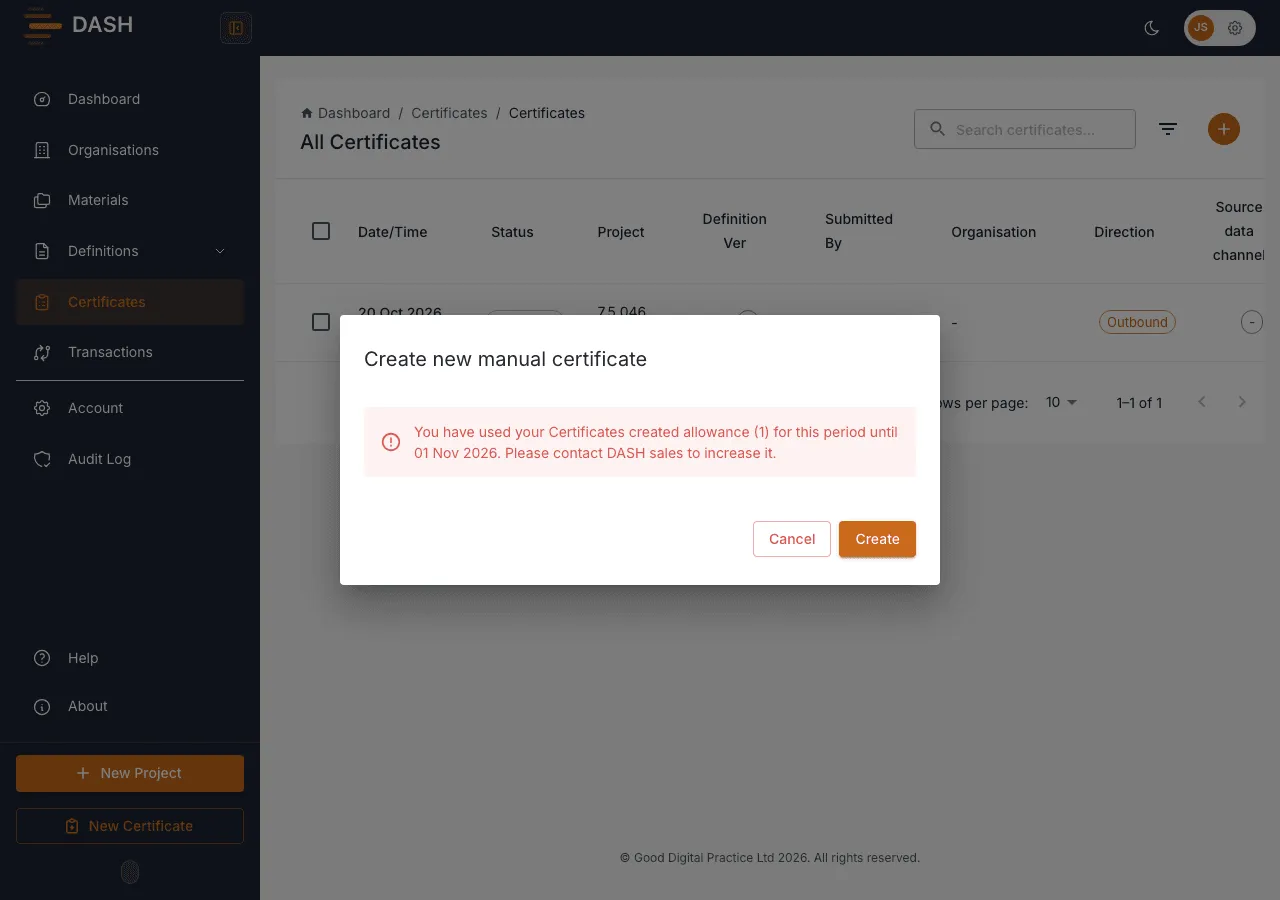
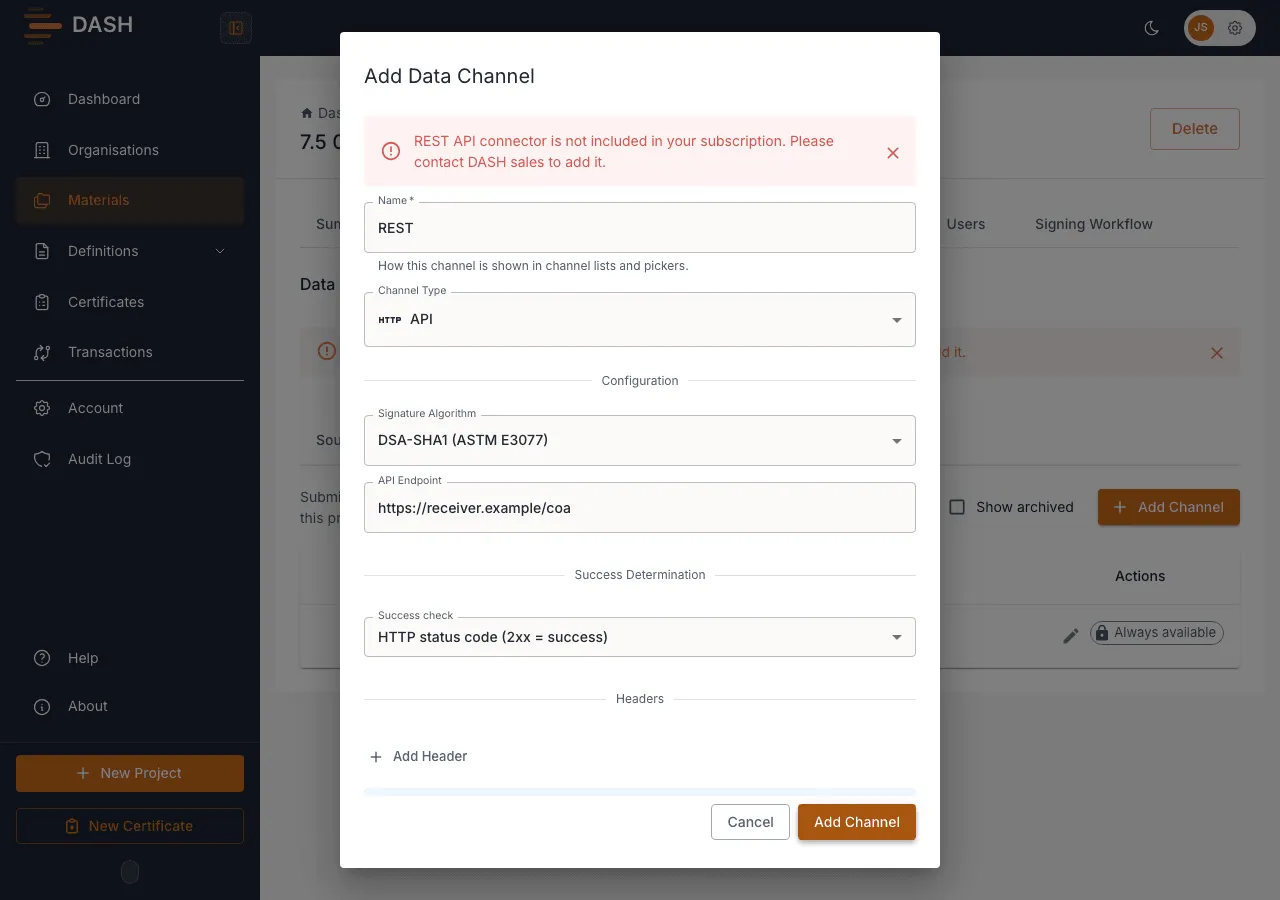
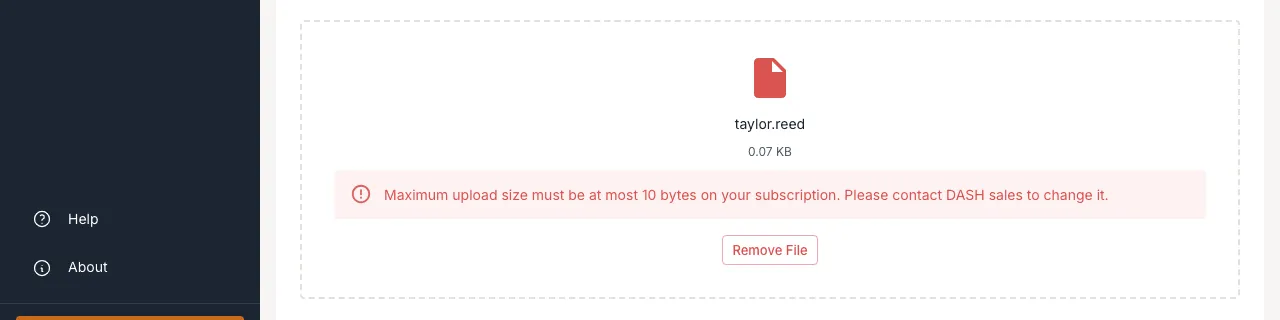
For a list of messages and what to do about each, see Plan limits. For role refusals, see Permissions.
When a feature isn’t included
Section titled “When a feature isn’t included”A feature that isn’t included stops you starting something new. It never takes away what you already have:
- Connectors (Veeva Vault, SharePoint, Amazon S3, Azure Blob, REST API): you can’t set up or switch a channel to that connector, or test that connector. Channels already using it keep working.
- Enforce SSO and SSO just-in-time provisioning: you can’t switch them on. A setting that is already on is never switched off.
- Company logo on certificates: you can’t upload a logo. An existing logo still appears.
- Analytics API: requests and new keys are refused.
- AI PDF extraction: AI extraction is unavailable. The standard PDF engine still works.
- Regulated certificate release: you can’t begin a release. See Regulated release and your plan.
Parameters and platform bounds
Section titled “Parameters and platform bounds”A parameter can tighten a value but never go beyond what the platform supports:
| Parameter | Platform bound |
|---|---|
| Maximum upload size | No more than 25 MB per file |
| Minimum source poll interval | No shorter than 60 seconds |
| AI pages per document | No more than 100 pages |
| Analytics API rate | 300 requests per minute per key unless your plan sets a different rate |
Allowances at release and intake
Section titled “Allowances at release and intake”- Certificates released is checked once, at a certificate’s first signature, if it is hard-enforced. DASH counts certificates already signed but not yet sent, so a signed certificate can always be released. Each certificate counts once, however many times it is retried or archived.
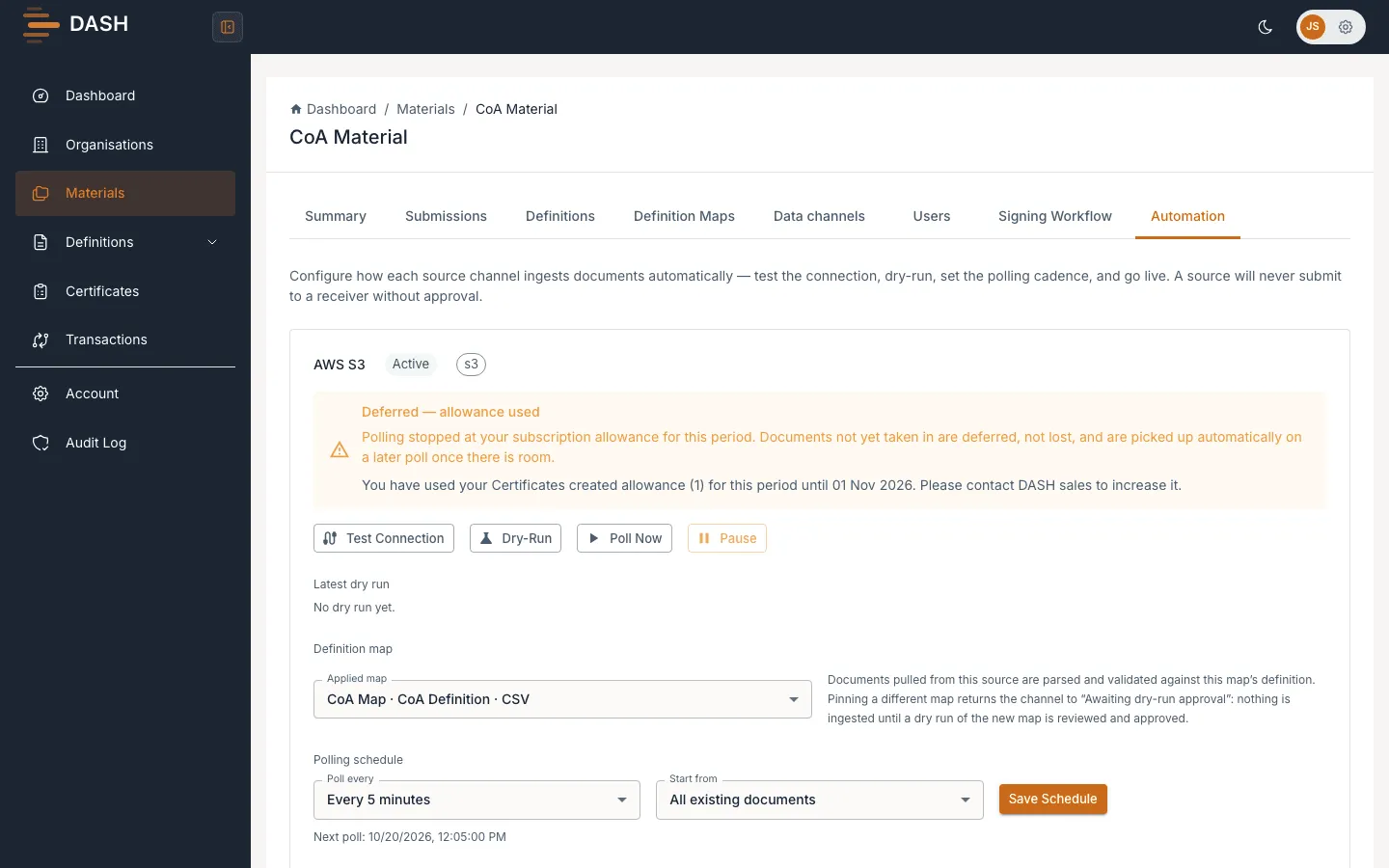
- Automated intake never loses a document. If a source channel finds a document while an allowance is used up, DASH creates no certificate and marks the document Deferred (subscription limit). The channel stays active, and the deferred document is taken in automatically on a later poll once there is room. See How automated ingestion works.
When your plan changes
Section titled “When your plan changes”- Increases apply straight away, including to the period in progress. If you were refused, try again once DASH confirms the change.
- Reductions apply from the next period. If DASH changes how an allowance is counted (for example from monthly to quarterly), that change applies at once.
- Nothing you hold is removed. A lower limit or a feature that is no longer included never deletes, disables, archives or hides what you already have. You just can’t add more until you are back under the limit. Two exceptions: a source channel doesn’t poll while your plan includes no source automation, and a map prepared with AI extraction can’t be used for intake while AI extraction isn’t available.
Usage warnings
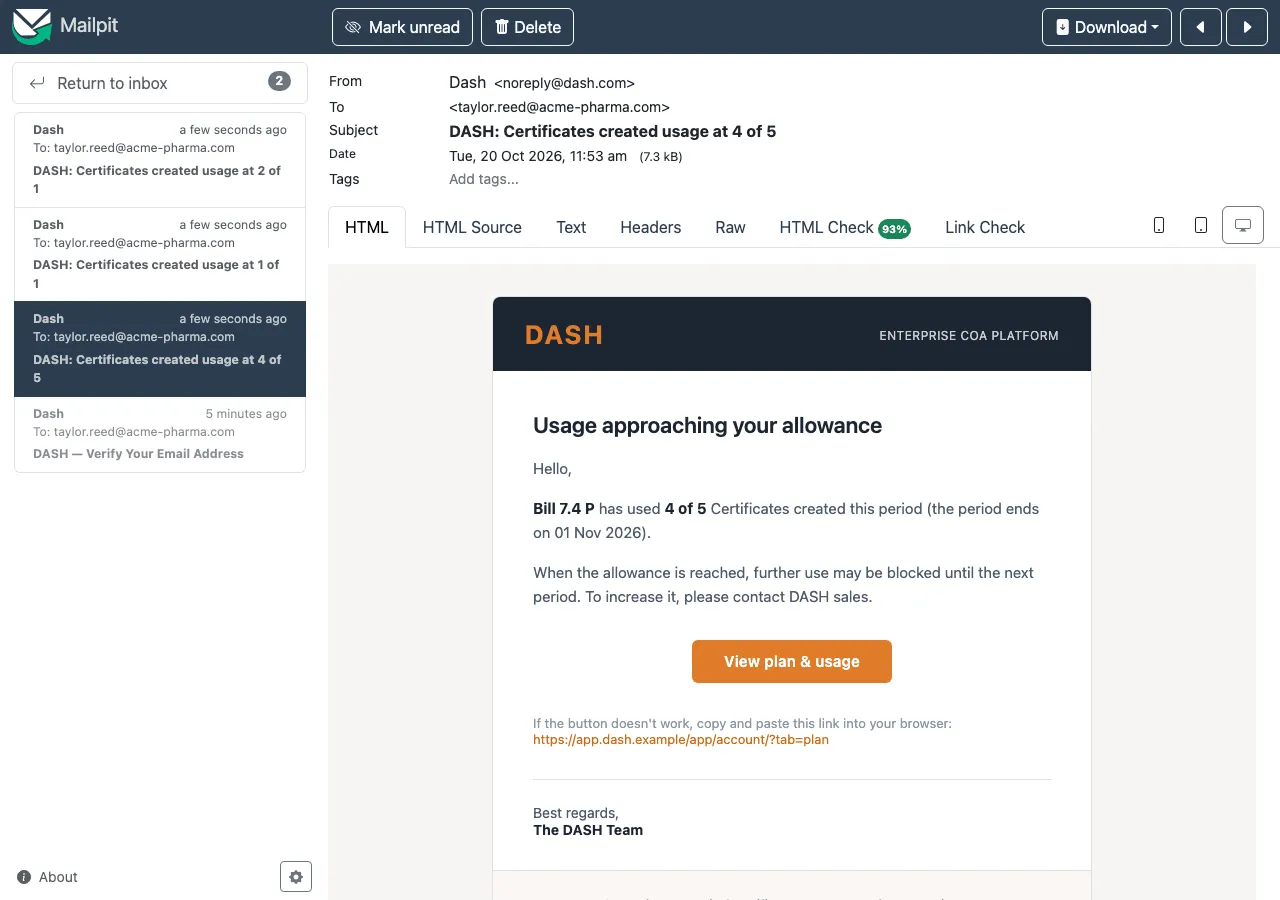
Section titled “Usage warnings”When usage of a hard or soft allowance reaches the warning level DASH has set for it, DASH emails your account administrators: the active members holding the built-in Admin role, and the Account Owner. The email says how much you have used of the allowance this period, when the period ends, and that DASH sales can increase it. It links to Plan & Usage.
You get at most one warning per allowance per period. Members with a custom role that includes account administration don’t receive it.
How usage is recorded
Section titled “How usage is recorded”Every counted use is permanently recorded against your account and the period it falls in. When a period closes, its final figures don’t change, even if your plan changes later. Billing periods begin and end at midnight, UK time. DASH uses these records to invoice you, outside DASH. See Changing your plan.