Void on change
A signature in DASH attests to specific data. If that data changes, the signature no longer describes what is on the certificate, so DASH voids it. This is called void on change. It means an approved certificate can never show data its signers didn’t see.
What triggers a void
Section titled “What triggers a void”Any change to the source data or source document of a certificate that carries signatures, whether it is fully signed (Approved for Submission) or part-way through a workflow (Signing In Progress). In practice, this happens when someone uploads a corrected source document to a signed certificate.
A fully signed certificate is otherwise locked: its details can’t be edited, and the notice on Certificate details reads “This certificate has been signed, so its details are locked and cannot be edited. Uploading a new source document voids its signatures and returns it to a draft for re-review.” Uploading a new source document is the only way to correct it. Once a certificate has been submitted, it is sealed and can’t be changed or voided at all.
What happens when signatures are voided
Section titled “What happens when signatures are voided”- Every signature is voided, not only the last one. In a workflow, signing restarts from the first step.
- The status returns to Draft. The certificate must be reviewed, validated and signed again.
- The old approval disappears from the certificate. It no longer shows as signed or as previously validated, and its signature markers are removed from the output.
- The voided signatures are kept, with the time and the reason they were voided. Nothing is deleted.
- Definitions and maps unlock. A definition or definition map that was locked only because this certificate was signed becomes editable again. See Lock and archive definitions and Edit, lock and archive maps.
- The certificate still can’t be deleted. A certificate that has ever been signed keeps its signing history and can never be deleted. See Edit and delete rules.
Replace the data on a signed certificate
Section titled “Replace the data on a signed certificate”- Open the certificate and go to the Certificate details step.
- Drop the corrected source document on the upload area, or select it to browse.
- The Replace signed certificate data? dialog warns that uploading “will permanently void the existing signature, clear its validation result, and return the certificate to draft.” Select Void Signature & Upload to go ahead, or Cancel to keep the signed certificate as it is.
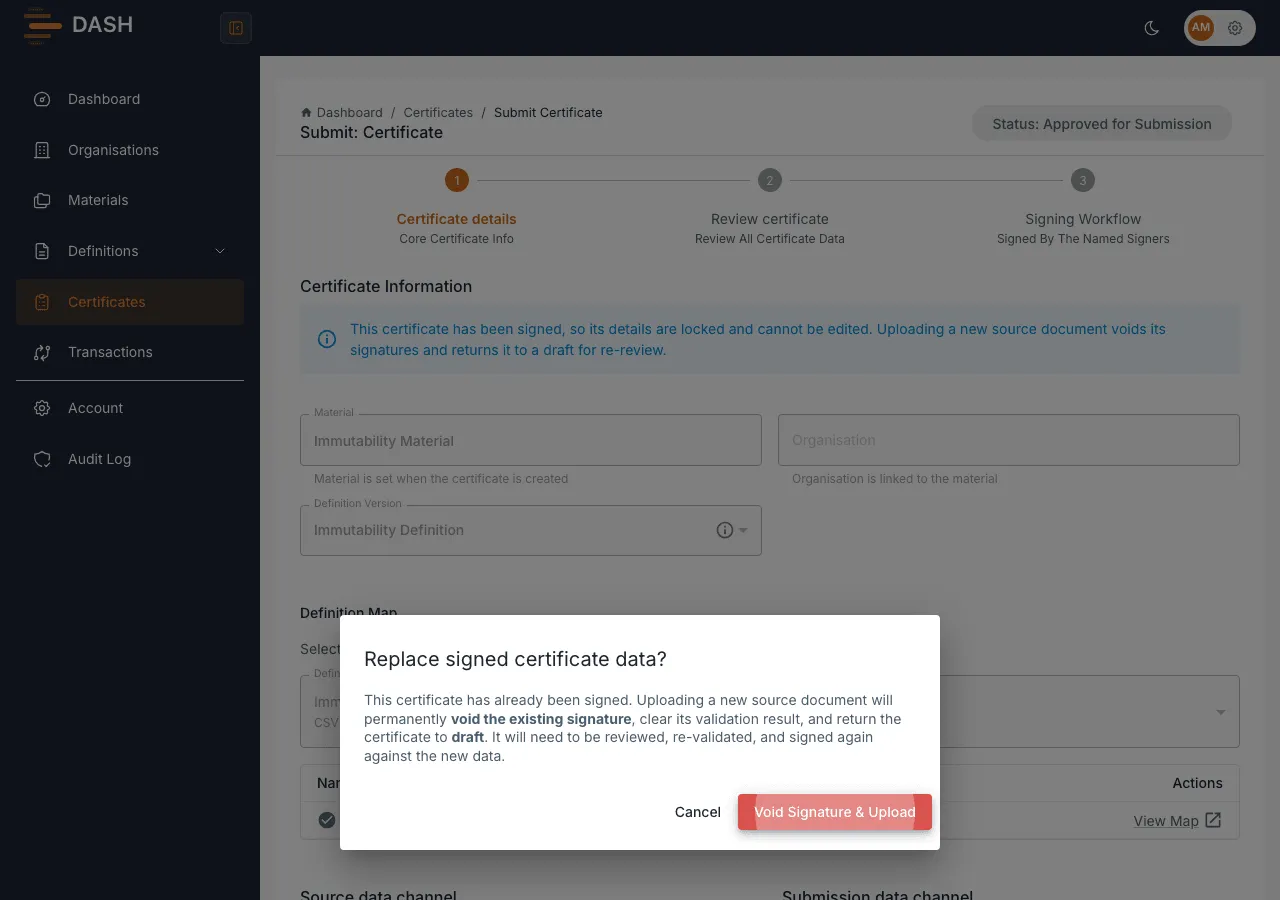
DASH ingests the new document, voids the signatures and returns the certificate to Draft. The void is recorded as soon as the upload is accepted.
What you see afterwards
Section titled “What you see afterwards”The certificate shows Draft. On the Sign step, a warning explains what happened: “This certificate was modified after signatures were collected. All prior signatures have been invalidated and the workflow reset — signing must restart from the first step.” Every step is back to Awaiting signature, the agreement box is unticked and the signature field is empty.
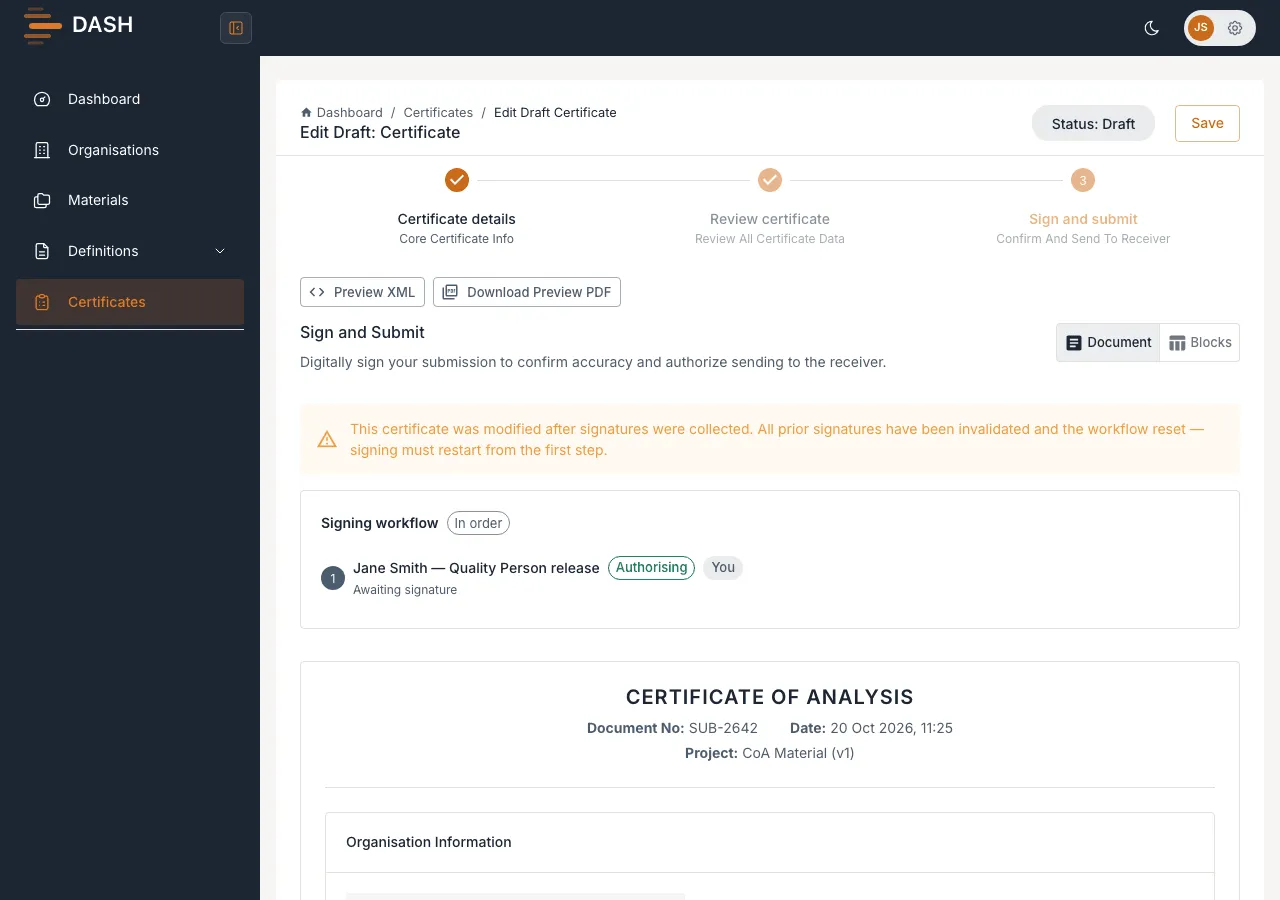
The signers then go through the normal process again: review, then Send to Approver or sign directly. See Sign a certificate. Reminder emails go out again as the certificate starts waiting for signatures.
One live signature per step
Section titled “One live signature per step”Re-signing after a void doesn’t stack signatures. Each step holds at most one valid signature at a time, so after the new signature the workflow shows exactly one Signed by line per step. The voided signature remains in the record, but it is no longer shown as a signature on the certificate.

Where the voided signatures are kept
Section titled “Where the voided signatures are kept”An Admin can find them in the account’s Audit Log:
- Auth Events lists a Signature Voided entry.
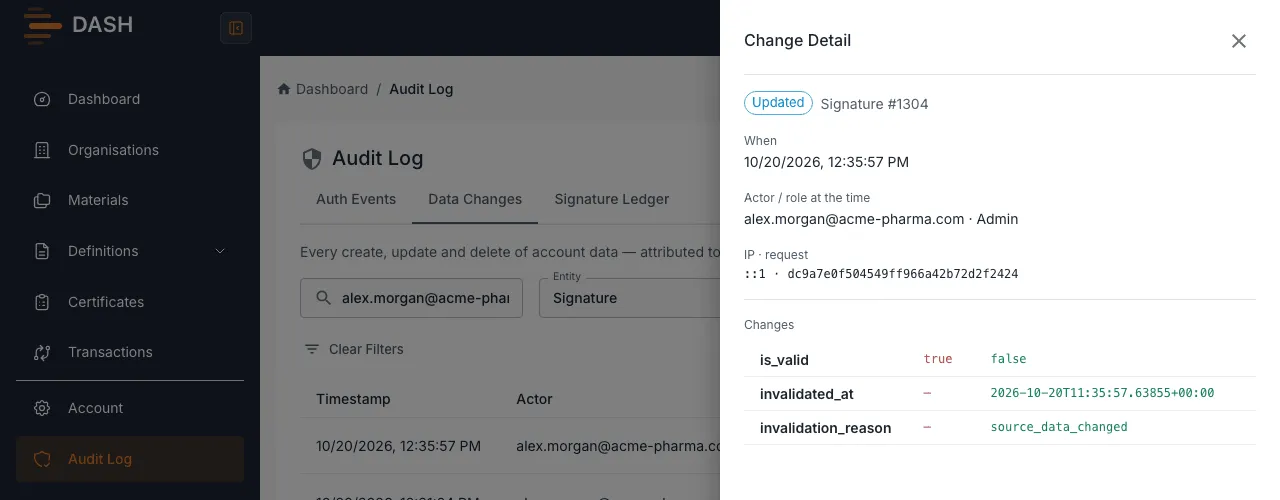
- Data Changes, filtered to the entity Signature, shows the signature record updated: it is marked no longer valid, with the time of voiding and the reason (the source data changed).
- Signature Ledger records the void in the Material’s tamper-evident chain, with the number of signatures voided. See Signature ledger.