

Notification preferences
DASH can email you a short digest when certificates are waiting for you to review or sign. These emails are a convenience reminder. You choose whether to receive them with a single switch in your own user settings.
Which emails the setting controls
Section titled “Which emails the setting controls”The switch covers only these advisory emails:
- Certificates awaiting your signature. Sent when certificates are waiting for your signature. The subject reads “DASH — N certificate(s) awaiting your signature”, and the link opens your certificates list. See Signature notifications.
- New certificates needing review. Sent when certificates arrive through automated ingestion and need review before approval. The subject reads “DASH — N new certificate(s) need review before approval”. See Review auto-ingested certificates.
It never affects security or account emails. You always receive email verification, password reset, invitations, ownership-transfer confirmations and messages about changes to your membership, whatever the switch says.
Turn the emails on or off
Section titled “Turn the emails on or off”- Select your avatar in the top-right corner, then select User Settings.
- Open the Security tab.
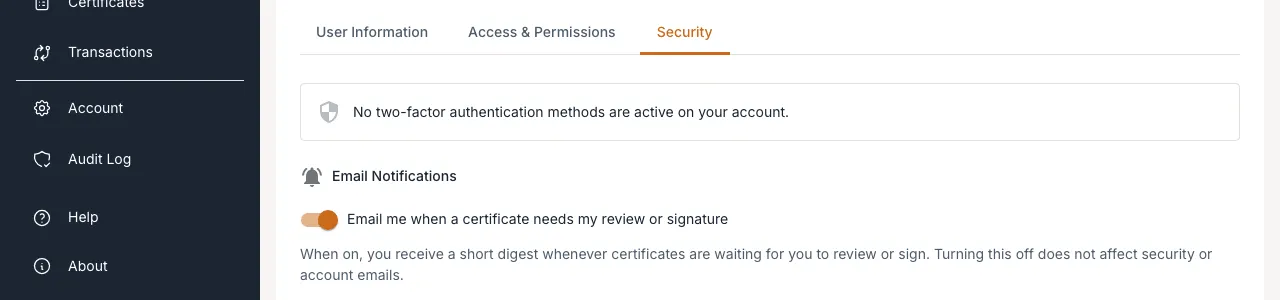
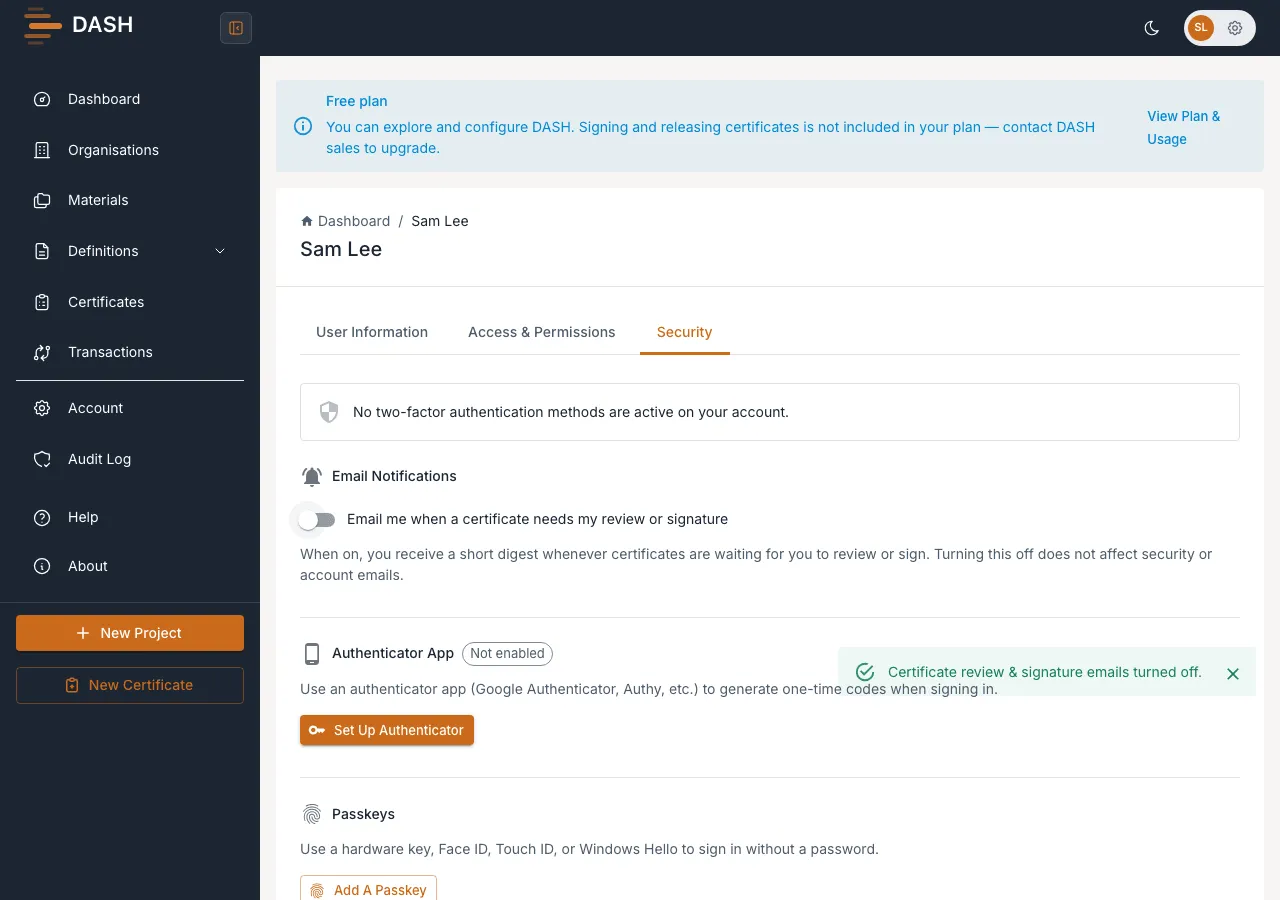
- Under Email Notifications, use the switch Email me when a certificate needs my review or signature.
- On (the default for every new user): you receive the digests.
- Off: you stop receiving them.
The change is saved straight away; there is no Save button. DASH confirms with “Certificate review & signature emails turned off.” or “You will receive certificate review & signature emails.”
You can switch the emails back on at any time. The setting applies to you in every account you belong to. Each change is recorded as User Details Updated in the account’s audit log.