

Pre-signing checks
DASH won’t let anyone sign a certificate that is incomplete, that fails a blocking validation rule, or that is already signed. These checks run every time someone tries to sign, so a certificate can’t be released with a known gap or error in its data.
The checks at a glance
Section titled “The checks at a glance”| Check | What must be true | What you see if it fails |
|---|---|---|
| Plan | For the first signature, the account’s plan includes regulated release | “Signing and releasing certificates is not included in your subscription. Please contact DASH sales to add it.” |
| Required fields | Every field the Material’s definition marks as required has a value | “Required fields are missing: … Map and fill every required property before signing.” |
| Validation rules | No error-severity rule on the definition map fails | “Validation failed — resolve all error-severity rules before signing.” and Sign disabled |
| Your name | The name you type matches your own full name exactly | “Signature must match your full name: …” and Sign disabled |
| Entitlement | You may sign the step that is due | No signature form, or a notice explaining why. See Signing authority |
| Not already signed | The certificate, or your step, hasn’t been signed already | A read-only Authorization block instead of the form |
Warning-severity validation rules never block signing. They are advisory.
Required fields are complete
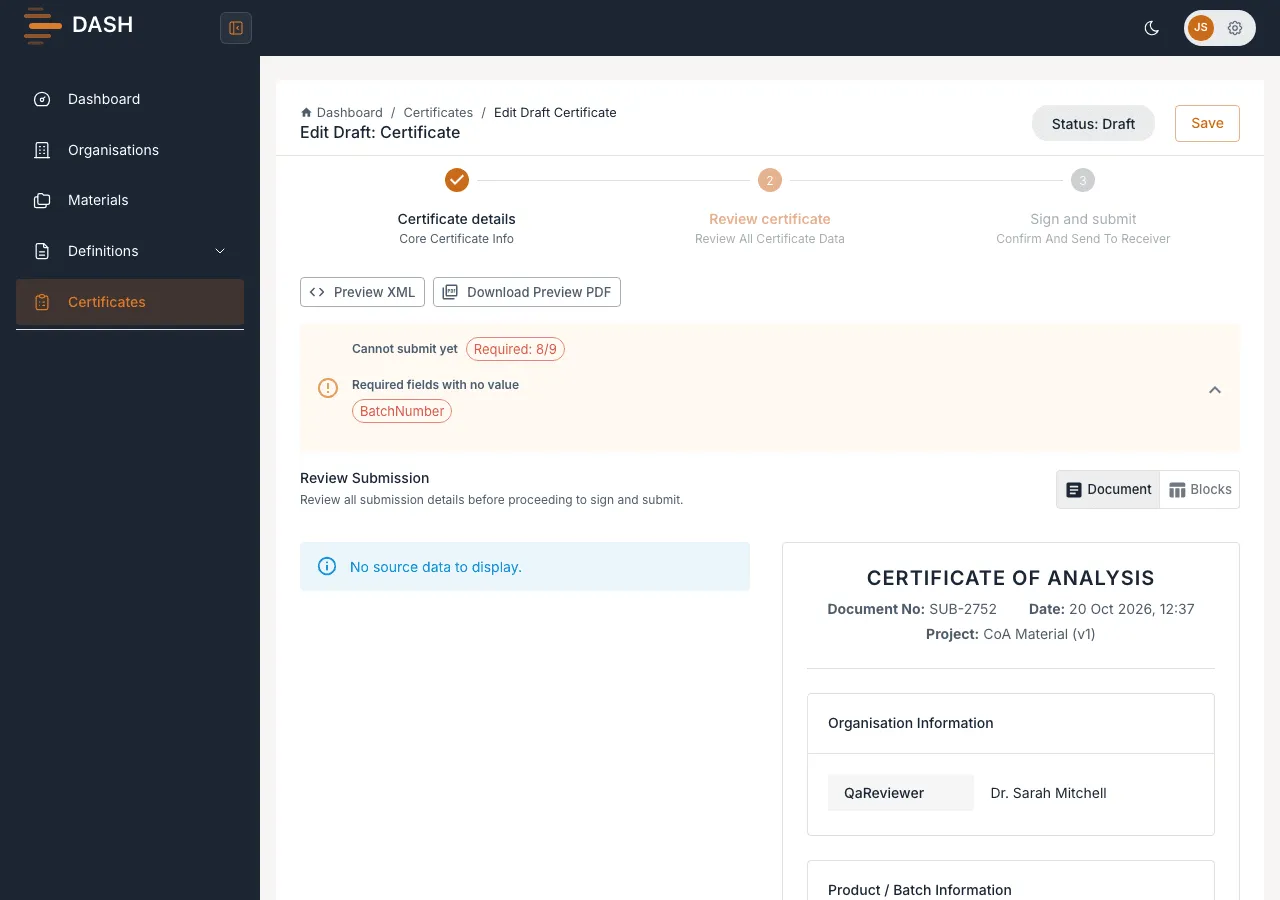
Section titled “Required fields are complete”Before you get to the Sign step, the Review certificate step shows a readiness panel. Cannot submit yet with a count such as Required: 8/9 means at least one required field has no value; the panel names the empty fields under Required fields with no value.
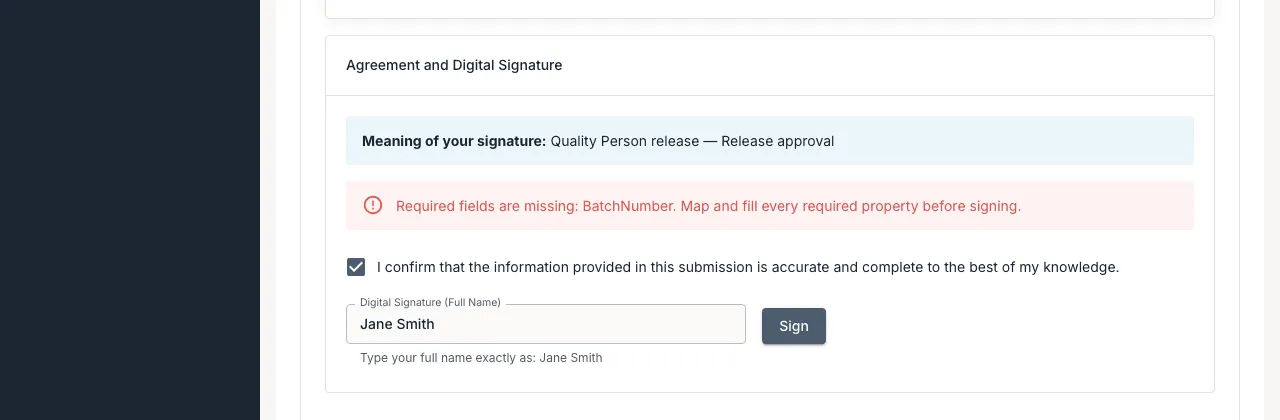
If you try to sign anyway, DASH asks you to confirm your identity and then refuses the signature in the signature block, naming the missing fields. Nothing is signed and your identity confirmation isn’t used up.
To fix it, fill the field on the Review certificate step (see Review and edit a certificate), upload a corrected source document, or ask whoever manages the definition map to map the property. See Validation failures.
No blocking validation rule fails
Section titled “No blocking validation rule fails”A definition map can carry validation rules, for example each result must read CONFORMS. A rule with severity Error (blocks) stops signing when it fails; a Warning rule doesn’t. See Validation rules.
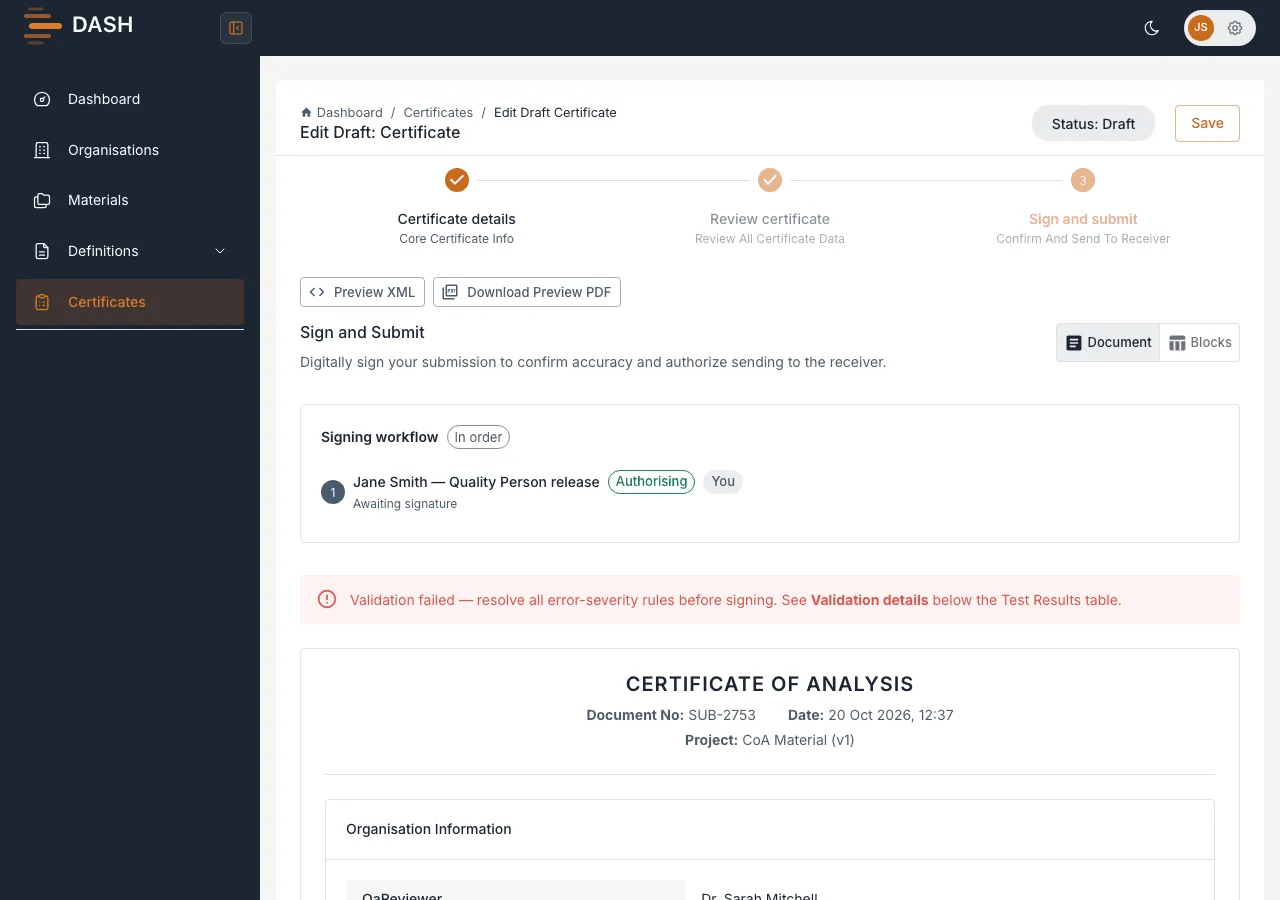
When an error rule fails, the Sign step shows “Validation failed — resolve all error-severity rules before signing.” at the top and in the signature block, the failing values are highlighted, and Sign is disabled. Open Validation details below the Test Results table to see each failing rule.
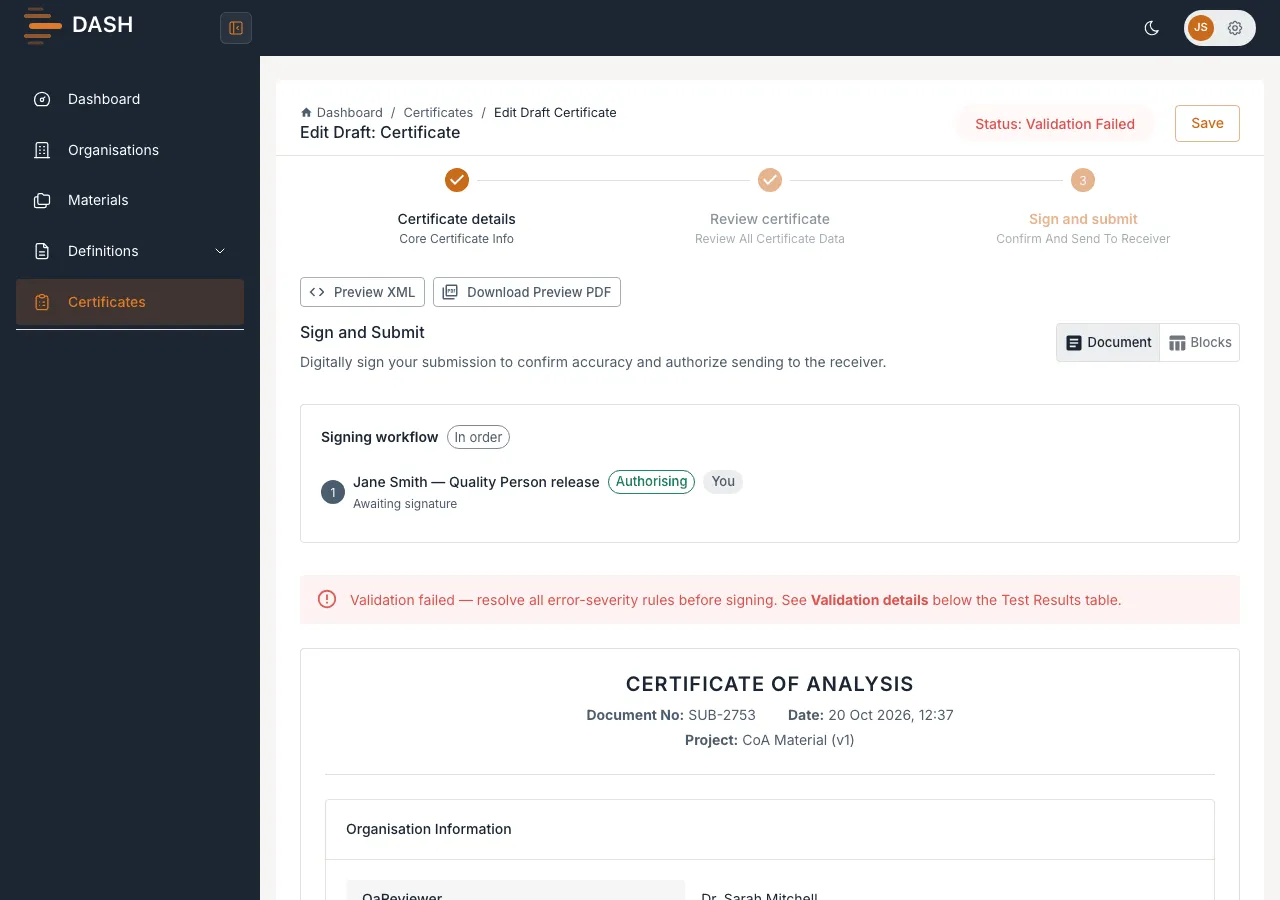
If a signature is attempted on such a certificate, DASH flags it: the status chip changes to Validation Failed, so it can’t look like an acceptable draft. Once the data is corrected and the rules pass, it returns to Draft and can be signed.
The rules are checked again when the certificate is submitted. When the certificate is signed, DASH keeps the validation result it was signed on; you can see it read-only under Validation at signing on the certificate’s Verification tab.
Your typed name matches
Section titled “Your typed name matches”Under Digital Signature (Full Name), DASH shows the exact name it expects: “Type your full name exactly as: …”. This is the first and last name on your DASH profile. Anything different turns the field red and keeps Sign disabled.
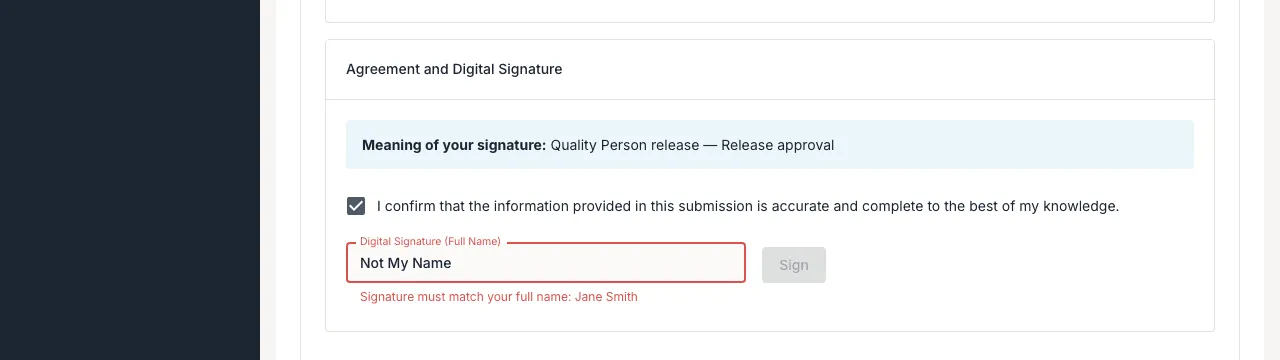
If your profile name is wrong, have it corrected before you sign. Signatures already applied keep the name recorded at the time.
The certificate isn’t already signed
Section titled “The certificate isn’t already signed”A fully signed certificate can’t be signed again while that signature stands. When you open it, the signature form is replaced by a read-only Authorization block showing who signed, when, and the meaning. In a workflow, once you’ve signed your step, you see your signature and can’t sign that step twice.
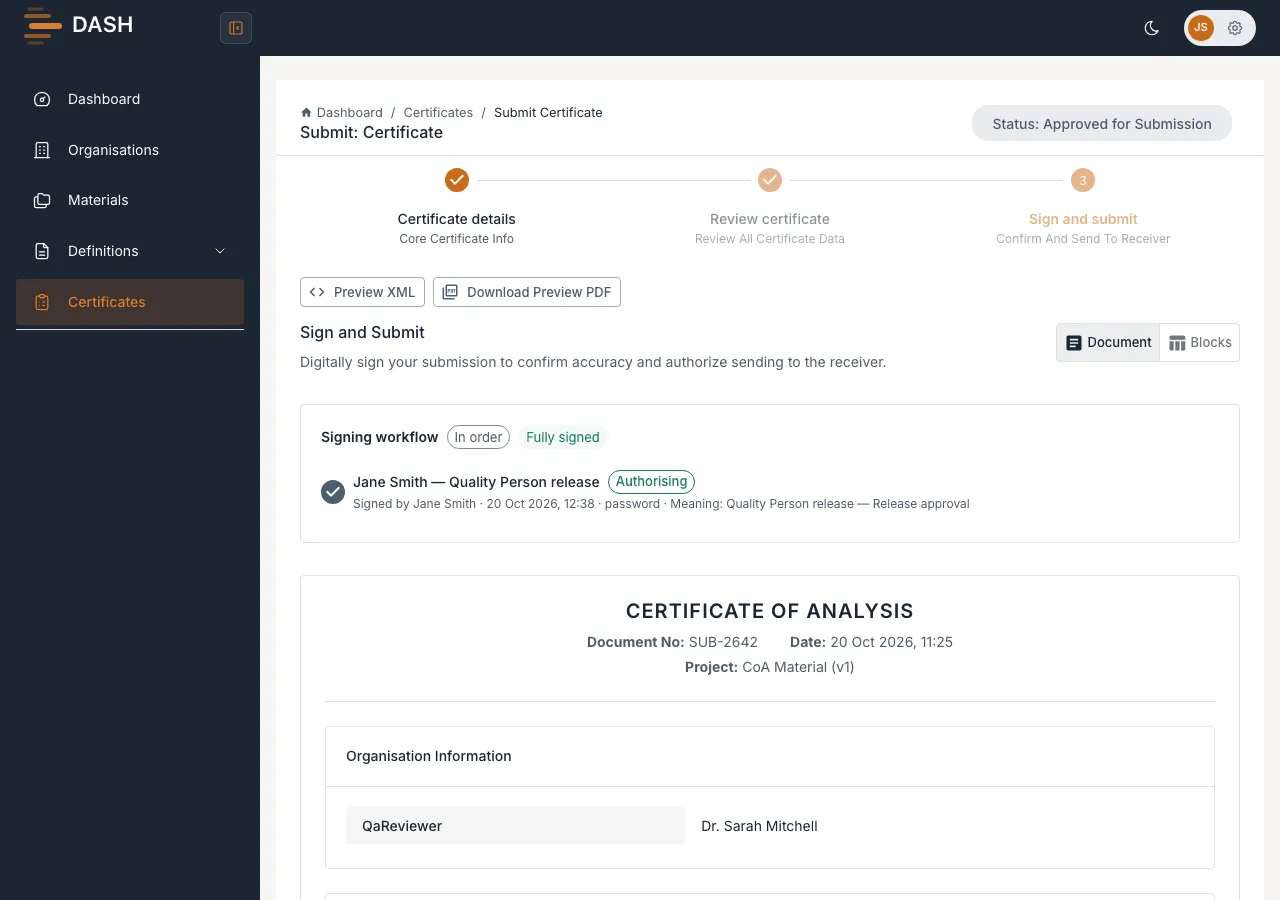
If two people try to sign the same step at the same moment, only one signature is kept and the other sees “This step has already been signed.” After a certificate has been submitted, it is sealed and can never be signed again.
The plan includes regulated release
Section titled “The plan includes regulated release”The first signature on a certificate starts a regulated release, so DASH checks the account’s plan at that point. On a plan without regulated release, the Sign step shows “Signing and releasing certificates is not included in your subscription. Please contact DASH sales to add it.” Later signatures on a certificate that has already been signed once, submission and retries are never refused for plan reasons. See Regulated release gate.