

Transaction logs
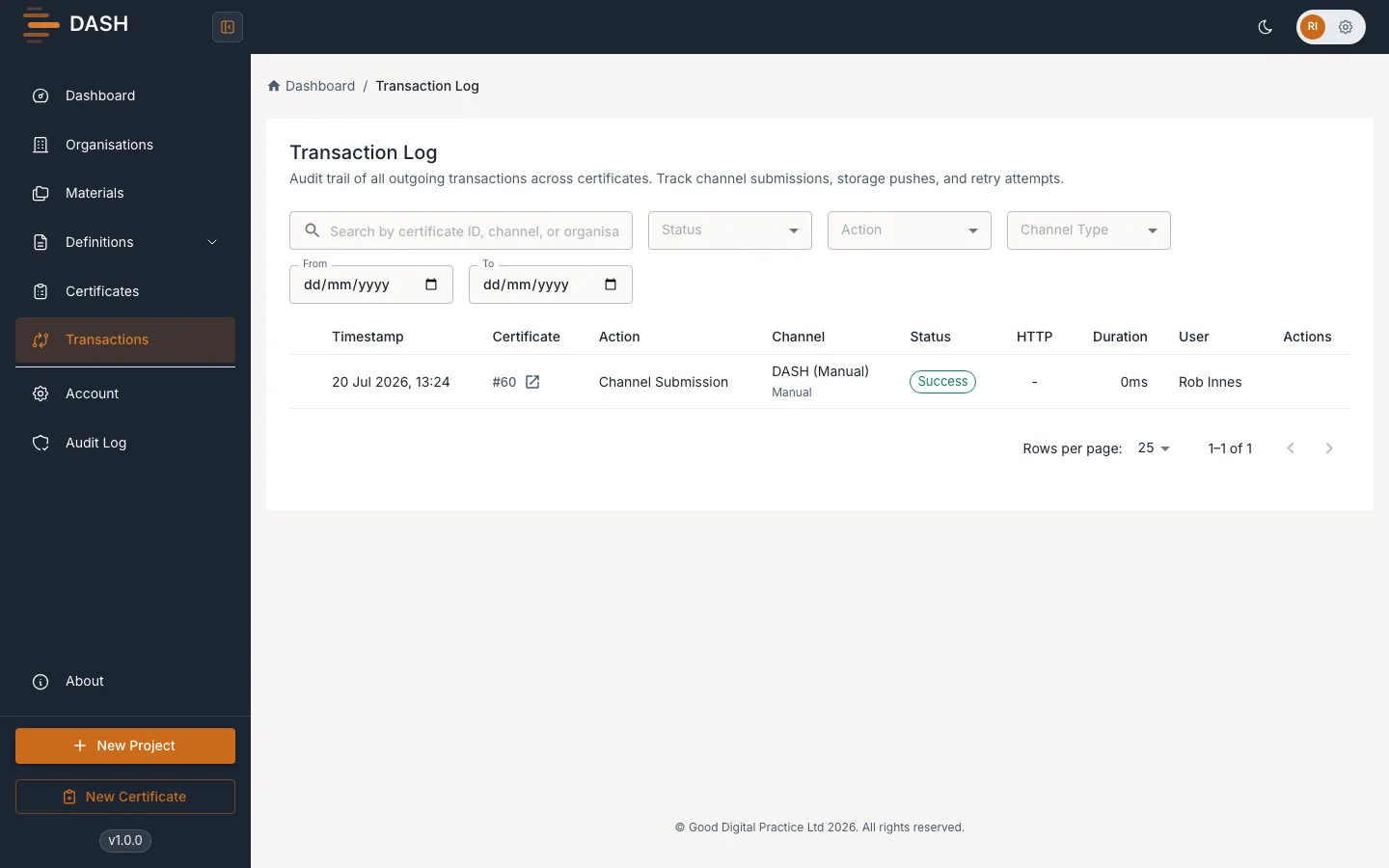
The transaction logs record what DASH’s system does when it talks to your data channels — every certificate submission, storage push and retry, along with the response it got back. When an integration misbehaves, this is where you find the exact error.
What the transaction logs record
Section titled “What the transaction logs record”Each entry is a single interaction with a channel:
- Channel Submission — sending a certificate to its submission channel.
- Storage Push — pushing a file to a storage channel.
- Retry Channel and Retry Storage — a repeat attempt after a failure.
Entries show the channel and connector involved (for example Veeva Vault, SharePoint or AWS S3) and whether the interaction ended in Success or Failure.
Read an entry
Section titled “Read an entry”Each row shows the Timestamp, Action, Channel (name plus connector), Status, the HTTP response code, the Duration in milliseconds, and the User who triggered it (or System for automatic actions). Select a certificate reference to jump straight to that certificate.
When an interaction fails, expand the row to see the full Error Details — the raw error message returned by the channel. That message is usually the fastest route to the cause: a rejected credential, a bad endpoint, or a payload the destination would not accept. Failed rows also offer a Retry action so you can try again once you have fixed the problem.
Filter and search
Section titled “Filter and search”- Search by certificate ID, channel or organisation.
- Status — filter to Success or Failure (default All Statuses).
- Action — filter to Channel Submission, Storage Push, Retry Channel or Retry Storage.
- Channel Type — filter to API, Storage or Manual channels.
- From and To — set a date range.
- Clear Filters — reset all filters.