

Submit & track status
Once a certificate is signed it is Approved for submission and ready to send. Submitting kicks off a background pipeline that generates the output XML, transmits it to the recipient through the submission channel, and archives a copy to any storage channels. This page explains how to submit and what each status you see along the way means.
1. Submit the certificate
Section titled “1. Submit the certificate”- Open the signed certificate. A signed certificate lands directly on the Sign and submit step, where the Submit button is enabled.
- Select Submit.
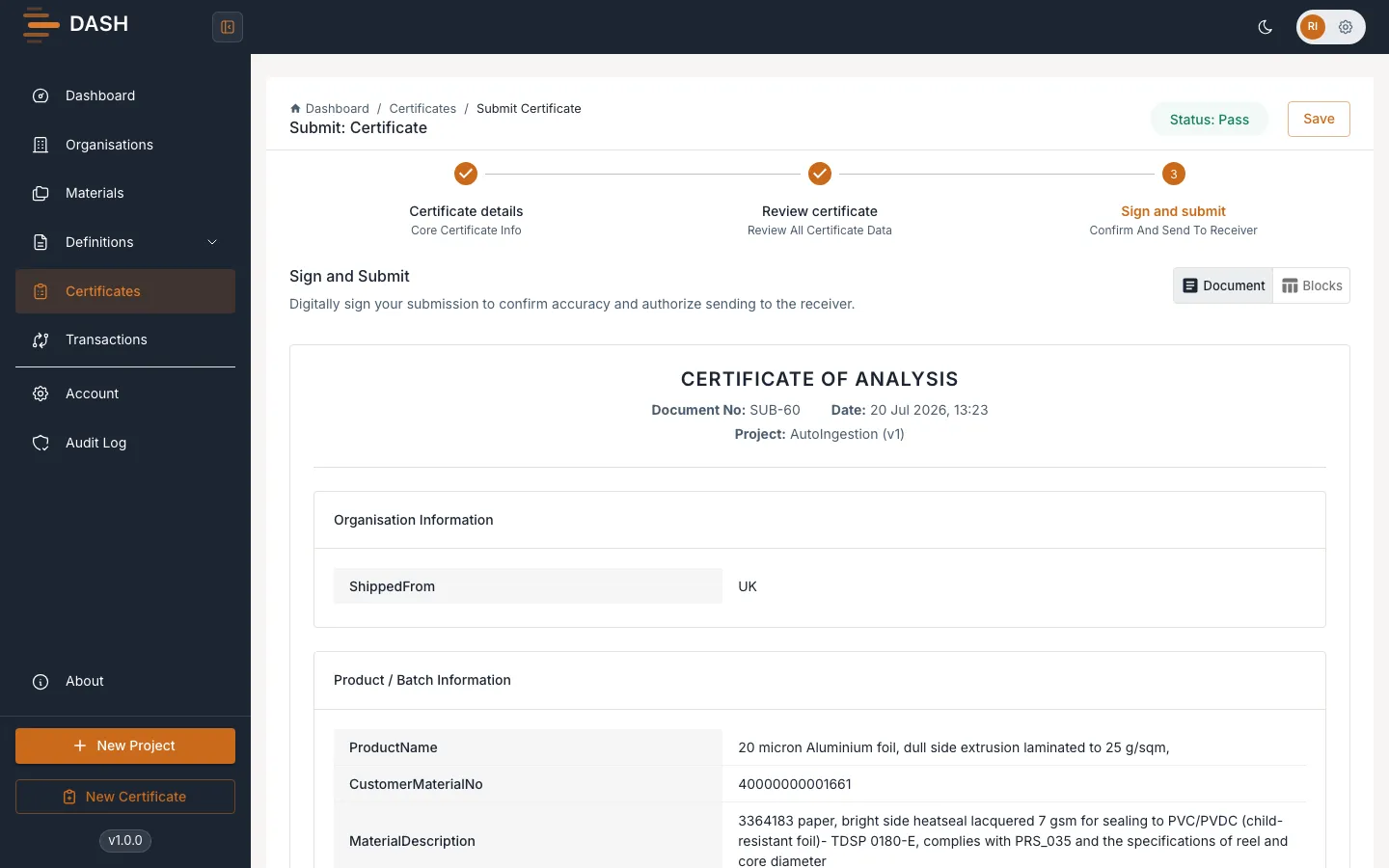
DASH runs the submission in the background and updates the status as it goes.
2. The channel sequence
Section titled “2. The channel sequence”Submission runs as a chain. If any step fails, the pipeline stops there and the status reflects the stage that failed.
- Generating XML — DASH renders the certificate’s output XML.
- Submitting — the XML is transmitted to the certificate’s submission channel (Email, API, or the built-in Manual channel).
- Storage push — a copy of the output is pushed to each active storage channel (such as S3 or Azure). Storage pushes are best-effort: if one fails it is recorded but does not fail the submission.
When the chain finishes successfully the certificate reaches Pass.
3. Track the status
Section titled “3. Track the status”While a submission is in progress the certificate shows Submitting and DASH polls for the result. On the certificate record, the Certificate details tab shows:
- a Transmission status banner confirming whether the output was sent via the submission channel, which you can expand to see the raw response;
- a Storage channels banner summarising which storage pushes succeeded or failed;
- a Validation status summary of the mapped properties.
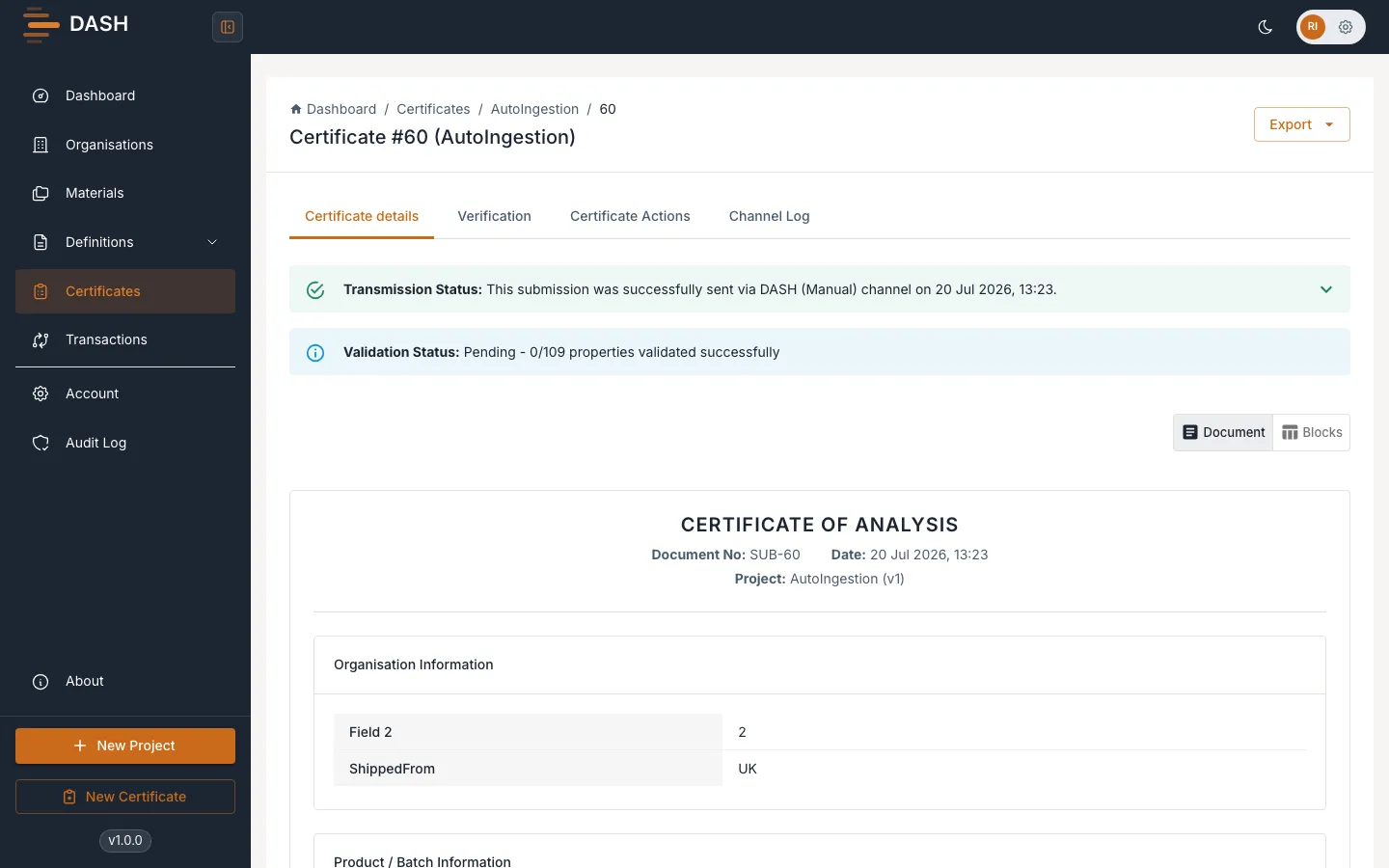
For the full history of each channel attempt, open the Channel Log tab, or see Transaction logs.
If a submission fails
Section titled “If a submission fails”If the pipeline stops at XML failed, Validation failed or Submit failed, you can retry — retrying resumes from the failed stage. A failed storage push can be retried on its own from the record. See Retry a failed certificate.